Multipasser
Inspiring
November 8, 2025
Frage

Banding with alpha assets in Premiere

  • November 8, 2025
  • 2 Antworten
  • 229 Ansichten

it's driving me crazy why perfect straight alpha exports give banding in Premiere.

Lot of the time I deliver assets to editors or tv stations with alpha channels.

Many times there is some kind of flare/glow on a text or asset layer.


the only way to get rid of this is to turn this off.

But what if an editor does not want to do this, because it changes other things in the timeline?

 

Do I need to interpret the files different in order to get rid of the banding?
I tried 16bit and 32bit. Same result. Only the 'composite in linear color' checked off does the trick.

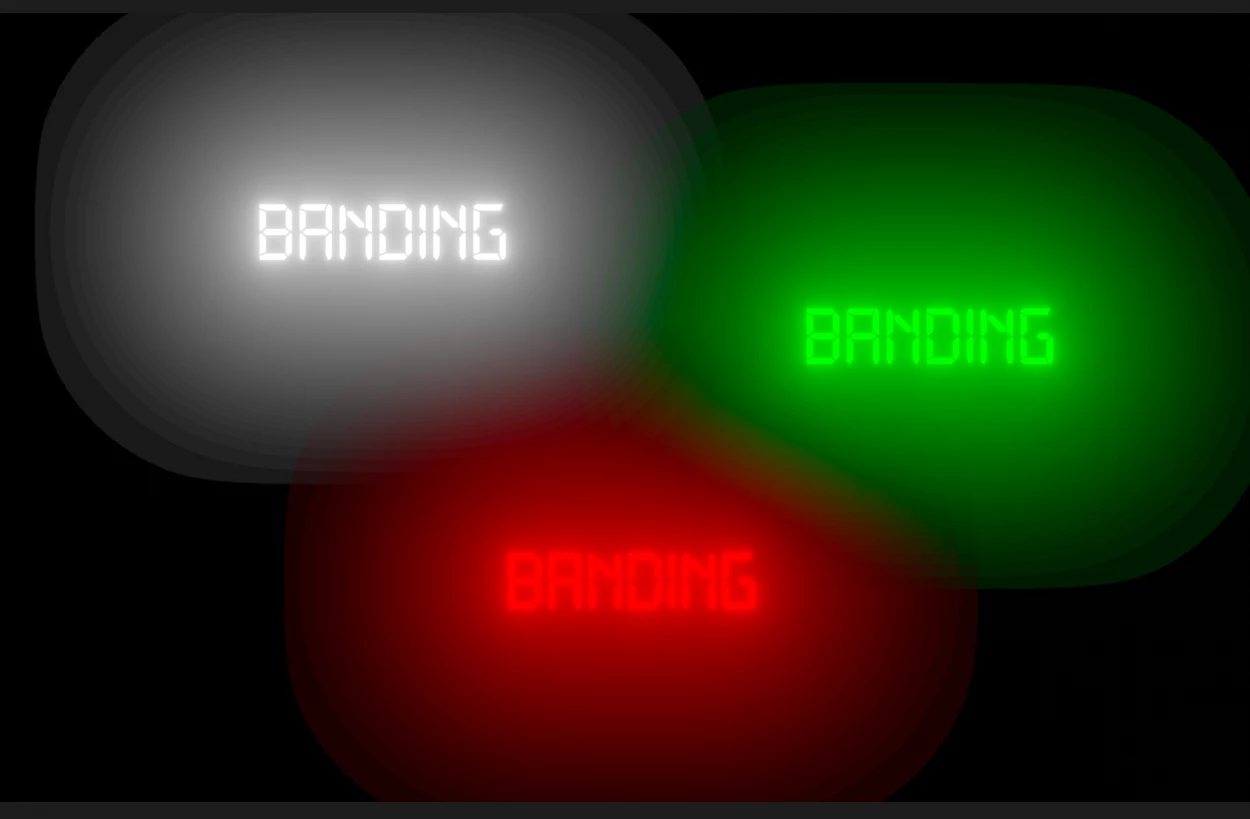
This is the ugly banding you get on soft glows in Premiere.


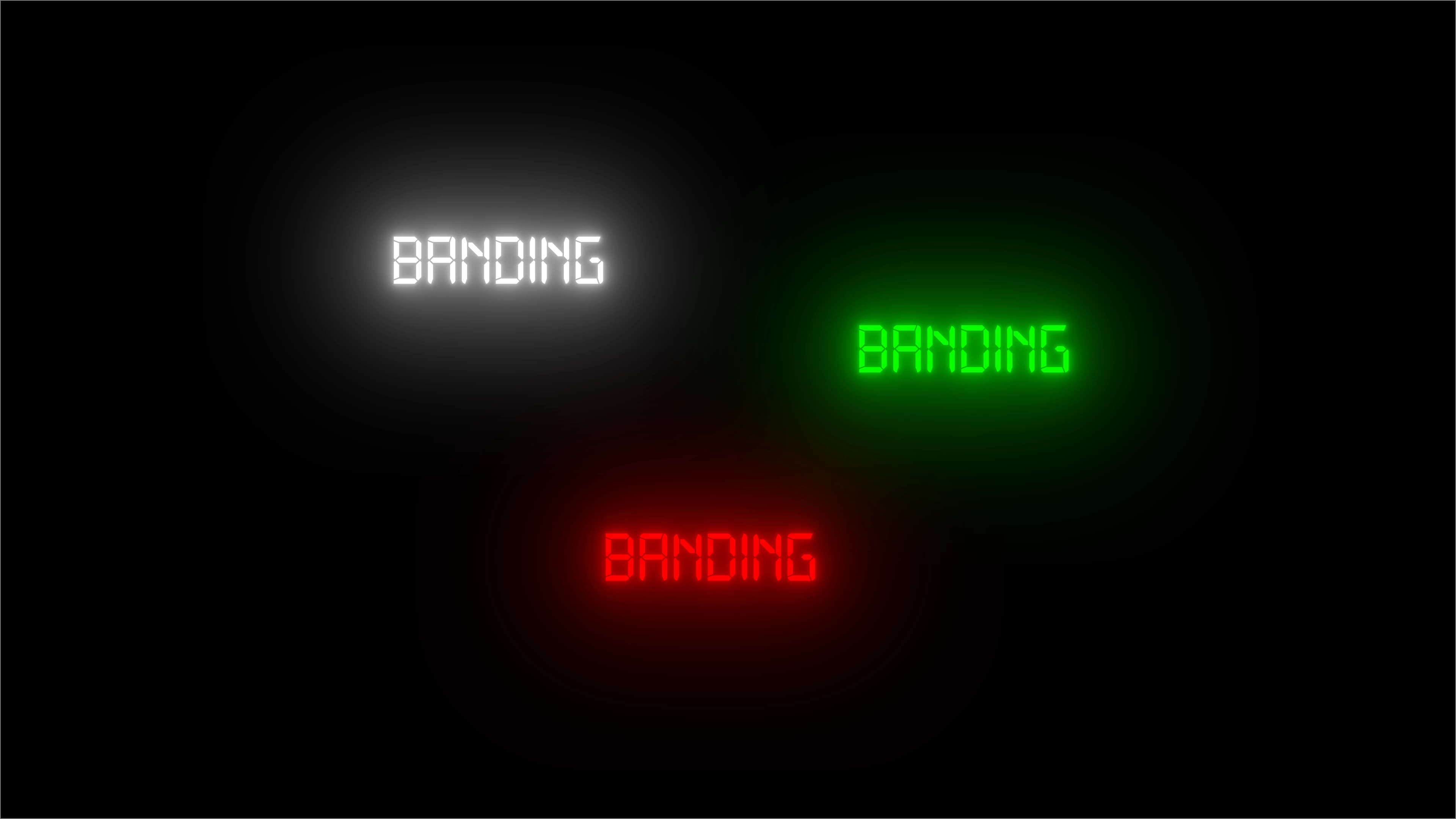
While it should be like this:


2 Antworten

Averdahl
Community Expert
Community Expert
November 9, 2025

I have never seen or heard that turning off Composite in Linear Color gives any other issues. What i have seen and heard for years is that having it enabled (default) gives issues such as the one you describe.


I have disabled Composite in Linear Color in all timelines for years and have had no other issues realted to this setting.


I have never seen a solution for those issues you have, so just disable Composite in Linear Color is, imho, the best way to solve issues like this. Premiere Pro has no issues when the opacity is either 0 or 100 but it has issues when the opacity is anything between 0 and 100. It has unfortunately been like this since CS5 and only a few times during the years it has been fixed, until a new version of Pr is released. The last time it was fixed was probably a decade ago...


quote

the only way to get rid of this is to turn this off.

But what if an editor does not want to do this, because it changes other things in the timeline?


By @Multipasser
Inspiring
November 10, 2025

Disabling linear color can introduce some issues, most notibly with things like the dissolve transition where it will no longer gradually step in opacity and will suddenly jump in opacity in the initial stages of the transition (can also cause issues if you dissolve a layer above another layer I think..? or something like that?) I saw a video a while back now that explained this a bit better than I can paraphrase but unfortunately after 30min of digging I can't find it again 😕😕

Averdahl
Community Expert
Community Expert
November 10, 2025

Are you sure? 🙂


The problem you mention happens when Composite in Linear Color is enabled and goes away when one disable it.


quote

Disabling linear color can introduce some issues, most notibly with things like the dissolve transition where it will no longer gradually step in opacity and will suddenly jump...


By @Tom_edit
R Neil Haugen
Legend
November 8, 2025

How are you creating the alphas?

Everyone's mileage always varies ...
Multipasser
Inspiring
November 9, 2025

With after effects. 
Any straight alpha gives this result. 
No matter what fileformar.  Qt lossless. Qt 4444 ProRes. PNG alpha.  The all do the same. 

R Neil Haugen
Legend
November 9, 2025

Have you tried remultiplying?

Everyone's mileage always varies ...