
October 6, 2019
Question

Basic3D makes my image smaller

  • October 6, 2019
  • 5 replies
  • 244 views

Hi all,


So I am making a small video with pictures in it. And I wanted to make a picture flip over and I do this with Basic 3D and then the function 'swivel '. And actually it does exactly what I want which is good. However, the only thing is, as you can see in this video (https://imgur.com/a/VMjQ6lj) it makes the size of my picture smaller and therefore not fit the screen during the animation. The weird part however is, that it seems to get its original size back when I let go of the blue line thingy. So I think okay maybe the rendering is slow but eventually it will be okay. However, this is not the case, when I try to export my video the size in the video is still small, see image.
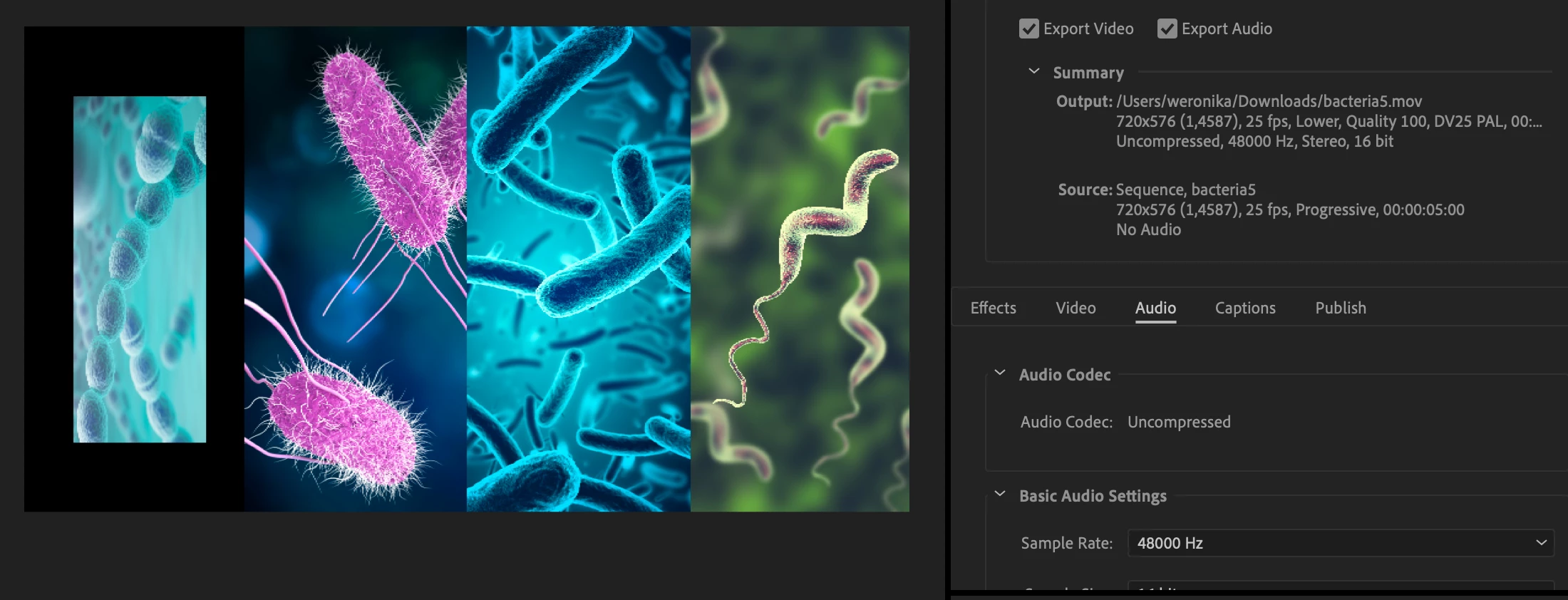
Does someone know how to fix this? Do I need to change something in my export settings?


Thanks in advance


This topic has been closed for replies.

5 replies

October 6, 2019

When I try nesting it and then apply the effects, it solves one problem. But it gives another. Now it will swivel around the whole canvas and not only around its own axis, see video https://imgur.com/a/8HtVuHo. I tried change the anchor point and position but it still doesn't look the same unfortunately.

Ann Bens
Community Expert
Community Expert
October 6, 2019

Visa versa: the other way around.


October 6, 2019

I am not exactly sure how to next, but I right clicked the clip and I clicked on "nest". And unfortunately it gives the same result. I dont know what v.v. means. 

Ann Bens
Community Expert
Community Expert
October 6, 2019

Nest the clip with its position keyframes then add basic 3d to the nest or v.v.


Ann Bens
Community Expert
Community Expert
October 6, 2019

Would have been nice if you showed the entire Effect Controls. Like to know what all keyframes refer to.

Your export settings show going from progressive to Lower field; is that intentional.


October 6, 2019
Here an image of effect controls: https://imgur.com/a/NAh7nBv. I have no idea how to change progressive to lower field.