Participant
August 16, 2018
Answered

Batch Export with Luts/Effects

  • August 16, 2018
  • 1 reply
  • 2717 views

Hey Guys

I have a sequence with 90 clips i want to export for an client.

My big problem is no matter what i try, i can't get my grade and effect (Warp stabilizer) in the exported files -_-

I tried with new subsequence and with my own export preset( 1080p )

Anybody have experienced the same problem?

Hoping someone know a trick to get the effects and Lumetri in the export.

This topic has been closed for replies.
Correct answer Vishu_Aggarwal

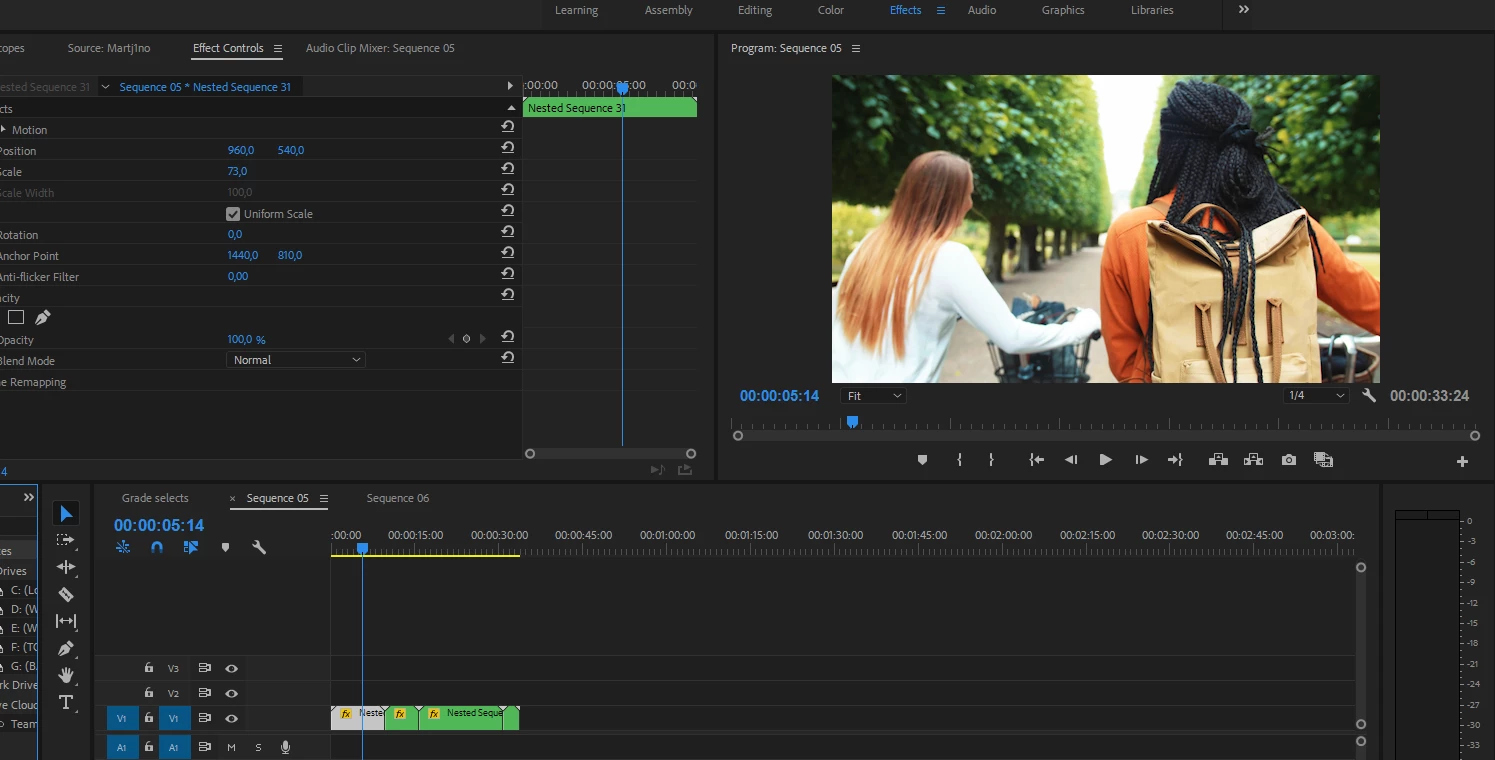
The project where i nested each clip after grading and applying effect. How can it NOT read the color information :S
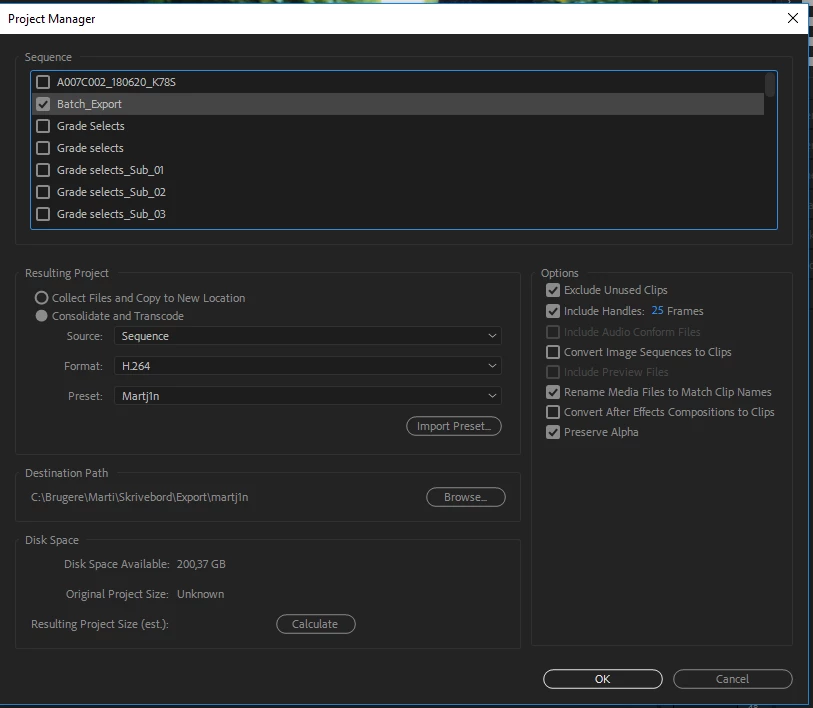
My Export settings
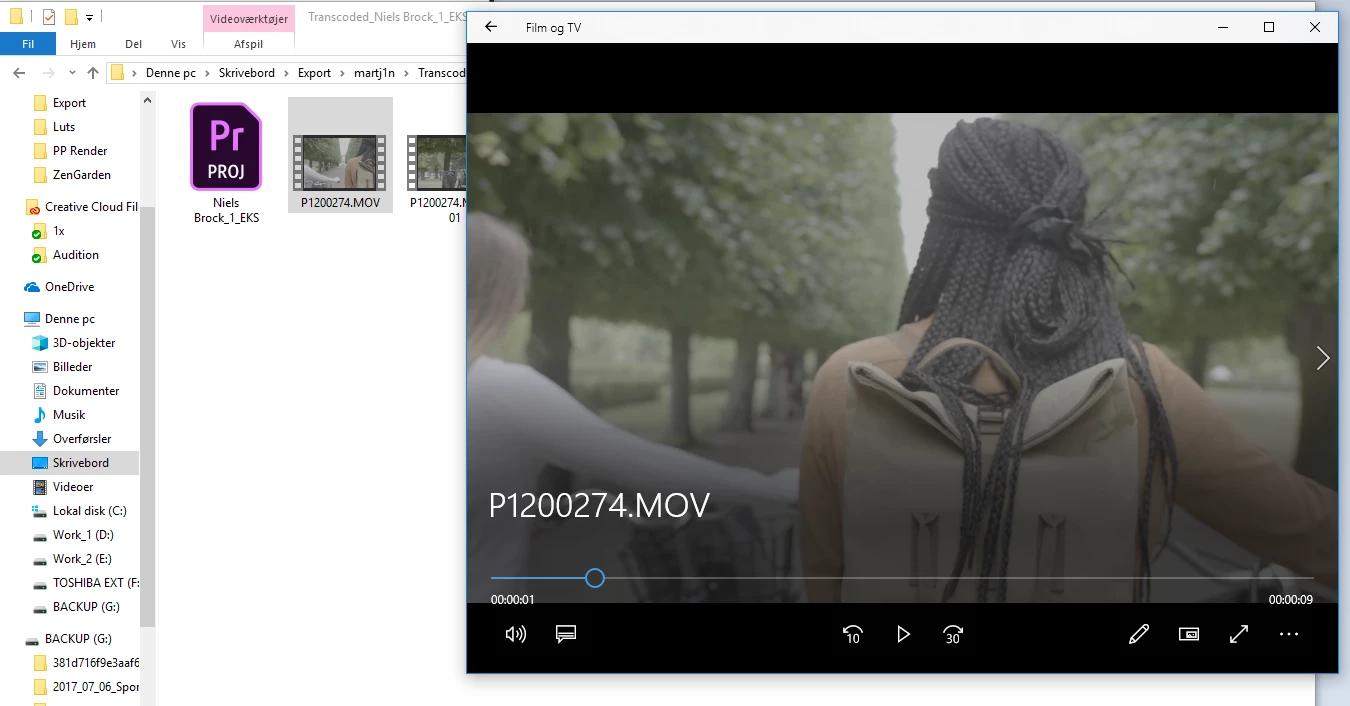
The Result, nice file but no Lut og effect exported :S

Hope this helps giving an overview :-)


I think you have misinterpreted the working of Project Manager. It is not used to export sequences. It is used to collect & transcode the RAW CLIPS that are in the project panel & used in the sequence. So it will never ever export any effect you have applied to the clip in the sequence or Project panel.

To export your sequences, use File > Export > Media and click on the queue button to send it to Media encoder (do this for each of your sequences containing the clips or if you want all the clips as one clip then keep all the sequences into one master sequence) > then in the media encoder click the green color play icon to start rendering the clips.

1 reply

Vishu_Aggarwal
Participating Frequently
August 16, 2018

Give us more information -

1.Premiere Pro version

2. Are you applying the effects to all the individual clips in the sequence or group all the clips into nested sequence and then applying the effect or using an adjustment layer for lut.

3. Did you wait for the Warp Stabilizer effect to finish analyzing all the clips and do you see the effects in Program Monitor?

4. What format and codec you're exporting the sequence.

Vishu AggarwalAdobe Certified Instructor, Professional and Expert
dompapAuthor
Participant
August 16, 2018

Thanks for the quick reply

1. My Version i Premier pro 2018 12.1.12 (the latest)

2. I have adjustment layer for the lut in the sequence. But i have also tried to apply lut to each single clip and nesting them, still it wont export with the LUT or effect :S

3. Yes all clips are finished and ready to export, and yes i see the effect in the program monitor. Its like its just ignoring all effects and adjustment layers.

4. I'm using a h264 codec to export, i also tired quicktime and other presets but is the same result everytime :/

dompapAuthor
Participant
August 16, 2018

The project where i nested each clip after grading and applying effect. How can it NOT read the color information :S

My Export settings

The Result, nice file but no Lut og effect exported :S

Hope this helps giving an overview :-)