
Participating Frequently
March 8, 2019
Question

Black border on video only when I go to export

  • March 8, 2019
  • 1 reply
  • 3001 views

Hello,

I am very new to Premiere pro so aplogies if there is an obvious solution!

I have made a video for a Facebook header and it fits perfectly on desktop. (it is 860x461)

However on mobile the black borders at the top and the bottom of the video show.

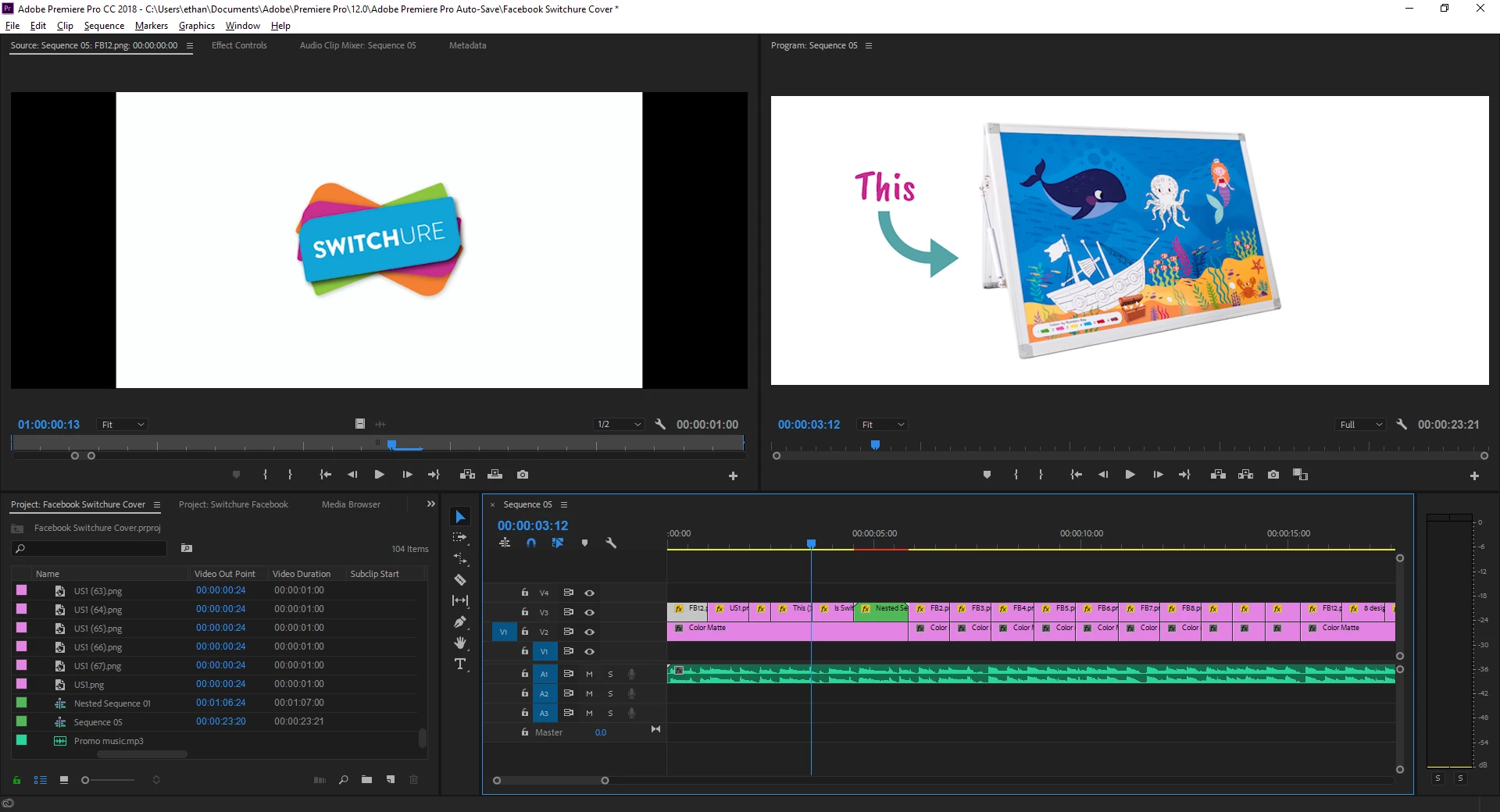
During editing these havent been visible (as pictured) only when I go to export they appear.

How do I get rid of them?

Thanks
    This topic has been closed for replies.

    1 reply

    Participating Frequently
    March 8, 2019

    "if there is an obvious solution"

    Yes there is - your Sequence Settings and Export Settings are both out of whack.

    Think of the Sequence Settings as the foundation you are building you video on. It's the palette or canvas on which you create the video. You have a very odd size of 860x462, and to make things worse, using a non-square anamorphic pixel aspect ratio of 1.333

    Then the Export Settings switch to 820x462, but with 1.0 (square) pixel aspect. Neither of those resolutions are any actual video standard and seem quite random. Might need to start over with this project and figure out what standard video format you need to deliver as, and start with correct settings. For instance 720p or 1080p.

    Thanks

    Jeff

    EthanM_25Author
    Participating Frequently
    March 8, 2019

    Okay thanks.

    The dimensions were suggested here; Facebook Cover Videos: How to Create, Change, and Post

    I must have entered it wrong for sequence settings!

    Definitley going start from scratch- thanks.

    Participating Frequently
    March 8, 2019

    Hello,

    Times they are a-changin! You are correct about the Facebook cover video sizing, which does state "820x462 pixels" which is not a normal video size, but hey, it's what Facebook wants so that's what you have to do then, right?! I learn something new every day with video.

    In that case, can probably salvage things without starting over. Go into Sequence > Sequence Settings and manually change the frame size to 820x462 and also change Pixel Aspect to 1.0 and then just make sure Export settings match and you may just be okay then with current timeline after adjustments.

    Thanks

    Jeff