This topic has been closed for replies.

1 reply

Inspiring
June 20, 2020

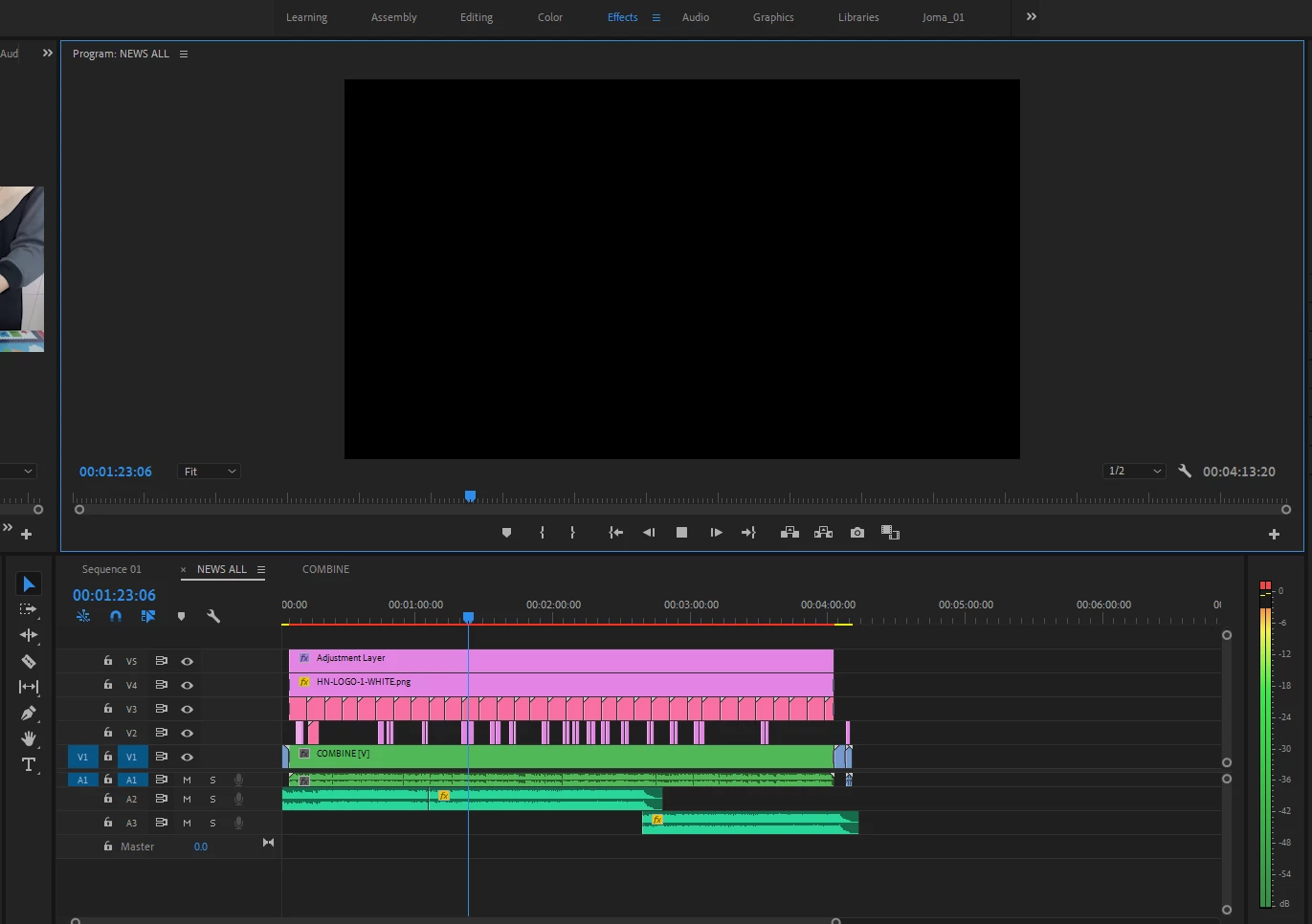
The red line is indicating you need to 'preview render' your sequence to get real time playback and this *may* solve your issue.


If not I'd be looking at first - a restart of your machine.


Can't tell from your sequence how many effects you have a applied but it's possible one of these is causing issues? Initially turn off all 'FX' using the global FX mute control. You can find that by clicking the + icon in the bottom right corner of your program window. If that has any benefit, then turn off each individual effect to find the cause.

Also you could try clearing your media cache and also resetting preferences (Hold Option/Alt) as you launch Premiere Pro.


Not a conclusive answer but a start. Let us know how you go.


... one other thing - try changing 'renderer' in > File > Project settings > General

Inspiring
June 20, 2020

Re-reading your post. As you have updated to 14.3 clearing your cacahes may be of benefit.


If nothing works re-install your previous version of V14 and see if that works.

Hamuza Network
Participating Frequently
June 20, 2020

Thank you for that..
I had to re-install my previous version and it works.. but never works in new version..i can play the video normally on my previous version..


this is why I think this new version have many problem with it..but thank you for ur reply..