
Participant
October 8, 2017
Answered

Blue bracket black selection? Really confused.

  • October 8, 2017
  • 2 replies
  • 9526 views

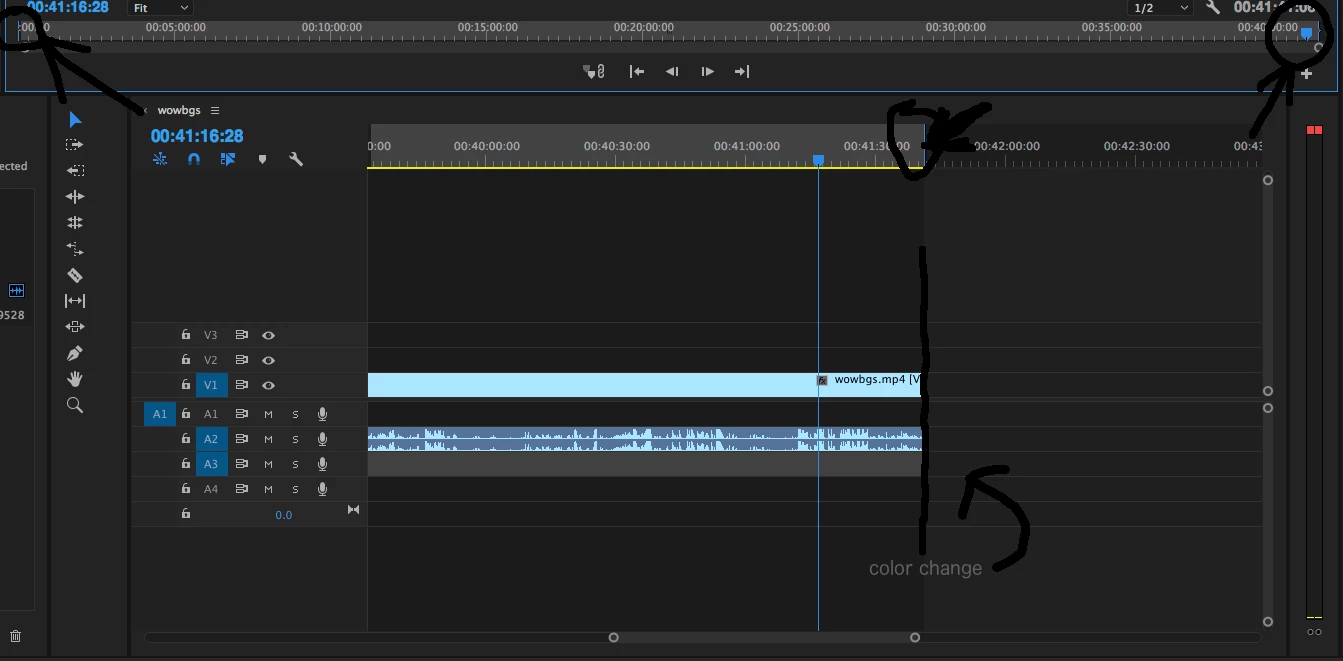
So almost every time I use Premiere Pro, I seem to accidentally press something that makes this selection that i cant get rid of and it makes the stuff in the selection darker and has a blue bracket on either side, I may be stupid but it annoys me, as I cant see the time of a video when I'm editing it because it counts the selection. plz help
I will attach a screenshot if it helps.
Correct answer eikonoklastes

If you're on macOS, I think it's Option+X. Alternatively, right-click on the bracket and select Clear In and Out.

Side note: what you're doing is not a "weird selection". It's marking the selection (setting the in/out points based on your selection), and it's a basic function in editing that you should read up on.

2 replies

eikonoklastesCorrect answer
Legend
October 8, 2017

If you're on macOS, I think it's Option+X. Alternatively, right-click on the bracket and select Clear In and Out.

Side note: what you're doing is not a "weird selection". It's marking the selection (setting the in/out points based on your selection), and it's a basic function in editing that you should read up on.

Participant
March 27, 2023

Thank you so much for this!! Truly saved my life.

Ann Bens
Community Expert
Community Expert
October 8, 2017

If you select the clip and then hit e.g. forward slash that will make the in and outpoint appear.

Just hit ctrl+shift+X.

Participant
October 8, 2017

hitting forward slash clips the selection to the clip i have selected , so just shortening the weird selection to a certain clip and doing ctrl shift x does nothing :\

Ann Bens
Community Expert
Community Expert
October 8, 2017

Look in your KBSC what you have for Clear in to out.