



andrew8528
Participant
April 7, 2019
Answered

Blur effect performs BEFORE indicated marker from Pen Tool

  • April 7, 2019
  • 2 replies
  • 1005 views

I am relatively new to this program but I can not seem to find an answer to my question.

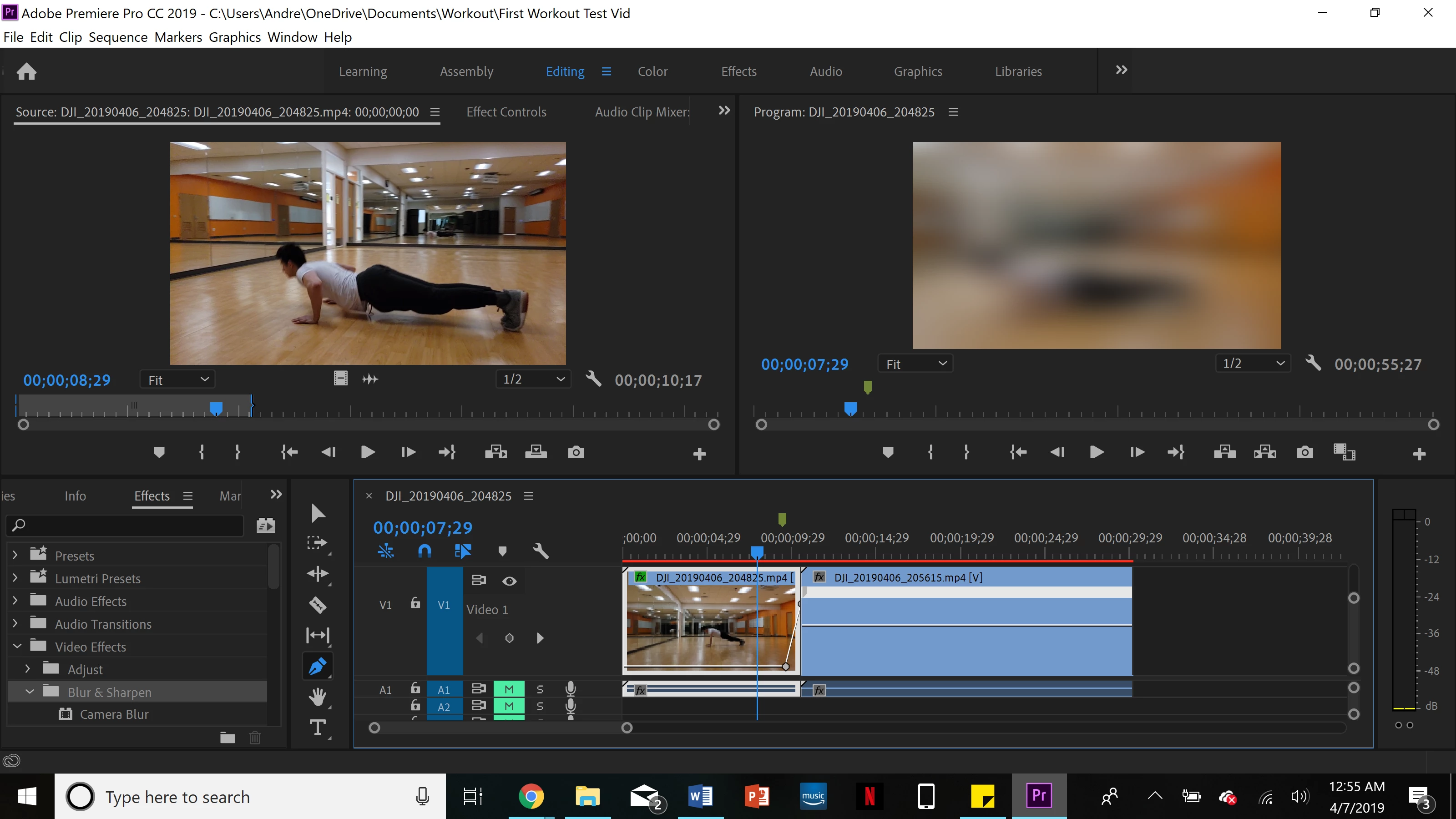
I have two video clips and I am trying to transition out of the first into the second one. I dragged and dropped the camera blur onto the first clip, and then went and edited the percent blur. I added two markers from the Penn tool and adjusted from 0% percent to 100% towards the end of the clip. The problem is, the effect starts taking place a few seconds before the first indicated marker, even though the percent blur line shows it as 0%.  How do I fix this? I added the image and you can see the video marker is before the first grey pen mark, yet the video is blurred. Hope I made sense.

Thanks
This topic has been closed for replies.
Correct answer Mike Dziennik

Do you have any timewarps or speed effects on the clip? If so, try nesting the clip before you apply the blur effect.

Try creating and modifying the keyframes from the Effect Controls panel rather than directly on the clip itself.

2 replies

Mike Dziennik
Community Expert
Mike DziennikCommunity ExpertCorrect answer
Community Expert
April 7, 2019

Do you have any timewarps or speed effects on the clip? If so, try nesting the clip before you apply the blur effect.

Try creating and modifying the keyframes from the Effect Controls panel rather than directly on the clip itself.

andrew8528
Participant
April 7, 2019

Alright, so I tried nesting it first then applying the effect and it worked! Thank you. I never thought about the speed change having any effect.

Dr. Ayman Raafat Ph.D
Inspiring
April 7, 2019

try to render the timeline before you check the results .

Ayman

andrew8528
Participant
April 7, 2019

Thanks for the response.

I tried to render the effects from the sequence menu and it did not change anything?