Participant
December 6, 2016
Answered

Blurry Video After I Export

  • December 6, 2016
  • 5 replies
  • 136137 views

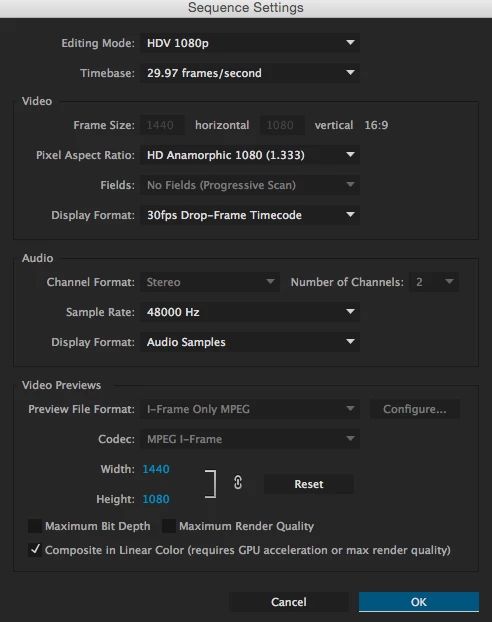
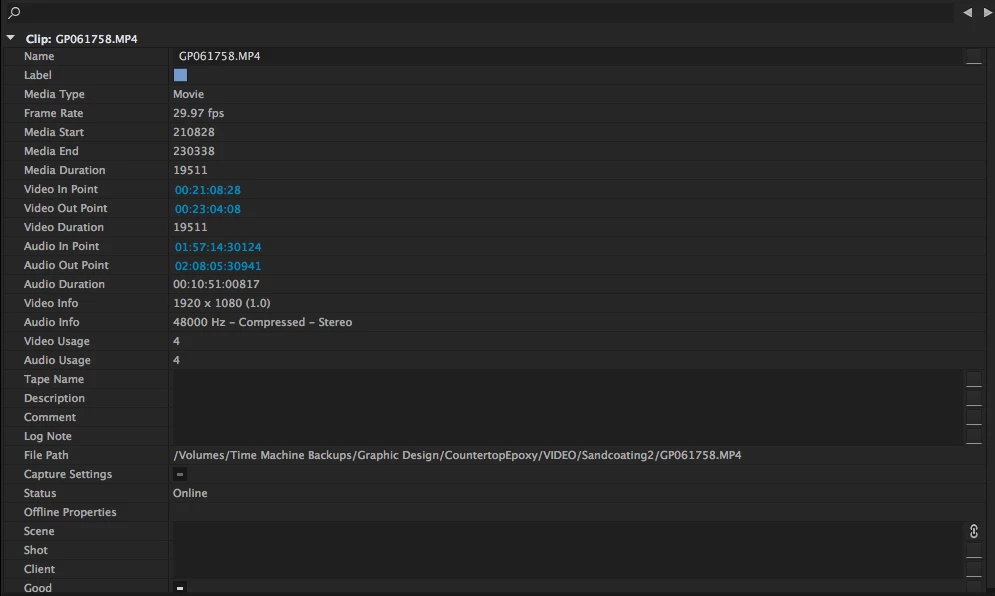
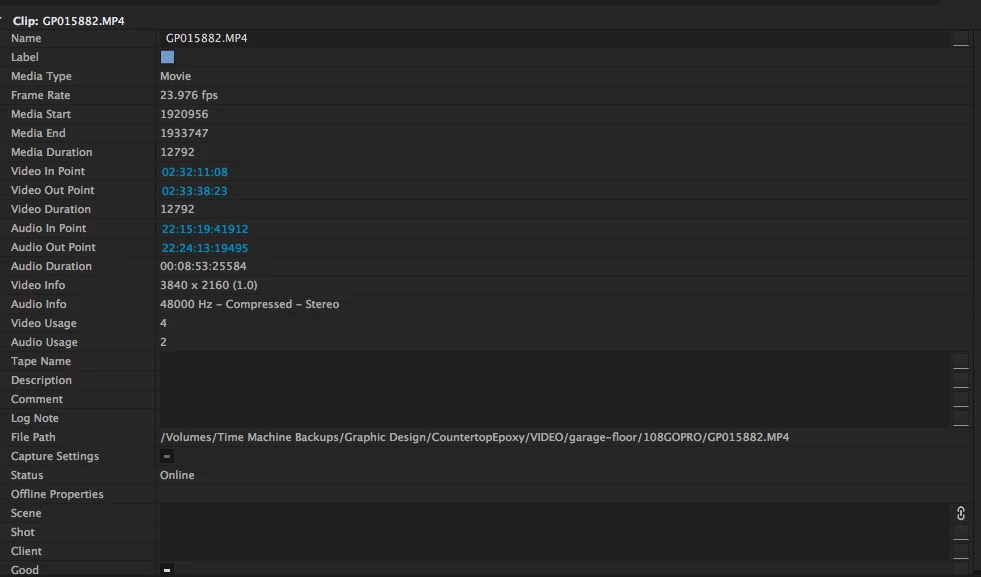
I am very new to video editing but have used Premiere a few times. I am trying to make a video compilation with a bunch of different videos. I tried to export what I had so far and everything was blurry. They were not before when they were separate. I attached screen shots of all my settings. I know I really have no idea what I'm doing, but I just need a little help!

Correct answer Szalam

That makes sense. Yes I am planning on putting it online. Okay, would you mind telling me where I could find that setting? I can't seem to find it. Thank you so much for helping me!


In this section

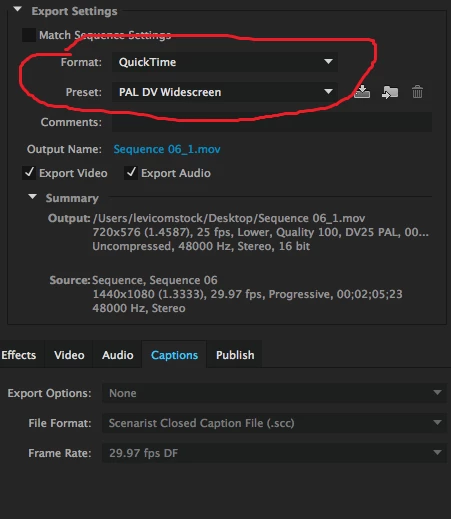
Format: you want to set it to H.264 (right now, you have it set to QuickTime)

Then, in the preset section, pick YouTube 1080 preset (the YouTube presets are towards the bottom).

5 replies

Thevindu Kottege
Participant
November 17, 2020

Hi, I had the same problem too. Thank you for the answer. It was really helpful. Now my videos are clearer than ever !

Participant
May 9, 2020

Hello I have same problem and I tried to do the same thing but it didn't work,can you guys help me?


R Neil Haugen
Legend
May 9, 2020

The frame-size of both your source and export are truly minuscule! A 298x168 image is not going to look good above postage stamp size.


What is the original media frame-size?


Neil

Everyone's mileage always varies ...
Participant
May 9, 2020

Just looking at this post due to the same problem.  What image size is usually needed for the source to not be fuzzy after exporting to mp4 - usually to Vimeo?

Thanks.

David

Participating Frequently
March 6, 2020

THANK YOU Szalam!!! I had the same problem and you solved it.

Participant
June 18, 2018

Hello! I am having the same problem... I attempted to post my video to Facebook as well as YouTube, each time using the H.264 Format and the 1080 preset for Facebook and then Youtube, but when they finally upload to each site, they are blurry. Any ideas on what's going on? Thanks!

Szalam
Community Expert
Community Expert
December 6, 2016

What were your export settings?

Did you create that sequence yourself or did you let Premiere create it automatically for you based on the footage?

How are you playing this footage back when it looks blurry?

What do you mean by it looking blurry? Can we see an example?

anneLieseAuthor
Participant
December 6, 2016

Thank you for answering so quickly! I did not think about the export settings, that could be it. I attached a screen shot of what I did.

I did not think about the export settings, that could be it. I attached a screen shot of what I did.

I just used Premiere's settings.

I attached a photo comparing the original to after I exported the video. I just exported it to quicktime.

anneLieseAuthor
Participant
December 6, 2016

In this section

Format: you want to set it to H.264 (right now, you have it set to QuickTime)

Then, in the preset section, pick YouTube 1080 preset (the YouTube presets are towards the bottom).


Thank you!!