
Participant
July 6, 2018
Answered

Brady Bunch Effect

  • July 6, 2018
  • 4 replies
  • 8494 views

Good morning. I'm building a Brady Bunch effect, but with 16 tracks of video. I positioned the 16 tracks in a reasonable 4x4 grid, but the lines are still imperfect because of variation in some of the clip crops.  I want to build a simple black grid that would cover the video edges and hide my lack of precision. Can't quite figure out how to do this. Many thanks!

(I've searched this topic but the last thread, from 2010, has dead links, and references some features that no longer exist.)
    This topic has been closed for replies.
    Correct answer DeanUtian

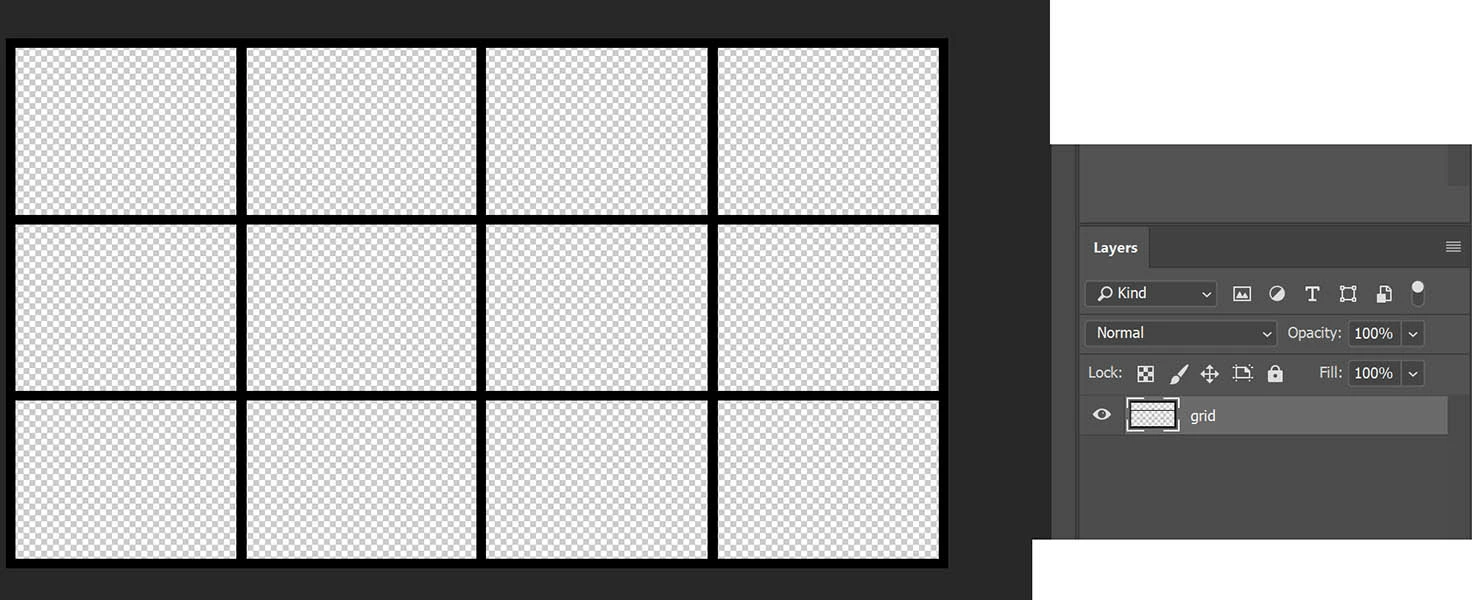
    Here's a screenshot of what I mocked up in PS. Created a grid 4 x 3 with black lines. Looks a bit odd because of the black background behind the canvas area and how I've cropped the image, but you the the idea. A single layer that is transparent. This will be placed at the top layer in your Premiere sequence above all the video clips.

    4 replies

    Pvt_PyleAuthor
    Participant
    July 6, 2018

    Thanks so much everyone. I made the mistake of thinking that this could be done in PP. I'm sure I'll figure it out now.

    Ann Bens
    Community Expert
    Community Expert
    July 6, 2018

    Yes you can make a grid in the Legacy titler.

    Or even with the Grid effect.

    Pvt_PyleAuthor
    Participant
    July 6, 2018

    Thanks. So, assuming there is a background and grid layer on the PSD, how do I set the video track so that the clips play "through" it?

    Peru Bob
    Community Expert
    Community Expert
    July 6, 2018

    Make sure that you start with a transparent background in Photoshop.  Create a new transparent file the size of your video using one of the presets in Photoshop or by manually creating it.

    Peru Bob
    Community Expert
    Community Expert
    July 6, 2018

    I would make the grid in Photoshop and save it as a PSD.  Then import it into Premiere Pro and put it on the top track.

    Legend
    July 6, 2018

    My preference would be to do this in After Effects, placing a white solid as the lowest layer and the individual video clips above with proper size and position parameters.