Inspiring
November 4, 2016
Answered

Broken project icons Premiere after 2017 update

  • November 4, 2016
  • 4 replies
  • 2049 views

On two computers same problem with project icon in Premiere CC 2017:

    This topic has been closed for replies.
    Correct answer Trent Happel

    Yes, now only Premiere project icon is broken, rest is fine.
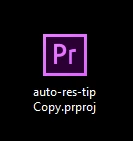

    The Premiere Project icon should be fixed in the next update.

    4 replies

    virus191Author
    Inspiring
    January 20, 2017

    Update solved problem.

    Participating Frequently
    January 19, 2017

    This issue should now be fixed in the 11.0.2 update that was just posted.

    Premiere Pro 11.0.2 update | Creative Cloud blog by Adobe

    Kevin-Monahan
    Community Manager
    Community Manager
    November 30, 2016

    Hi virus,

    Have you resolved this issue?

    Regards,

    Kevin

    Kevin Monahan - Sr. Community and Engagement Strategist – Adobe Pro Video and Audio
    virus191Author
    Inspiring
    November 30, 2016

    No.

    virus191Author
    Inspiring
    December 2, 2016

    Hi Virus,

    Are you running the latest versions now?

    Regards,

    Kevin


    Yes, now only Premiere project icon is broken, rest is fine.

    Known Participant
    November 4, 2016

    On every update I've done over the last few years, the associations for all the Adobe CC apps have been removed, forcing me to re-link them.

    However, I'm not quite sure what your issue is - those are the newer icons I believe?

    I just get blank page icons.

    Certainly this is an area that needs to get fixed though.

    virus191Author
    Inspiring
    November 4, 2016

    Ps and Ae are much nicer...

    Inspiring
    November 4, 2016

    I just get blank page icons on the two PC's I use here - that have been updated many many times - so maybe something got broken a while back and icons aren't now showing properly?

    Paul.