

BUG: Extreme quality loss when export STATIC IMAGE
After spending countless hours editing a long 2h video, I never expected to waste OVER 72 HOURS trying to export ONE VIDEO, to no avail.
The simplest part of my timeline: a static image, created with text over images appearing without any effects, gets randomly corrupted and artifacted:


The rest of the 2h video exports fine and in high-quality without artifacting or color problems except when there's a small pause in a video (like a static image); at that point when the video resumes playing there will be color loss and artifacting again. But the 2 spots illustrated above always corrupt; EXCEPT if I move the some objects later on the timeline 1 or 2 seconds back of forward, suddenly these sections render fine! But if I got back to the timeline and change some other random object somewhere else the bug is there again an all the exports will be corrupted until I change something else; even if the changes happen AFTER this section (this is the intro of the whole video). It's random and doesn't make any sense. It can only be a another BUG from Premiere. It feels like Premiere does not know how to key-frame anymore and looses extreme video quality over a LITERAL STATIC IMAGE?!
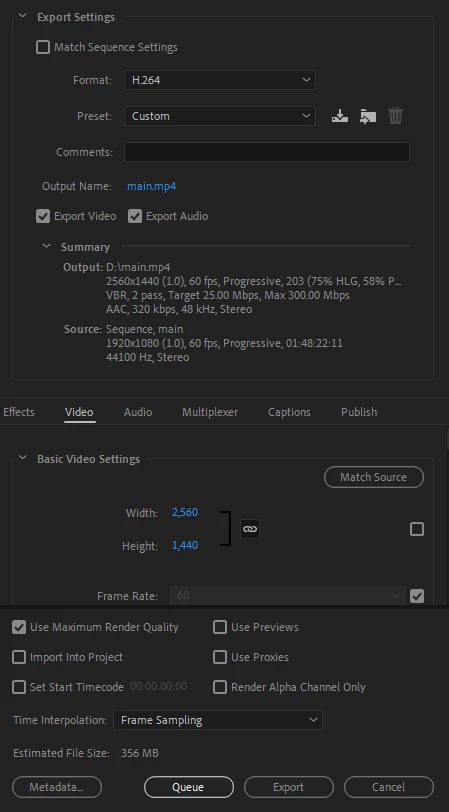
Tried disabling hardware acceleration and exporting with CPU only. Bug persisted. Updated All of my Adobe Apps. Bug persisted. Tried using Media Encoder to export. Bug persisted.
Am I doing something extremely wrong here? Otherwise this might be the last month I renew my Abode License and migrate to DaVince Resolve for good. Way too many days of my work have been wasted on this.
Specs:
- Adobe Premiere 22.2.0 (Build 128)
- GTX 1080ti with the latest drivers from nvidia (v511.65)
- Windows 10 with latest updates
 AdChoices