120fps is so popular with the gaming community and GoPro enthusiasts! There are two main ways (that I am familiar with), to export 120fps out of Premiere:
1. EXPORT AS AN H.265 FILE: While this isn't the only codec, but it is a newer codec that can maintain the quality of your footage quite well. H.265 can even go much, much higher! Try 300fps! So, it really is based on the codec's ability to handle 120fps. Choose a higher quality H.265. I believe Youtube has limited H.265 uploading capabilities for some and not others as they were testing this feature (but someone please correct me here). Vimeo can handle H.265 perfectly. Overall, 120fps editing and export out of Premiere is possible.  You can also take your high-quality H.265 to some other app for re-encoding.
2. EXPORT AS XML: This method allows you to export your native timeline into a program like DAVINCI (FREE) to process the 120fps footage.
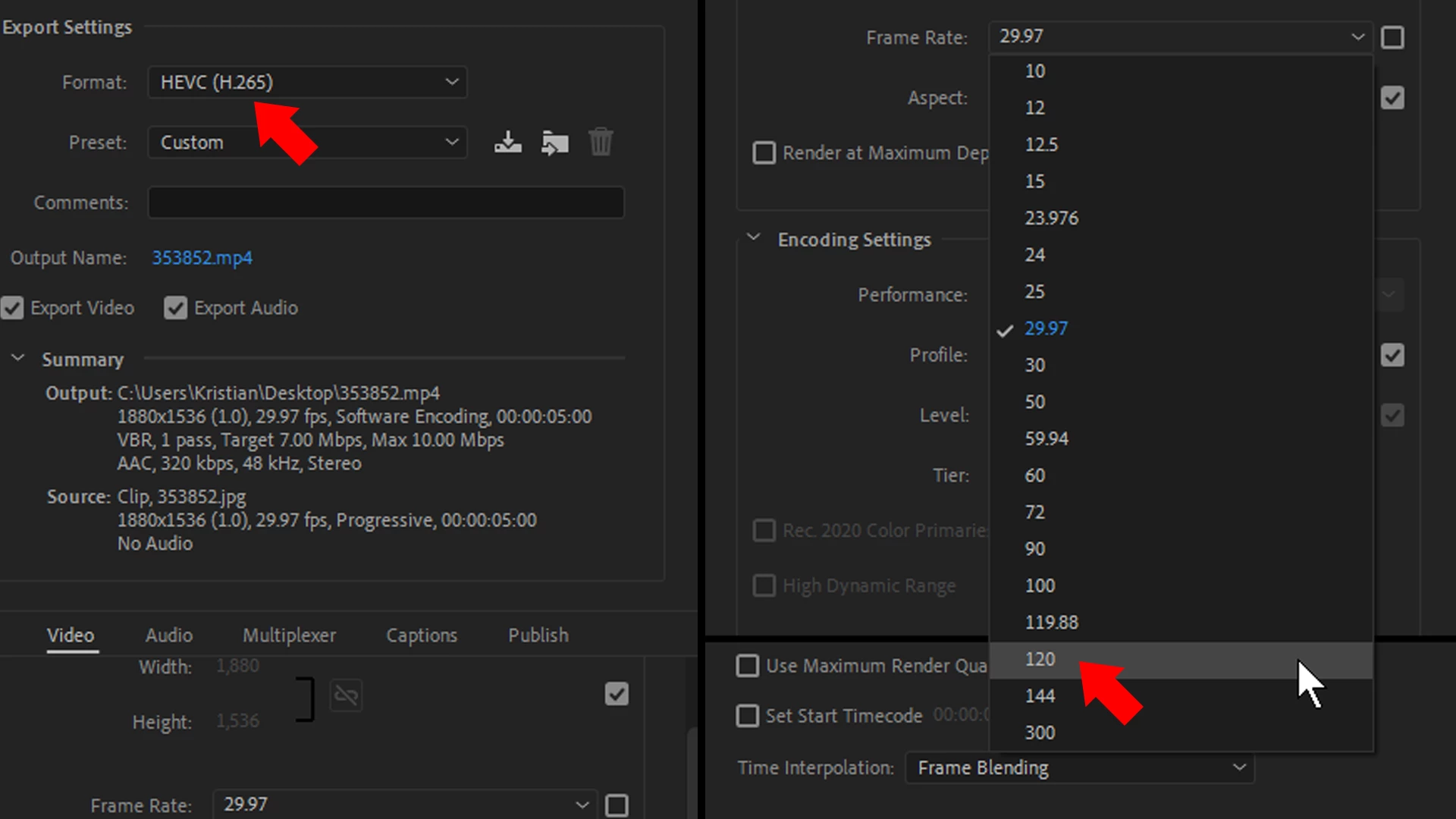
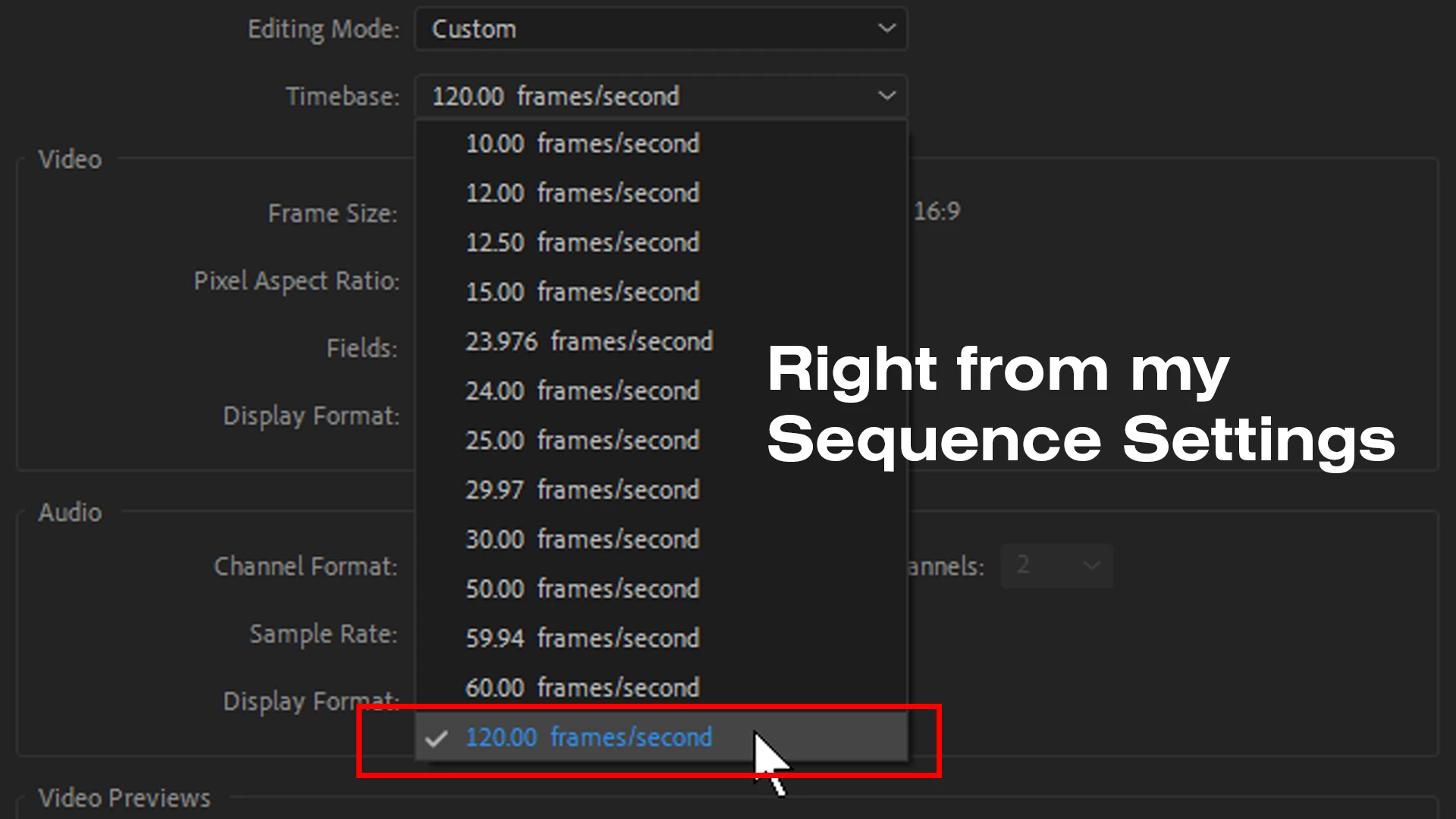
I almost forgot, to edit in Premiere with a 120fps timeline, just import a 120fps clip and CREATE A NEW SEQUENCE FROM CLIP. I usually drag the clip into the NEW ITEM button at the bottom of your PROJECT PANEL. Others may have other techniques but this works for me!
Hope this helps!
Note: Playback might be an issue depending on the configuration of your machine, software, etc.

 AdChoices