
Participating Frequently
February 18, 2017
Question

Can someone explain how to remove the black bars in a video?

  • February 18, 2017
  • 3 replies
  • 19433 views

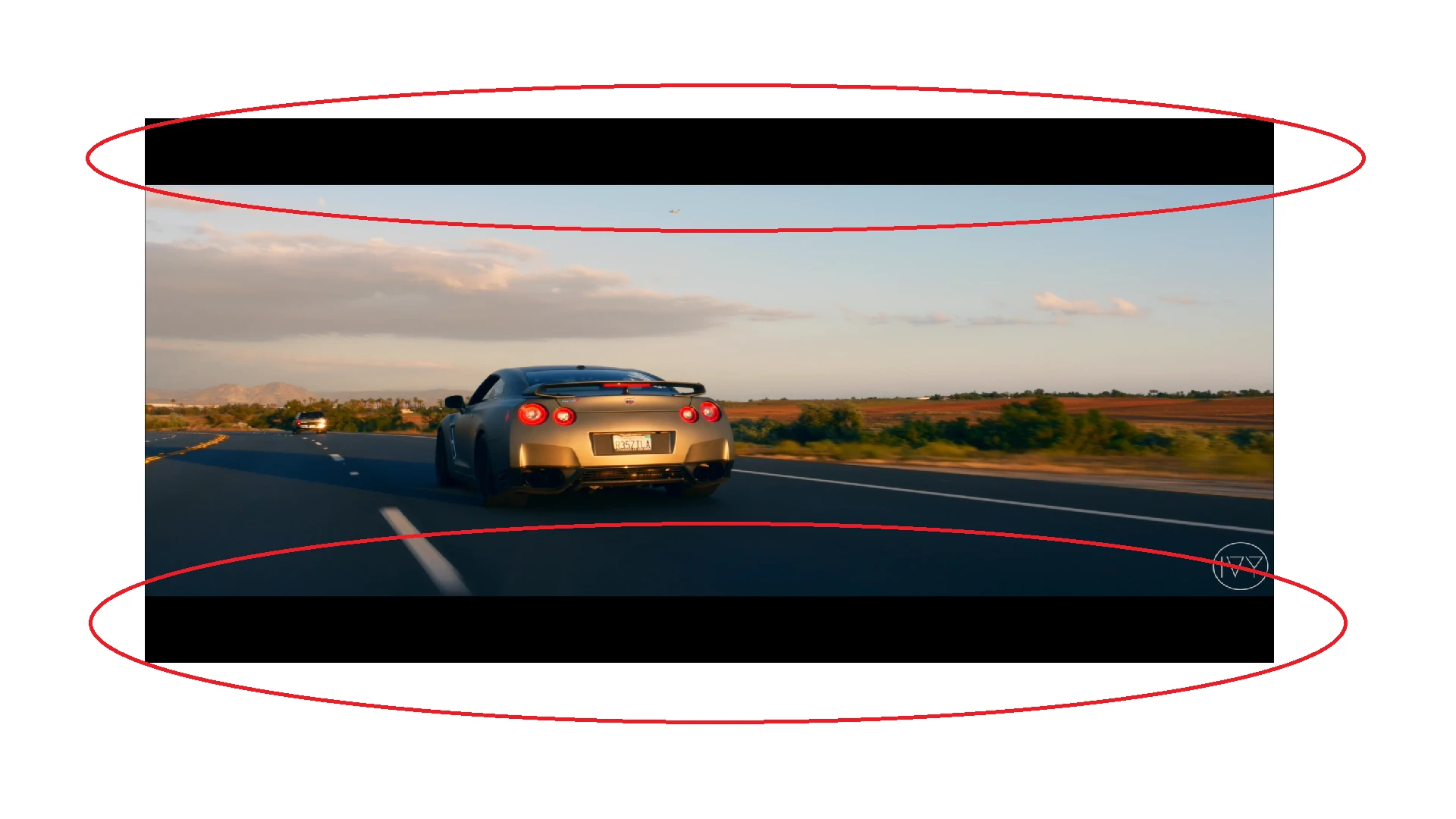
The letterbox effect has already been place in the video. I want to crop the video to where the letterbox bars are no longer showing, and it's just the video. I want to get rid of these because if not, the motion tiles in After Effects will not work.

.

This topic has been closed for replies.

3 replies

Participant
December 22, 2019

You have to change the Height in the Menu / Composition / Composition Settings, and move a visible area inside of, after all. Hint use a "Preview" checkbox, when you'll try to set the dimensions are... 

Ann Bens
Community Expert
Community Expert
February 19, 2017

Just drop it in a timeline that is the same size as the clip without the black bars or crop on export in the export settings.

Hard to tell what the sequence setting should be as you image is squashed.

Guessing if it regular HD: 1920x816.

John T Smith
Community Expert
Community Expert
February 19, 2017

My video fits my sequence, but I think you use the "Scale to Fill" option when exporting

Stan Jones
Community Expert
Community Expert
February 19, 2017

I think he's saying the bars are burned in.

Josh, my estimate from your image is that you have a "cinematic" aspect ratio of about 2.6:1. You can remove the bars by cropping to the active area and exporting.

It seems to me that all you need to do is to adjust the positioning of the AE elements, and leave, or remove, the black  bars on export.

The problem is that you must know and set up the AE composition, either way, based on the pixel size you will use on export.

Participating Frequently
February 19, 2017

How would I crop? If I use the crop effect in the effects panel, it does not change anything. I also do not understand the exporting part.