williamg7773202
Participating Frequently
October 18, 2018
Answered

Can't Adjust Speed in Effects Controls

  • October 18, 2018
  • 2 replies
  • 26822 views

Hello!

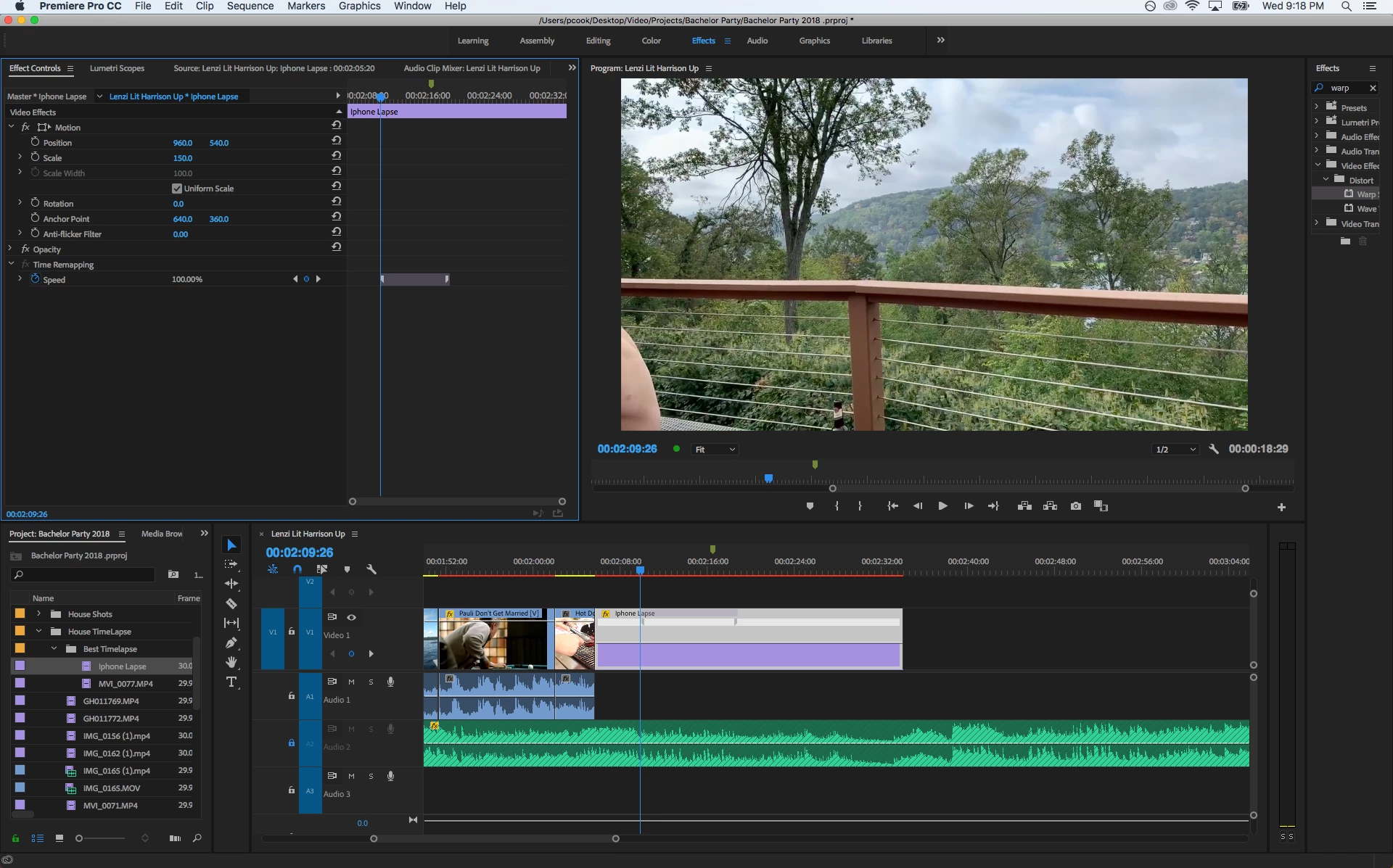
I'm trying to do a "speed ramp" effect. I've setup key frames in effects controls and tried to do it on the clip in the sequence and for some reason, it won't let me adjust the speed. When I go to move the bar on the clip in the sequence the little blue bar thing appears when I hover over the center but it wont let me move it. I also can't change the 100% level in the effects controls.

Any ideas why this might be happening are appreciated. Could it be I'm using an old macbook pro that's too slow?

Screen shot here:

This topic has been closed for replies.
Correct answer Meg The Dog

Speed ramping requires a specific workflow, here is a tutorial (lots of tutorials if you Google):

Adobe Premiere Pro CC Tutorial: Easy Speed Ramping Effect (Time Remapping How to) - YouTube

MtD

2 replies

Participant
August 13, 2020

Did you get a chance to solve this issue? I am having the same problem, and I canñt find the way to fix it. Is it because my clip is 30fps?

Participant
August 20, 2020

I am having this issue too...now. I think it may have something to do with the recent update

Participant
August 27, 2020

Yes, 

I've recently started having this issue. I can set a point with the pen tool but it wont let me drag and change speed. 

Meg The DogCorrect answer
Inspiring
October 18, 2018

Speed ramping requires a specific workflow, here is a tutorial (lots of tutorials if you Google):

Adobe Premiere Pro CC Tutorial: Easy Speed Ramping Effect (Time Remapping How to) - YouTube

MtD