
Participant
August 22, 2022
Question

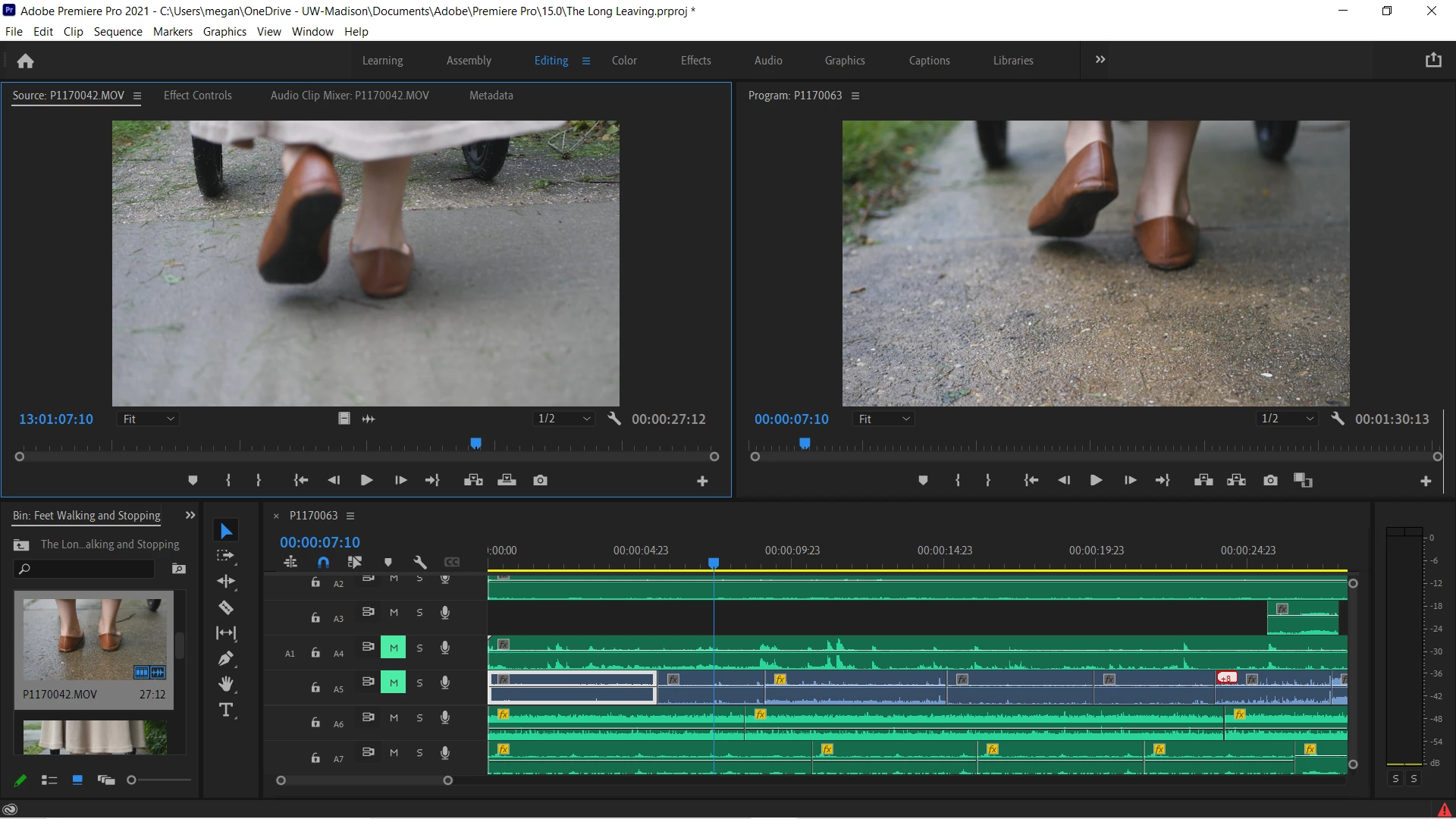
Can't drag and drop tracks

  • August 22, 2022
  • 2 replies
  • 596 views

There are two issues currently:

1. When I try to drag an audio (or video) clip into the timeline, the icon turns into a greyed out "no" symbol when I try to place it onto any track, even new tracks.

2. The video tracks aren't being listed in the workspace (as you can see). Only audio tracks are listed.
 

This topic has been closed for replies.

2 replies

Warren Heaton
Community Expert
Community Expert
August 22, 2022

Based on your screenshot, you've told Premiere Pro not patch Audio from the Source.  You have also not told Premiere Pro which Audio Tracks should be used as a Targets.  

You need to click "A1" to patch it as the Source and on at least one Audio Track as the Target.  If you drag and drop, it should be enough to just set the Source patch. 


Source patching and track targeting

Ann Bens
Community Expert
Community Expert
August 22, 2022

The most common user error is not source patching the track.
Solved by first opening clip in Source Monitor. Then drag/insert into timeline.

Ann Bens
Community Expert
Community Expert
August 22, 2022

Get a larger screen so you can properly see what you are doing.

Participant
August 22, 2022

I have tried both of these things. I was dragging clips from the source monitor, but then it started greying out the option when I click and drag. And I have expanded the view and still don't see any video (V) files listed. There should be one attached to the camera audio track (the blue).