
Participant
May 21, 2018
Answered

Can't Edit Audio

  • May 21, 2018
  • 2 replies
  • 17945 views

I'm trying to shorten an audio clip in Premier Pro CC, but I can't for some reason. When I go to the video clips, they'll highlight and I can edit, but no such luck on audio for some reason. I've read that turning off "show keyframes" will do it, and I've done that, but I still can't get any of the audio clips to highlight for that kind of editing. This happened shortly after I'd added some keyframes for volume.

I'd be grateful for a solution. Thanks.
This topic has been closed for replies.
Correct answer Ann Bens

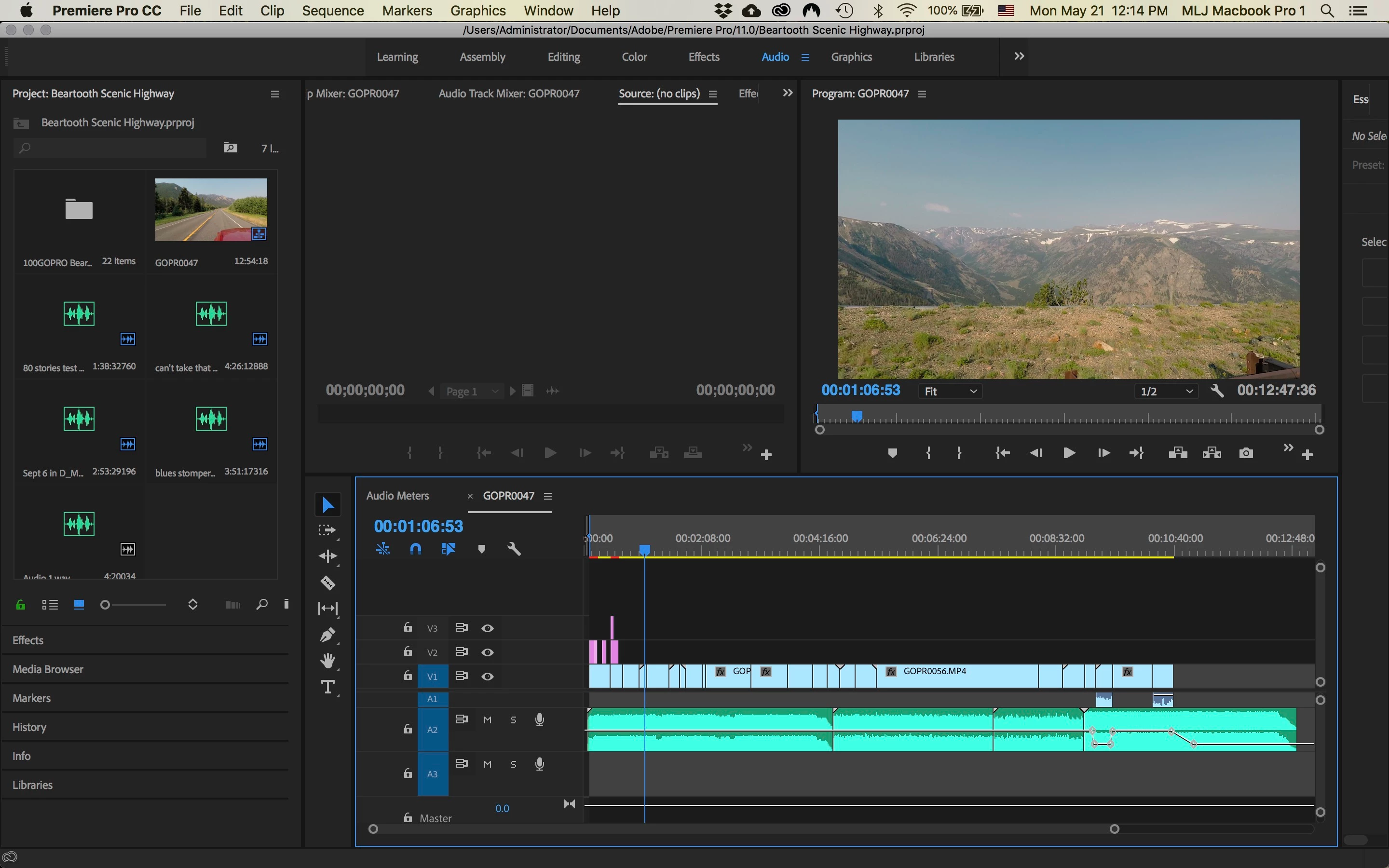
Here is a screenshot. When I go to the end of the any video clip, I can drag, etc...and same with first audio track. I can't do anything with the second audio track.


You are still in track mode.

Set Show Keyframes to Clip Keyframes.

2 replies

JURASSICXZ
Participant
November 27, 2021

Hi, im having a problem where i cant do anything with the audio, it has like lines on it.


I can't seem to cut it.

Rag and Bone
Community Expert
Community Expert
November 27, 2021

The lines indicate the track is locked: there's a small padlock icon to the left of the track, toggle that off.


BTW: it's best to start a new thread if you want your question noticed.

JURASSICXZ
Participant
November 27, 2021

Thank You!


Also I will next time!

kulpreet singh
Inspiring
May 21, 2018

Hi michael,

Sorry for the trouble.

Please attach a screenshot of the Timeline.

Thanks,

Kulpreet Singh

Participant
May 21, 2018

Thank you. I didn’t see anything attached?

kulpreet singh
Inspiring
May 21, 2018

How_do_I_attach_a_screenshot?​​

-Kulpreet Singh