

Can't find clips within a Project
This is only the third project I've made in Premier, so I am still extremely new in this program. I don't know If I have an actual problem or I am just lost in menus/workspaces.
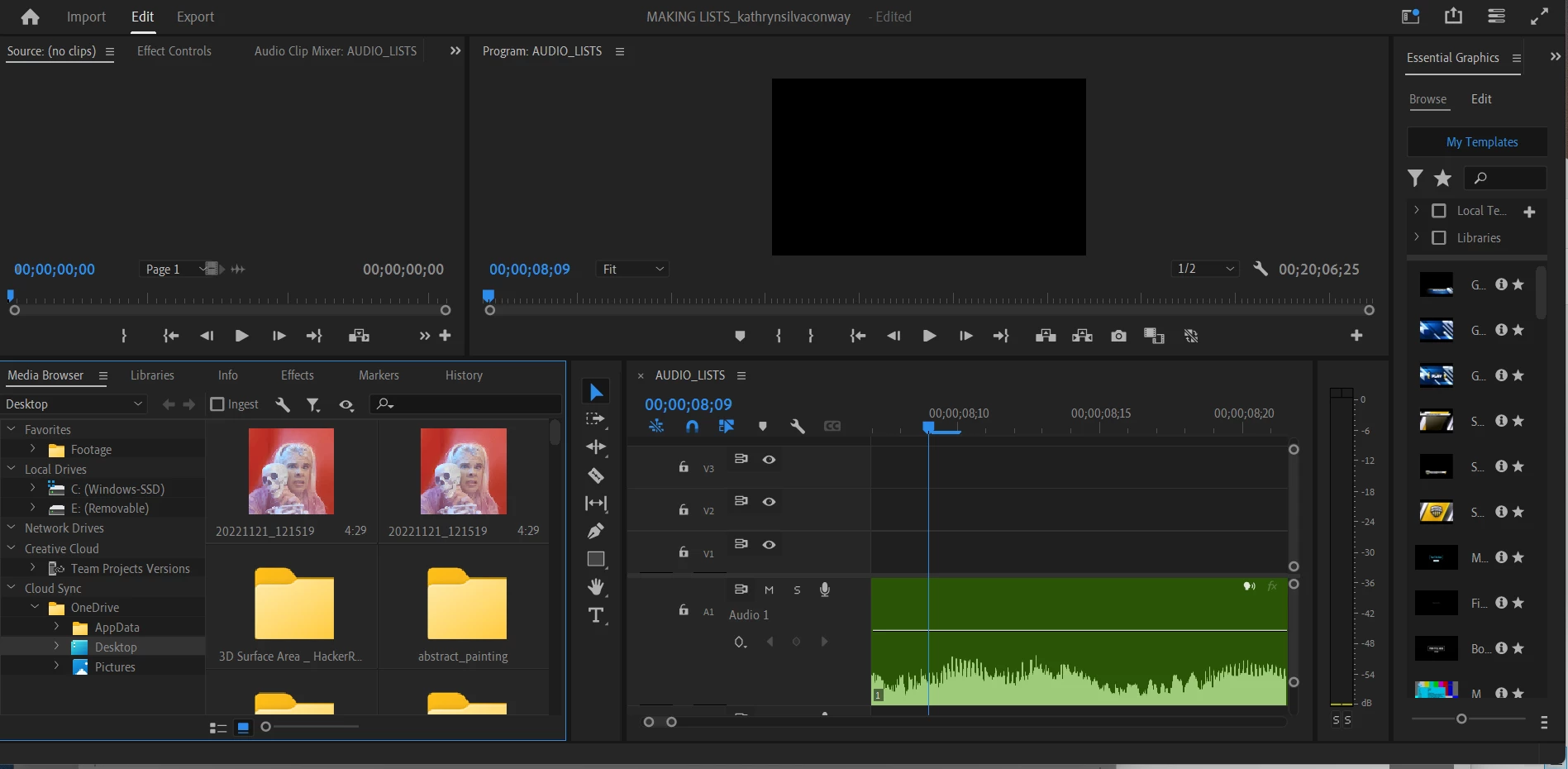
In this poroject, I have one track in my sequence completely edited. It is an audio track. I want to import a video and lay it over the audio. I have been importing assets by simply dragging and dropping them into the lower left panel (not sure the name of it). Now, whenI look at this panel, I cannot see my existing asset (the audio track), and I cannot import anything new. I notice in other people's tutorials, there is an item to the left of "Media Browser" that has the name of the project. It isn't there on mine; the menu just stops at media browser. I can play the track I've edited in the sequence and I can export it, but I cannot see it in the panel and I cannot import anything.
I have tried importing using the menu up top, but the clip does not appear in the lower left panel anywhere when I do this. Sometimes it appears to pop up directly in the sequence, but then my existing track appears to be gone.
Here is the screen. How can I see my clips from here?
 AdChoices