
Can't find panel
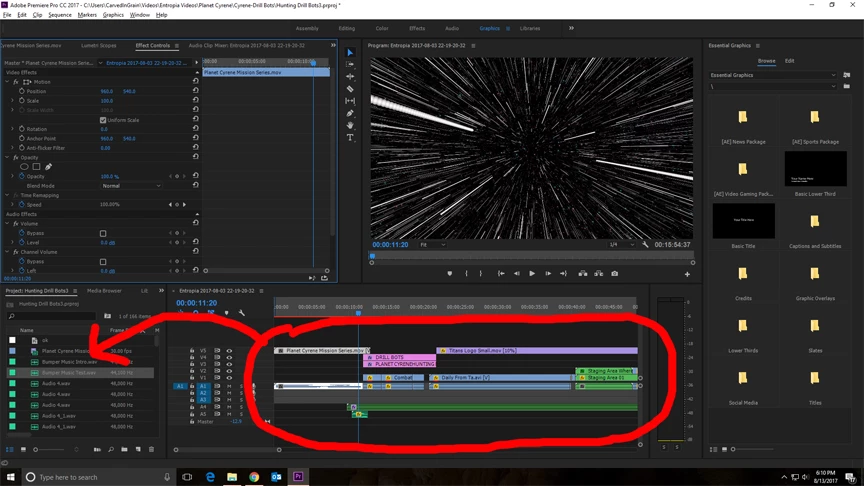
I've been having a great time working with Adobe After Effects and Adobe Premiere Pro, but Premiere pro has been getting on my last nerve. As great as the program is it is absolutely horrible for new people if they accidentally close or click on the wrong thing. Trying to get the configuration back to where you started is a maddening experience. I tried looking for help in the FAQ, but the problem is, I don't even know what some of these work spaces are called to be able to search for them.
As shown in the picture, I'm trying to get the panel that would show the clips that are utilized in the project where you can modify the files, add/remove keyframes, whatever. It used to sit on the left side of my tool panel (default set up). I'm not speaking about the effects panel for those clips, as you can see, I already have access to them.
Thanks in advance for any help.
 AdChoices