
Answered
Can't find "Edit Keyframes" under "Auto Reframe" in Adobe Premiere Pro 2020 Tutorial
Hello,
In doing the tutorial for Adobe Premiere Pro 2020 I'm instructed to click "Edit Keyframes" under "Auto Reframe." Picture here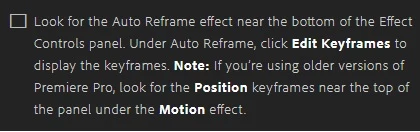
However, in the Effect Controls panel, there is no "Edit Keyframes" button under "Auto Reframe." Picture below.
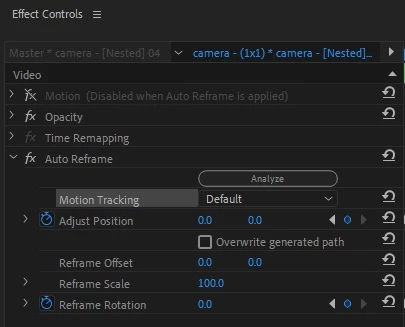
Is anyone else having this trouble? If not, please tell me where I can find "Edit Keyframes" button.
Thank you,
-Tyler5FB5
 AdChoices