
Participant
November 29, 2016
Answered

Can't find the warp stabilizer

  • November 29, 2016
  • 2 replies
  • 9356 views

I just bought and downloaded the newest version of Premier Pro cc and I simply can't find the warp stabilizer. There are hundreds of tutorials of how to use it, but as I can't even find it I'm getting very frustrated at the moment. It's supposed to be under Effects/Distort/Warp Stabilizer but this is the program looks for me, no distort option to be found anywhere. If anyone can help I'd be forever thankful!
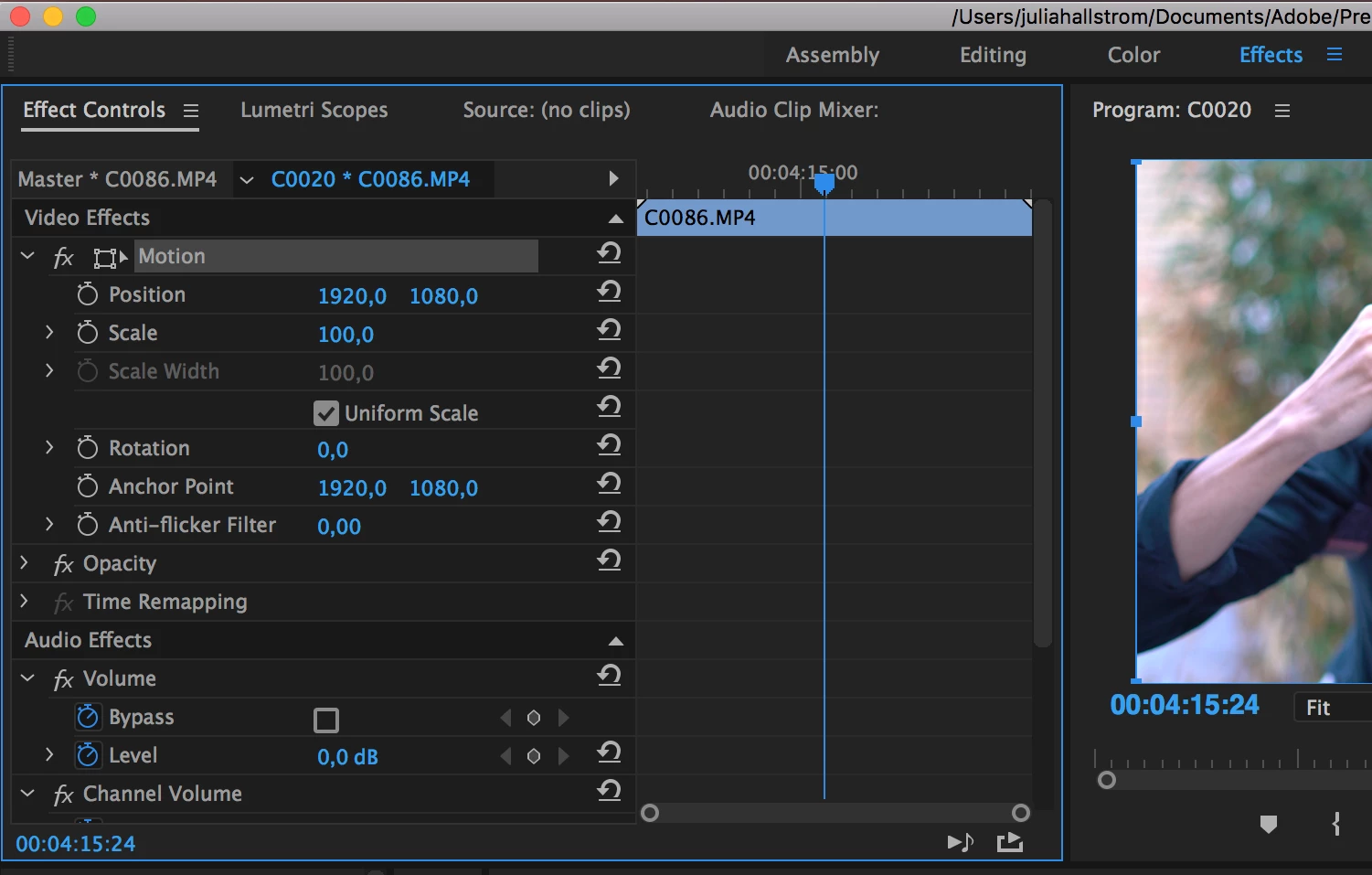
/Julia
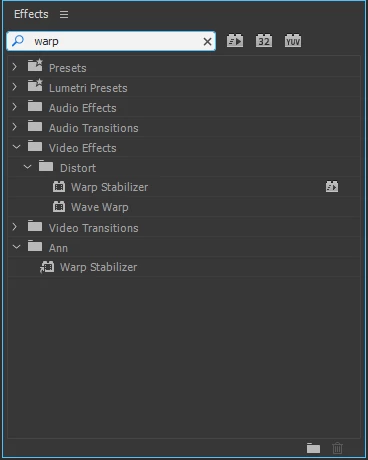
    This topic has been closed for replies.
    Correct answer Ann Bens

    2 replies

    Ann Bens
    Community Expert
    Ann BensCommunity ExpertCorrect answer
    Community Expert
    November 29, 2016

    Participant
    November 29, 2016

    thanks for your answer but I don't seem to have a search bar at all:( I don't know why but the program doesn't look like it does in the video tutorials I'm looking at, no search bar, no distort option etc.

    Participant
    November 29, 2016

    1) Open the Effects Panel

    2) Type in "Warp Stabilizer" in the search box

    Participant
    November 29, 2016

    thanks for your answer but I don't seem to have a search bar at all:( I don't know why but the program doesn't look like it does in the video tutorials I'm looking at, no search bar, no distort option etc.

    Participant
    November 29, 2016

    Can you post a screen of your Effects Panel (not Effect Controls)?