
fightincowboy
Participant
April 27, 2017
Question

Can't find Timeline anymore, clicked something and it's gone.

  • April 27, 2017
  • 2 replies
  • 2326 views

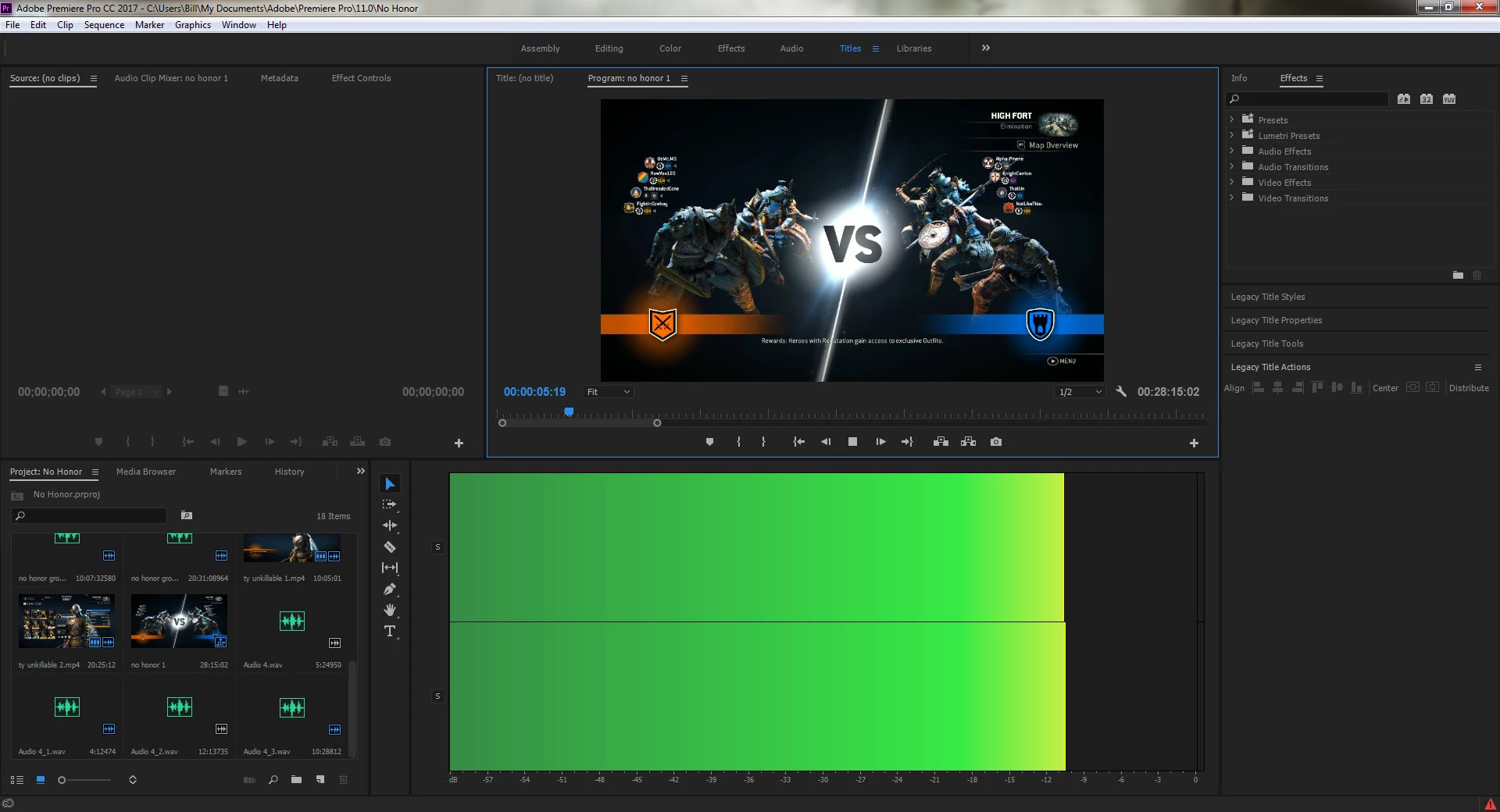
I was in the middle of editing a video and clicked something and now I can't see my timeline in the Titles workspace. Usually my audio meters are just off to the right but now they're taking up the timeline slot.  Double clicking the sequence in my project doesn't bring it up, and under Window it shows the timeline checked. It appears in my other workspaces but not this one anymore. I've also tried to reset the workspace but I just get an error saying "Unknown Workspace".

I can keep working through using the assembly/editing workspaces but I'll need to do title work in the future and need to get it back. Any ideas?
This topic has been closed for replies.

2 replies

Participant
April 27, 2017

i JUST HAD THE SAME issue. I have nothing. A blank workspace. Cannot reset or use an alternate workspace. I hate when adobe updates their product, always a cluster!

mattchristensen
Community Manager
Community Manager
April 27, 2017

Sorry to see that! I'm curious if using the keyboard command to open the Timeline panel will work, by default it is Shift+3.

Could you also confirm which version of Premiere you are using and which version of Windows?

Thanks!

fightincowboy
Participant
April 27, 2017

Shift+3 doesn't do anything, I have a feeling the window is open and active but just minimized somewhere and I can't see it.

As for versions I'm on Windows 7 Ultimate with Adobe Premiere Pro CC Version 11.1.0 (222) build.

Peru Bob
Community Expert
Community Expert
April 27, 2017

Use one of the working workspaces and modify it to the way you want it.  Then save it as a new workspace.