

New Participant
December 15, 2019
Answered

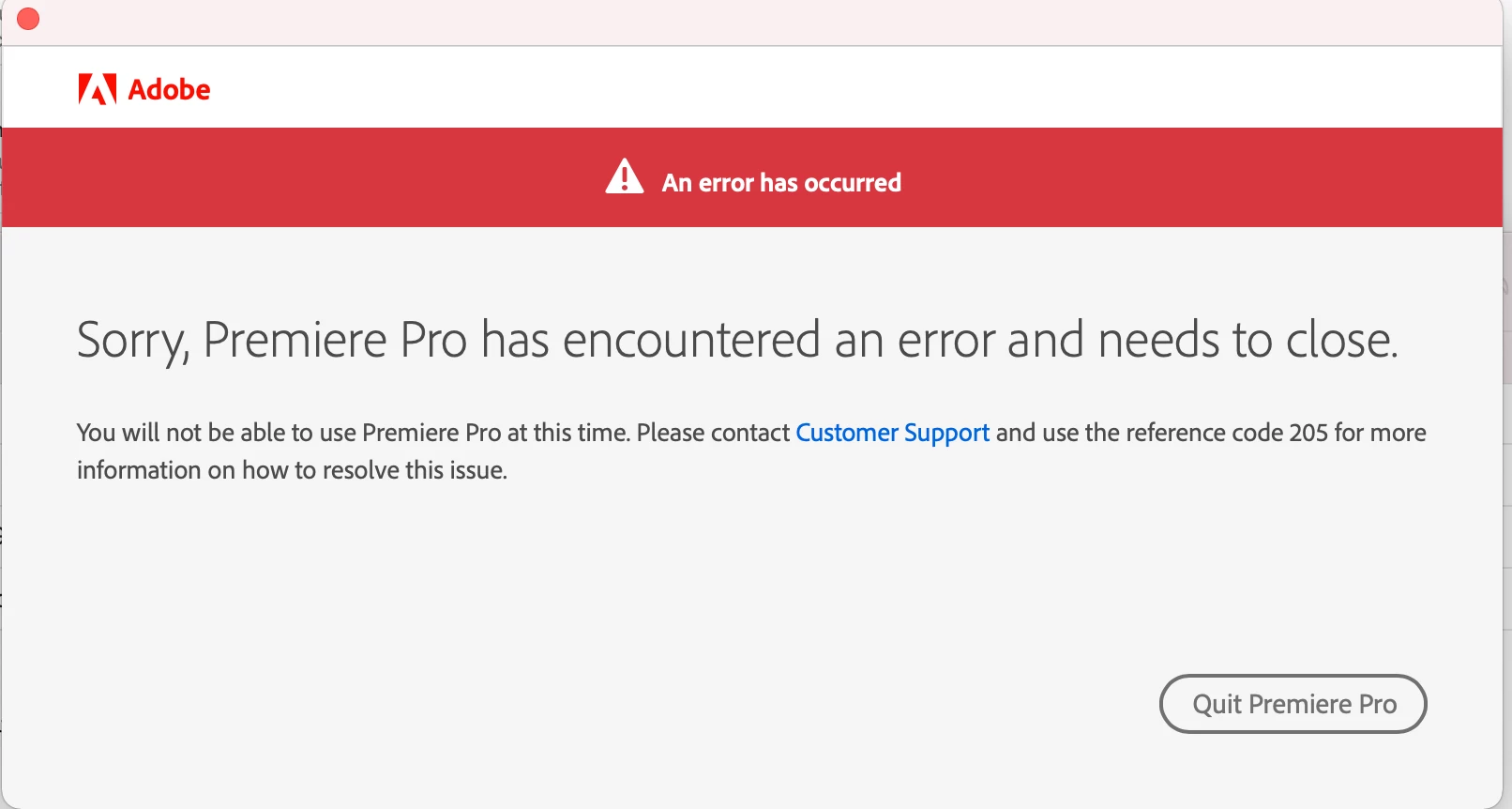
Can't open premiere, error code 205

  • December 15, 2019
  • 9 replies
  • 5979 views

Can anyone help? I've reinstalled premiere and even updated my OS but the same error keeps happening. Code 205
This topic has been closed for replies.

9 replies

New Participant
August 23, 2024

Yesterday I paid for Premier Pro and spent all my time trying to use it and today the same thing, I contacted support, restarted my PC, deactivated the antivirus and enabled the firewalls, I did everything but it still won't let me use the program.

Ishan Y
Community Manager
Community Manager
August 29, 2024

Hi there,

Sorry for the issue. Could you share your case ID with us so I can find more details about your issue? It usually starts with an "ADB" prefix. I'll be happy to look into this for you. 

New Participant
April 4, 2024

Premiere Pro will not launch due to error code 205. I just purchased a month of the premiere pro plan. I do not know if it is of any relevance but the Adobe chat bot says there is no active plan under my email, when right above the chat it clearly says my email is attached to an active plan.

Any suggestions?

Kevin-Monahan
Community Manager
Community Manager
April 4, 2024

Hello @Caolan36534823cfc5,

Please see this troubleshooting document: https://helpx.adobe.com/download-install/kb/fix-licensing-error-205.html. Let us know if that helps solve your issue.


Thanks,
Kevin

Kevin Monahan - Sr. Community & Engagement Strategist – Pro Video and Audio
New Participant
March 22, 2024

Como se arregla ese error? me sale en todas las apps menos en photoshop, porque?? si alguien puede decirme el porque y como quitarlo lo agradeceria


Participating Frequently
January 19, 2024

This is about Error 205 code, it happens in every adobe app. I have done everything that people say, log out of the session and login, delete the credentials from the Command Prompt and my firewall is disabled. This has been happening since I downloaded it yesterday, I have looked at all kinds of videos and forums and nothing works.
Im using Windows 10 in my PC.

Bruce Bullis
Community Manager
Community Manager
January 19, 2024
New Participant
January 4, 2024

I recently reinstalled Premiere Pro and I encountered an error. I searched for how to fix and not a single solution worked. I signed out, restarted my PC, and signed back in and it didn't work. I cleared the cache and data and it still didn't work, I even reinstalled the Adobe Creative Cloud app and it still didn't work. Any advice?

Kevin-Monahan
Community Manager
Community Manager
January 4, 2024

Hi @weatleygaming34584138tb71,

 I read about your error. Sounds frustrating. See if this doc helps: https://helpx.adobe.com/download-install/kb/fix-licensing-error-205.html. Let us know if it does. Sorry for the problem.


Thank You ,

Kevin

Kevin Monahan - Sr. Community & Engagement Strategist – Pro Video and Audio
New Participant
January 4, 2024

I clicked on the page and it shows up as a 404 page not found.

Ann Bens
Ann BensCorrect answer
Braniac
July 5, 2023
New Participant
July 6, 2023

Thanks!!!!! I'll give this a go


New Participant
May 29, 2022

I got this error several times with adobe programms but fixed most of them by logging out quitting all adobe related tasks and logging back in.


I'm on a windows 10 Workstation with modern hardware.


Peru Bob
Braniac
May 29, 2022
New Participant
May 29, 2022

Tried several times, didnt work.

New Participant
December 20, 2021

I have a problem with conecting Premiere Pro 2022 - error code 205


Kartika Rawat
Community Manager
Community Manager
December 21, 2021

Hi there!

Sorry to hear this. Are you getting this error while installing? Could you share a screenshot of the error message?We’re here to help, just need more info.


Thanks,

Kartika

New Participant
December 21, 2021

Hi,

the error pops up while opening the application. I've already tried to
reinstall Creative Cloude and Adobe Premiere Pro but it didn't help.
Below you can find the screenshot of the error.
I would appreciate your help!

All the best,
G

[image: Zrzut ekranu 2021-12-19 o 14.13.12.png]

--
Grzesiek Mart
[personal info deleted by mod]

roanbyrne
New Participant
December 15, 2019

On startup, Premiere performs its initialization (and occasionally loads the default editing window) but crashes after displaying the notification below. This is a recent issue and I'm having a hard time finding solutions. I've checked my account to make sure there weren't billing issues, I've reinstalled the entire Creative Cloud, and I've deleted my preferences, vsts, and plugins in the hopes of a clean startup. Nothing seems to be working.

Specs:

Macbook Pro 2018

Intel i9 2.9 Ghz

32GB Ram

Radeon Pro Vega 20 4GB


Title edited by mod

Kartika Rawat
Community Manager
Community Manager
December 16, 2019

Hi there!

Sorry to hear that Premiere Pro is crashing on startup and giving error 205.

We have an article that lists the solution of error 205: https://helpx.adobe.com/creative-cloud/kb/download-update-errors.html#Firewallconfiguration

In addition, you may follow this thread to resolve this issue: https://community.adobe.com/t5/get-started/creative-cloud-app-installation-error-code-205/td-p/6027782


Let us know if it helps.

Best,

Kartika.

roanbyrne
New Participant
December 16, 2019

Hello,


Thank you for your response, but I've already tested this on other networks with and without my firewall turned on. The second thread you provided seems to be addressing an issue downloading ACC, but I'm receiving the error message when I try to run the already installed Premiere Pro application.

