
Participant
March 28, 2020
Answered

Can't remove LUT from Clips BRAW - aaaaa

  • March 28, 2020
  • 1 reply
  • 4379 views

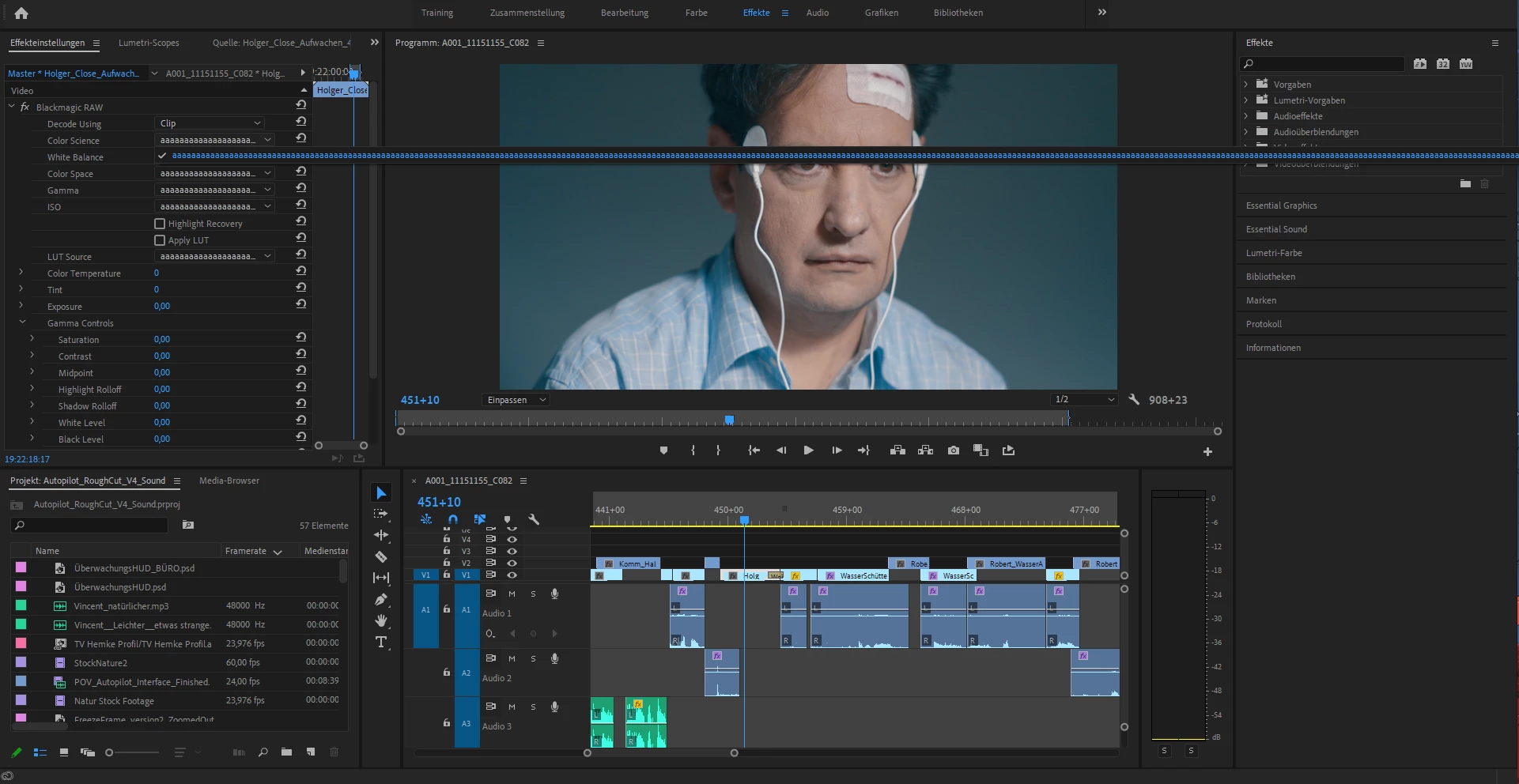
We shot a short movie with the Blackmagic pocket cinema 4k and applied a preview LUT when filming (on the camera). In Premiere we disabled the LUTs on the used clips in the master clip configurations. After transfering the project to another hard disk the LUTs were applied again and could not be removed anymore. The Apply LUT checkbox can be clicked but nothing changes when done so. All the drop down menus only show the option aaaaa (endlessly long string of a's).
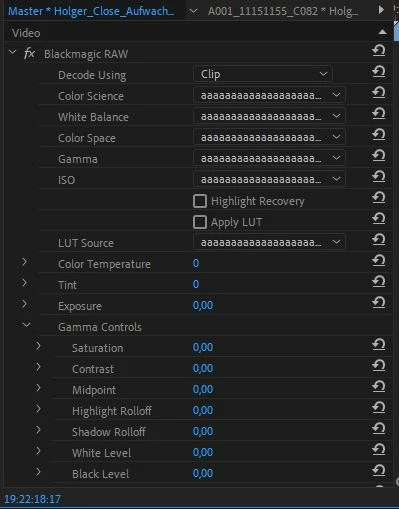


When we transfered the clips to another hard disk and worked on a seperate PC the LUTs could be disabled. When saving the project and opening it again on the other PC the LUTs were applied again.

We tried deleting the cache, reinstalling Premiere, and relinking the clips (first setting them offline and linking them again afterwards). But nothing fixed the issue. 
Does somebody know this issue and can help us out?


This topic has been closed for replies.
Correct answer R Neil Haugen

I had an amazing array of issues with the BM RAW plugin. This might be one of those issues, actually ...


Have you tried the Autokroma BRAW plugin? Doesn't cost much, it allows you to create presets, it has a fix for when Premiere shifts timecode, and ... it just plain works. Period.


I've had no problems with htat whatever ...


Neil

1 reply

Weekend Man
Inspiring
March 28, 2020

I have the same problem and no solution so far.. 
H E L P

R Neil Haugen
R Neil HaugenCorrect answer
Legend
March 28, 2020

I had an amazing array of issues with the BM RAW plugin. This might be one of those issues, actually ...


Have you tried the Autokroma BRAW plugin? Doesn't cost much, it allows you to create presets, it has a fix for when Premiere shifts timecode, and ... it just plain works. Period.


I've had no problems with htat whatever ...


Neil

Everyone's mileage always varies ...
BinngiAuthor
Participant
March 28, 2020

Hey Neil,

Thank you for your input. We tested the free version of the Autokroma plugin and it seems to work! 
That also inspired us to try the new version of the BRAW Plugin (1.7 from 06 March 2020). And that also worked for us.
We will keep the plugin in mind in case of other issues.
Thanks again.

Jonas