
Can't set color space when exporting h.264 (color space dropdown is greyed out)
I can't figure out how to set the color space when exporting a video with h.264. Here are my settings:
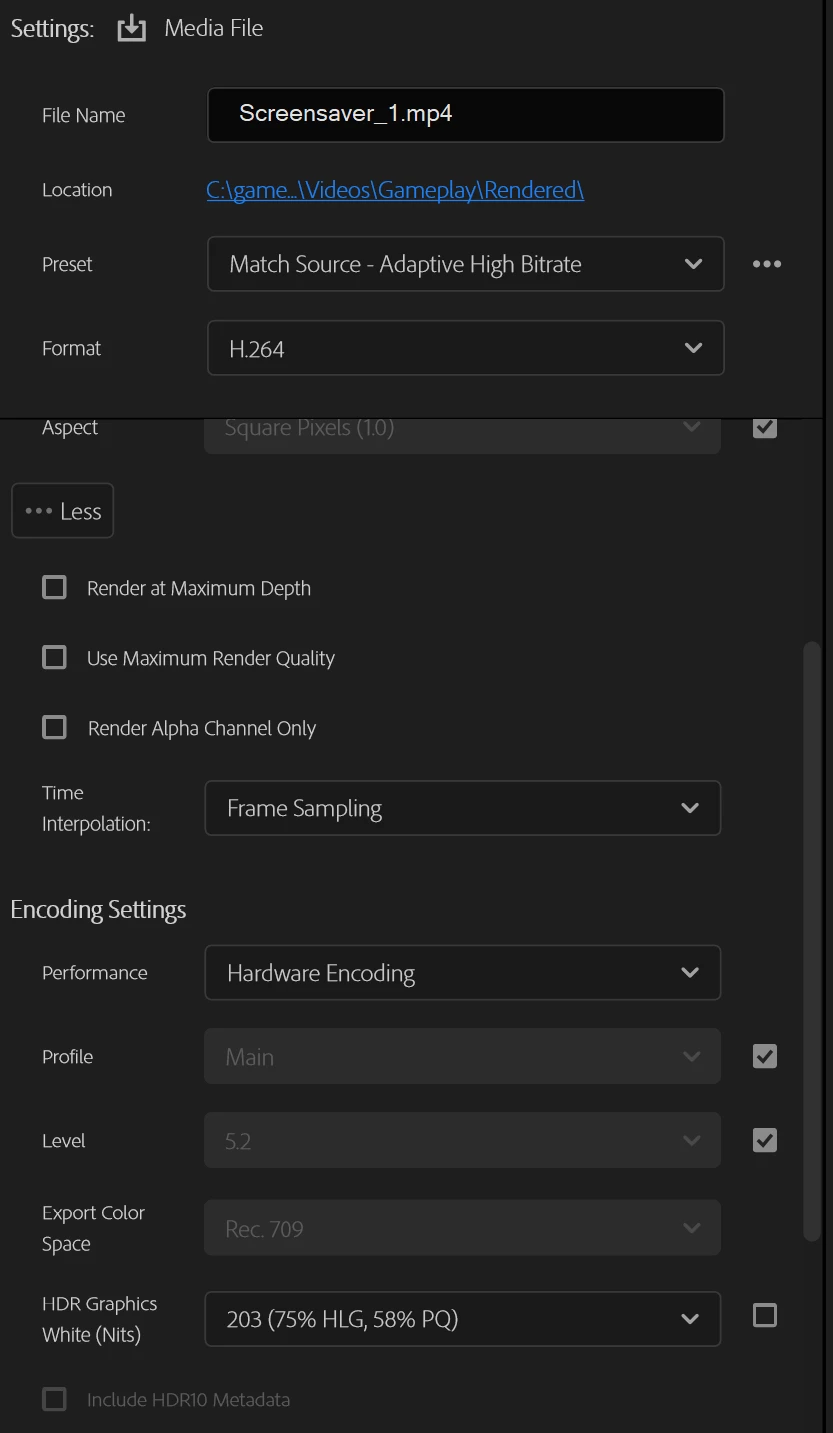
That said, I'm not even trying to change the color space per se; I just need to explicitly set it. I'm running into a compatability issue with Unity where the engine says that the color space isn't defined in the source file.
To fix this problem, the equivalent in ffmpeg would be something like:
ffmpeg -i input.mp4 -color_primaries bt709 -color_trc bt709 -colorspace bt709 -color_range pc -vcodec libx264 -profile:v baseline output.mp4
Basically, you can encode the file while explicitly defining the color space. Even though Rec. 709 is auto-selected in Premiere Pro, it seems that it isn't explicitly defining the color space, because I can't see the color space in MediaInfo afterwards (and Unity gives a warning because of the missing metadata).
Anyway, does anyone know why the box is greyed out and/or how to make Premiere Pro do something like the above ffmpeg command?
 AdChoices