

Bed30321077z973
Inspiring
November 21, 2023
Answered

Can you EXPORT multiple sequences at once, or add them to a queue to be exported 1 after the other?

  • November 21, 2023
  • 3 replies
  • 758 views

Hi,

1)

Let's say I have these 3 sequences:
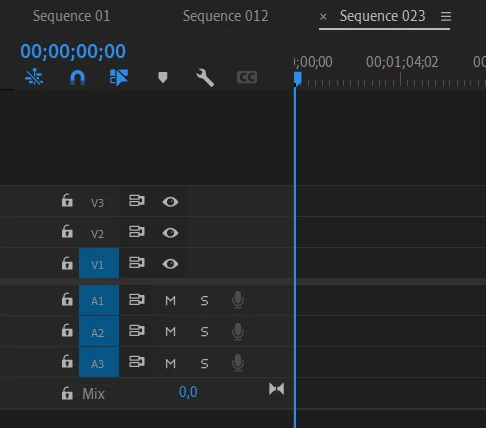
Or any number of sequences.

Is it possible to click somewhere or run some code, to EXPORT each sequence into an video, either all at once, or one after the other without having to click export for each one individually?

That would be useful.


2) What is exactly a sequence?, When I am adding one manually then adding a video clip to it, an alert pops up informing me about mismatching sequence and the clip video.

This topic has been closed for replies.
Correct answer Dan McSweeney

Hi there,

Yes, there is a published API that will allow you to automate most features in Premiere Pro. 

We have a sample panel which demonstrates what is possible.  Note: you'll need some JavaScript skill.

Here is the repo:

https://github.com/Adobe-CEP/Samples/tree/master/PProPanel


I think what you might be looking for is:

    insertOrAppend : function () {


    closeAllSequences : function () {

3 replies

Dan McSweeneyCorrect answer
Adobe Employee
November 21, 2023

Hi there,

Yes, there is a published API that will allow you to automate most features in Premiere Pro. 

We have a sample panel which demonstrates what is possible.  Note: you'll need some JavaScript skill.

Here is the repo:

https://github.com/Adobe-CEP/Samples/tree/master/PProPanel


I think what you might be looking for is:

    insertOrAppend : function () {


    closeAllSequences : function () {
Bed30321077z973
Inspiring
November 21, 2023

Great stuff, thanks to all for the informations!

Peru Bob
Community Expert
Community Expert
November 21, 2023

@Bed30321077z973 wrote:


2) What is exactly a sequence?, When I am adding one manually then adding a video clip to it, an alert pops up informing me about mismatching sequence and the clip video.


A sequence is a timeline that contains your media.

If your media pixel size doesn't match the sequence pixel size, the media will either be cropped or have black bar(s) around it when displayed or exported unless you adjust its size and/or position.  Some effects, like masks or Warp Stabilizer, will not work properly.


A mismatch of frame rates may also cause other issues.

Community Expert
November 21, 2023

Using Adobe Media Encoder (AME) for the exports might help.