
AntDX316
Inspiring
September 5, 2023
Answered

cannot copy transcription texts
  • September 5, 2023
  • 2 replies
  • 2757 views


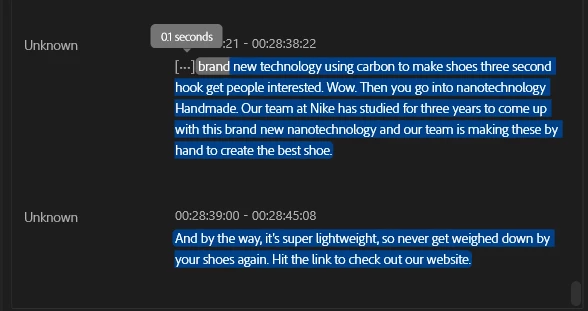
I cannot copy this text. It just copies the video section and not the text.

 

Correct answer Stan Jones

Can you send the screenshot?


Your screenshot and this one show the "selection" mode, where you can select text from one or more transcript segments to automatically set in/out points for adding/removing material from the timeline. I'm not sure what the copy/paste options have in that dropdown, but does not copy selected text.
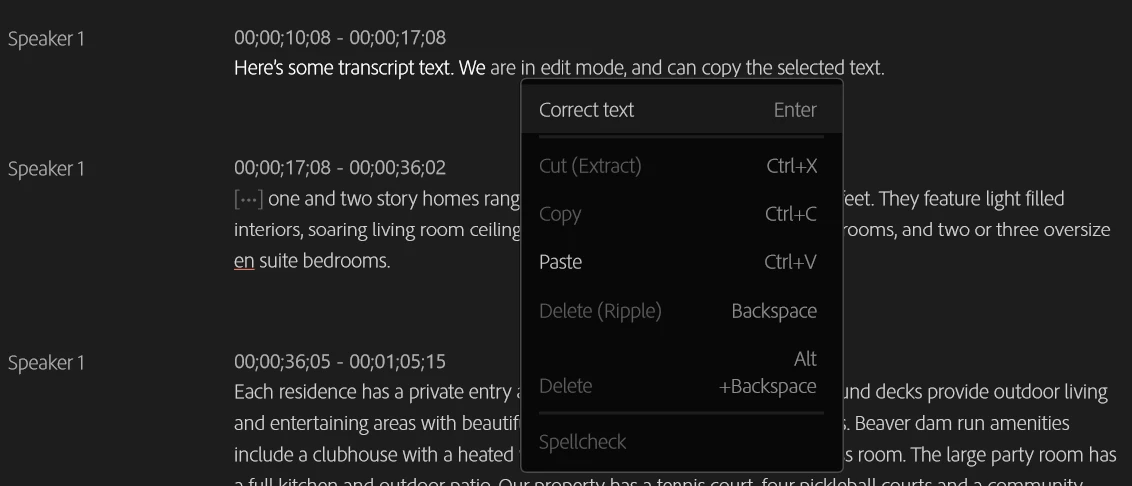


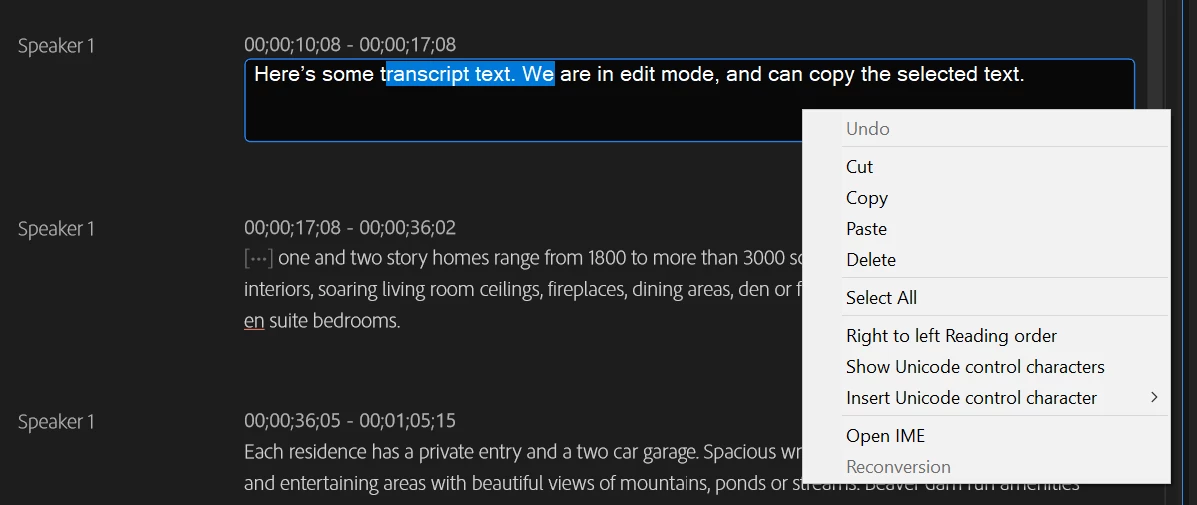
If you double-click a transcript segment (or click in it and hit Enter or click the pencil icon), you go into "Edit" mode where you can edit the text in one transcript segment. When in that mode, you can select and copy text. The context menu shows regular editing options.
Stan


2 replies

Participant
June 12, 2024

It's still 2024 and still can't copy. I see contextual has "copy" as a clickable menu option and it's not actually copying jack. Why should I double click into the text segment of the transcripts just to copy through the OS UI contextual menu???


Adobe UI menu – single click and highlight and copy (doesn't work)


OS UI menu after doubling clicking and highlight (this works)


It's something your viewer that's not allowing copying the values as null or empty values or image. Please fix this whether not your double click into the text segments. It's counterintuitive at it's current state for this transcript features to have another point of interaction just to copy. I'm trying to understand why your user acceptance criterias in dev script for feature implementations are missing the mark on delightful experiences.


Related to Essential Graphics > Edit text fields. The same for issue occurs over in the panel.


I'm on version 24.4.1 Build 2

Stan Jones
Community Expert
Community Expert
June 13, 2024

@Victor35652243bqgj,


In my 9/27/23 post, some options were greyed out. In your screenshot, and what I see in 24.4.1, they are not. The copy/paste in selection mode (vs edit mode) DO in fact copy/cut the video/transcript (but not caption track) and will paste it elsewhere in the transcript/timeline.


It does not appear to be copying just the text to be pasted. It was more predictable when the set in/out was "on."


@Kerstin Ebert Can you enlighten us as to how these commands should work.


Stan


Stan Jones
Community Expert
Community Expert
September 5, 2023

To copy text from the transcript, you must enter Edit mode. Then you can select and copy.


I think you are in the mode where you can select sections of the Transcript to mark in/out points in the timeline/Program Monitor.


If that doesn't make sense, post a screenshot that shows the full Transcript tab, timeline, and program monitor.


Stan


AntDX316
AntDX316Author
Inspiring
September 16, 2023

edit mode?

Stan Jones
Community Expert
Stan JonesCommunity ExpertCorrect answer
Community Expert
September 27, 2023

Can you send the screenshot?


Your screenshot and this one show the "selection" mode, where you can select text from one or more transcript segments to automatically set in/out points for adding/removing material from the timeline. I'm not sure what the copy/paste options have in that dropdown, but does not copy selected text.


If you double-click a transcript segment (or click in it and hit Enter or click the pencil icon), you go into "Edit" mode where you can edit the text in one transcript segment. When in that mode, you can select and copy text. The context menu shows regular editing options.

Stan