
Cannot Import After Effects Project to Premiere Pro
Good day.
I have a project in After Effects wherein i do a small map animation with photo. i was able to render and export a video out of it.
I want to import it into Adobe Premiere Pro, so i tried File->Import, it shows the Import Files prompt, but it gets stuck there. i dont see any other window that shows what layers in After Effects that i can import. and its been like this for 20 minutes.
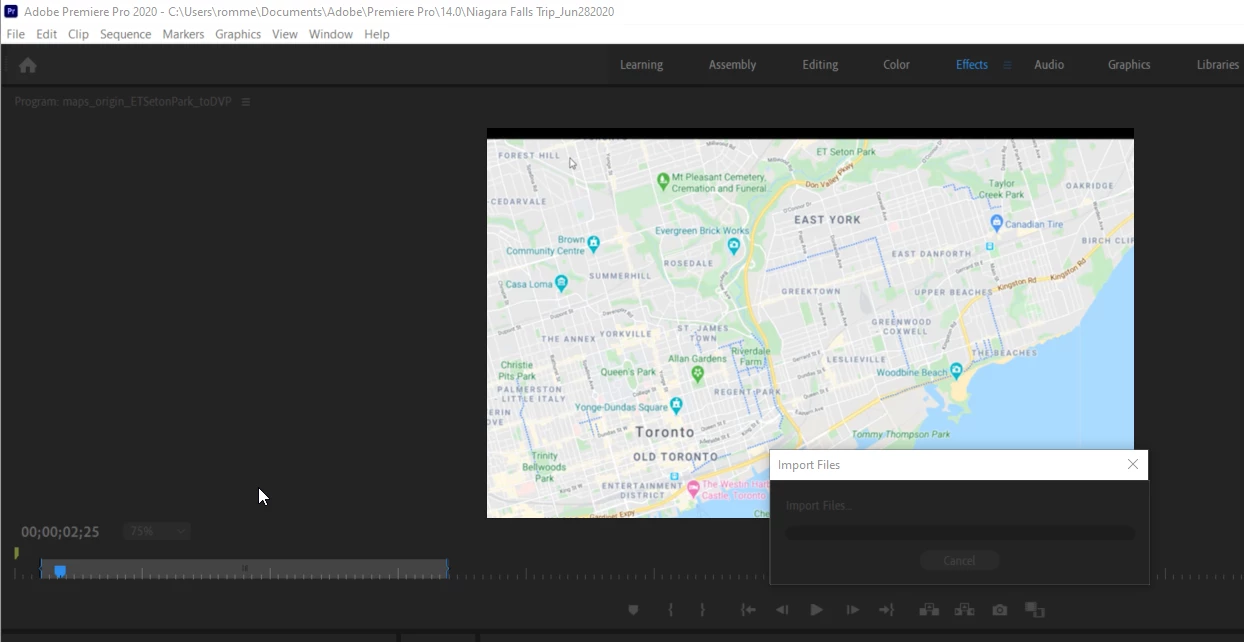
And if i try using File->Adobe Dynamic Link-> Import After Effects Composition, the controls in the Project/Timeline pane in Premier Pro is disabled, nothing is clickable but i hear a windows sound. nothing happens. it gets stuck again, am i supposed to see another window? I cant proceed so i have to press escape.
I restarted my computer several times, i still have this issue.
The only alternative right now is i render/export my after effects composition into a video, then import it into Premier. But what if i need to import After Effects directly, how can i do this?
I read a similar post about this problem. but no matter how long i waited, i still cannot do the import.
I have purchased Adobe Premier Pro and After Effects on a monthly plan.
Hoping for your help and support.
Thank you very much.
Rommel
 AdChoices