Participant
December 29, 2021
Answered

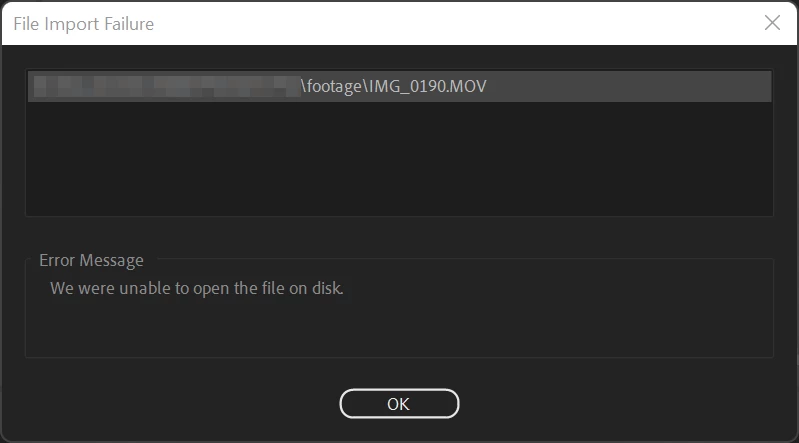
Cannot import MOV file in Premiere Pro

  • December 29, 2021
  • 4 replies
  • 12376 views

Hi there,

I don't know why I cannot import MOV file created by my iPhone 12 Pro

I'm using Windows 11, Adobe Premiere Pro 2022

Has anyone encountered this case like me?
 

This topic has been closed for replies.
Correct answer KantohDuong

@Warren Heaton10841144 


I understand why I cannot import that file.

The file has not been synced completely.

So, when I copied and imported that file, the error occurred.


Thanks @Warren Heaton10841144  @John V Knowles 

4 replies

Participant
August 12, 2022

I import the mov file into photoshop -> motion environment. 
Then I render the video into h256 and it works fine. 

Participant
August 12, 2022

...ups h.264 🙂 

Ann Bens
Community Expert
Community Expert
August 12, 2022

IMO that is not really the way to go:you have no control over the bitrate.

I would use shutter encoder or Handbrake.

Warren Heaton
Community Expert
Community Expert
December 29, 2021

@KantohDuong 


I just tried importing two short clips recorded on an iPhone 11 Pro Max using the Camera app running iOS 15.1 into Premiere Pro 22.1.2 under Windows 11 Home build 22000.376 and they both work as expected.  Both clips were imported from the D drive, an internal SSD.


If you'd like to give them a try on your end for troubleshooting, you can download them from here: https://shared-assets.adobe.com/link/6d85b704-f243-4a27-58cb-b2eaf628e38e


IMG_9179.MOV is HEVC (High Efficiency).


IMG_9180.MOV is H264 (More Compatible).


- Warren

Participant
December 29, 2021

@Warren Heaton10841144 


Thank you for your sharing files. I can import your files normally.

It seems something wrong with my files.

I sync them from my phone to my PC, then I tried to copy them to another folder (D:/)

still cannot import. I will try another way.

Warren Heaton
Community Expert
Community Expert
December 29, 2021

What are your video settings on the iPhone 12 Pro?  Formats (High Efficinecy or Most Compatible)?  Record Video?  Record Slo-mo?  Record Stereo Sound?  I can match that with my iPhone 11 Pro Max and see if I can reproduce the same issue on my Windows 11 machine with Premiere Pro 2022.


I've always found it best to transcode to Apple ProRes in the Finder prior to importing iPhone footage into Premiere Pro, After Effects, Media Encoder, Photoshop, Audition, Prelude, etc.; however, that requires macOS.  That, or use footage shot with the FiLMic Pro iOS app set to FilMiC Extreme.  Unfortunately, I haven't had a chance to work with the iPhone 13 Pro that can shoot ProRes directly.


Also, have you tried copying the files to a different location?  There's always a chance it's a storage media issue.

Community Expert
December 29, 2021

Can you do a "get info" on one of your iPhone clips on the desktop and post the specs here? 

-------------------------------------------------------------------------JVK | Editor/Designer/Software Instructor. Pr, Ae, Ch, Ps, Ai, Id
Participant
December 29, 2021

I tried to get info of my file, It seems there are nothing useful
