Participating Frequently
June 1, 2020
Question

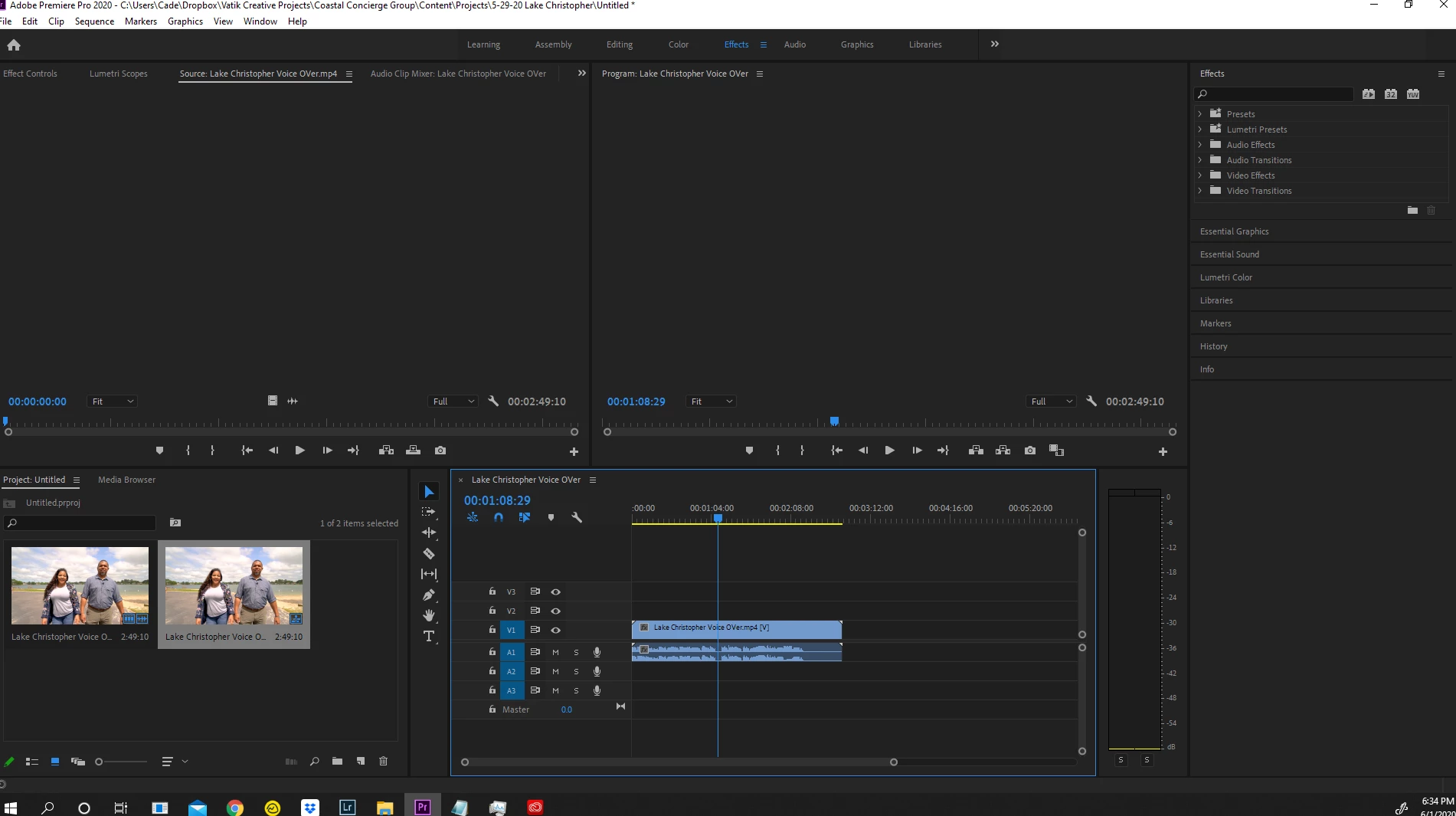
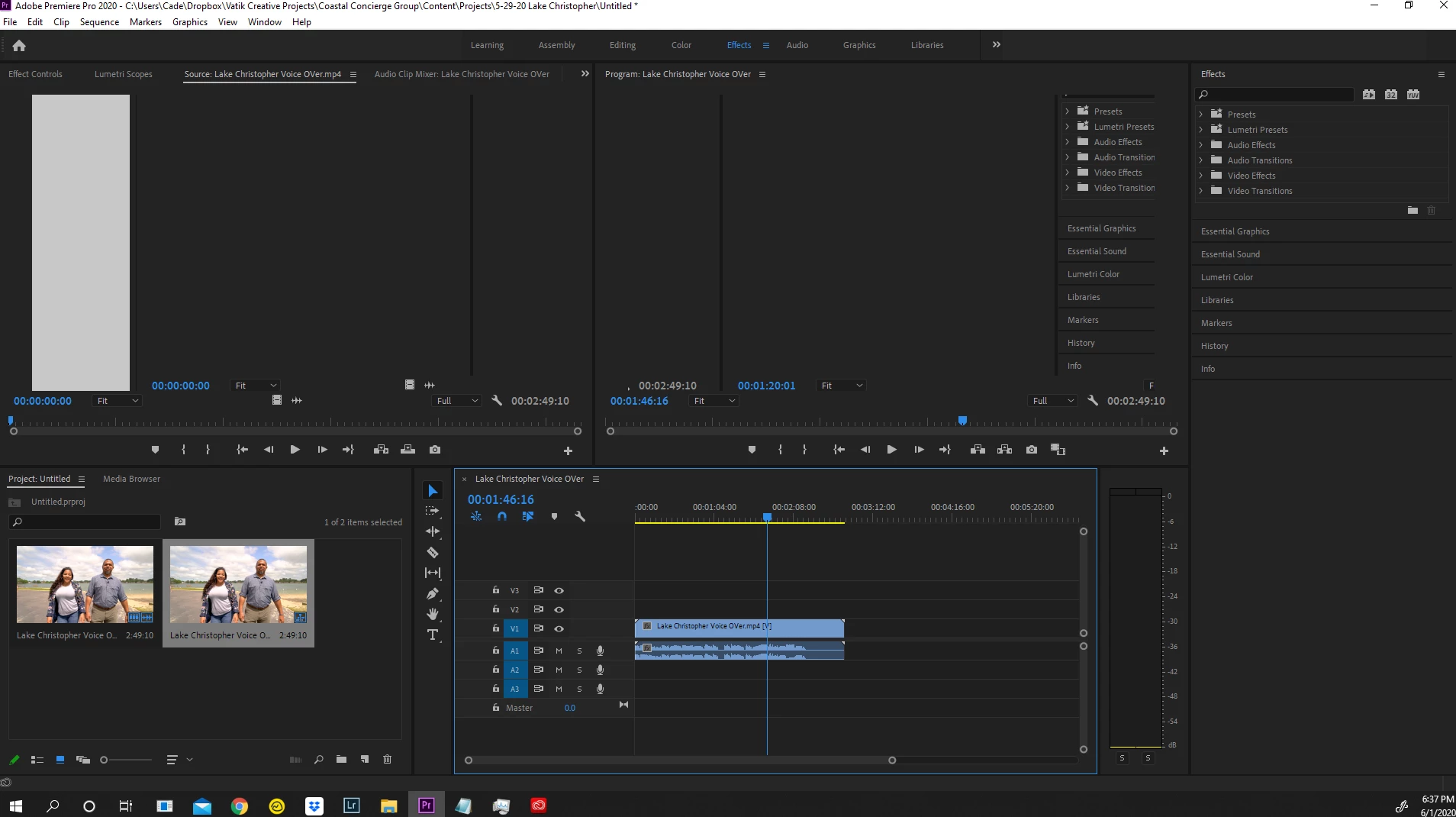
Cannot View Footage in either monitor, Program breaks when I do anything (see images) WILL PAY $$

  • June 1, 2020
  • 1 reply
  • 975 views

Will pay money for someone to help me fix. Have tried uninstalling, reinstalling, different versions, different footage, cuda, non cuda, clearing memory cache, using proxies, updating graphics card, clearing hard drive space, resetting workspaces. Sometimes it will work if I delete projects, shut down computer, open new projects in random sequences over and over. But always eventually happens again. 


Called support and they have fixed this same issue 4-5 times. However, every time they fix it, it usually comes back next day sometimes next week. They usually have me rename a file in the adobe system But I am not sure which file that was. 


Any help appreciated. 
This topic has been closed for replies.

1 reply

Inspiring
June 1, 2020

offering to pay for help is silly in this forum. People help for free ( fellow users of program who have time to help ).

You need to get to the basics... which is:

match your project / sequence settings to your source material. ( origanal stuff from camera specs match)


make sure your hardware can deal with the very demanding desire... you have to know a little about what bottlenecks exist with hardware to keep you from getting what you desire in the time you want to work on stuff.


start at the beginning is my suggestion


🙂


Participating Frequently
June 1, 2020

I don't mind paying for someones time if they have the solution and can help. 


Off of your suggestion, The sequence settings is 29fps 4k, my footage is 29fps 4k. 


I have a GTX 1070 and 32g ram i7, shouldnt be an issue

Kevin J. Monahan Jr.
Legend
June 2, 2020

Hi,

The problem is most likely your workflow, not your hardware. You need to either transcode or create proxies for most PC computer systems. My Paypal is....(just kidding).

Editing 4K Long GOP natively is like trying to defeat a Wolfenstein Boss with a sidearm. Possible? Yes. Probable? No. Is it going to take forever? Yes. Is it going to be frustrating? Yes. Will I be killed? Hell yes. Many times over.


What I'm saying is that editing native 4K Long GOP files, which it sounds like you want to do, is not as trivial a task as you suppose. That is, unless you've transcoded these satanic video files into something more elegant to cut with, like a ProRes, DNx, or Cineform file. Then, all will seem easy and normal if you only do that.

You also did not mention your media drive, how it is connected, or formatted. If your "4K" file is not sitting on a high speed drive (like a RAID or SSD), and it's on your OS drive - then that also is going to be a tight bottleneck.

So, what is going on there? Let us know.


Thanks,
Kevin

Kevin Monahan - Sr. Community and Engagement Strategist – Adobe Pro Video and Audio