
Participant
August 23, 2021
Answered

cant apply effect on timeline

  • August 23, 2021
  • 2 replies
  • 394 views

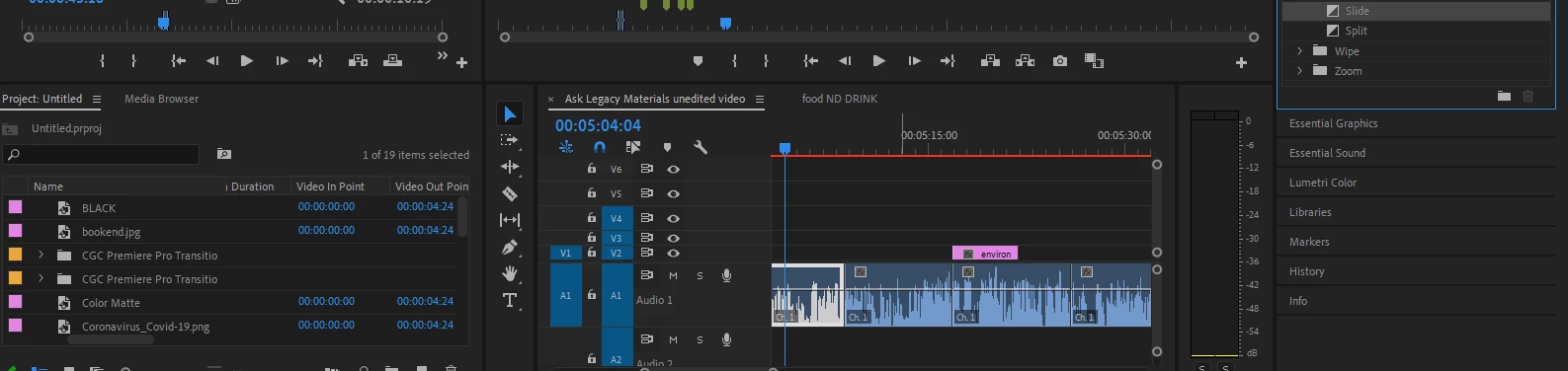
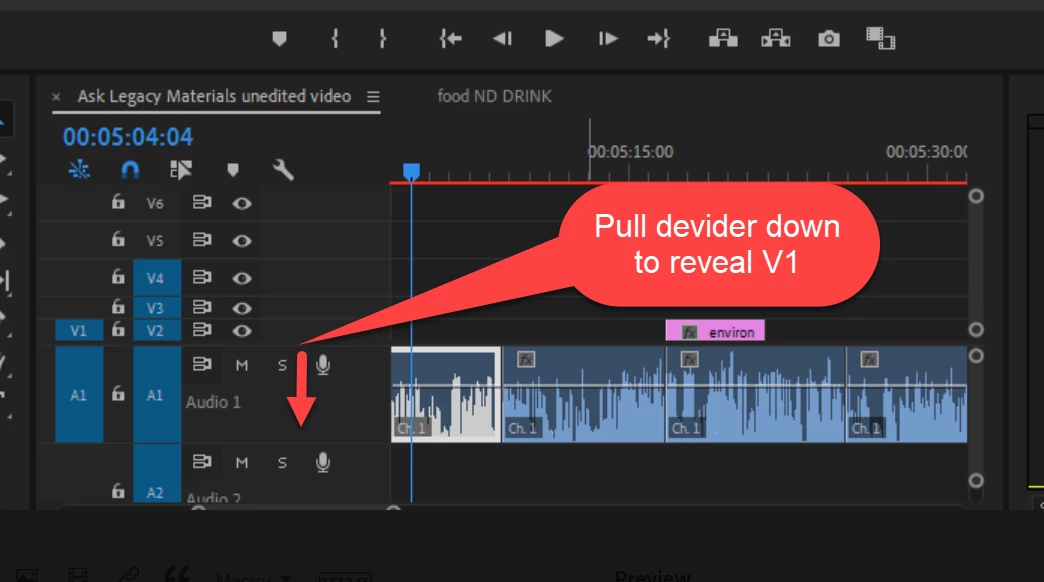
So I have my timeline as seen in the image below, and everytime I try to add an effect onto a clip I get the small circle with the diagonal line symbol. As you can see my timeline seems to be only audio but video still shows on the playback with no problem. Any idea on how to fix this?
This topic has been closed for replies.
Correct answer Ann Bens


2 replies

Ann Bens
Community Expert
Ann BensCommunity ExpertCorrect answer
Community Expert
August 23, 2021


Participant
August 23, 2021

Just figured it out before seeing this haha! thanks 

Kevin-Monahan
Community Manager
Community Manager
August 23, 2021

Love to help, Michael. Try trashing preferences. This has helped others in troubleshooting the issue. Let me know if this does not help, along with info on your system, media, and version of Premiere Pro.


If you would do me a favor and kindly avoid tagging issues here that don't have to do with your issue? In the future, doing so would save us some trouble here in keeping our operation working better for other editors. Thank you.

Kevin

Kevin Monahan - Sr. Community and Engagement Strategist – Adobe Pro Video and Audio