
Inspiring
March 17, 2021
Answered

cant open media encoder. what version of premiere does it need?

  • March 17, 2021
  • 1 reply
  • 1863 views

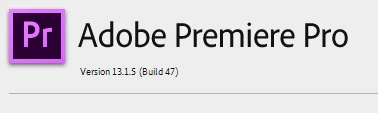
I have adobe premiere 13.1.5 installed,
 

I`m trying to INGEST, however it reads media encoder needs to be installed,
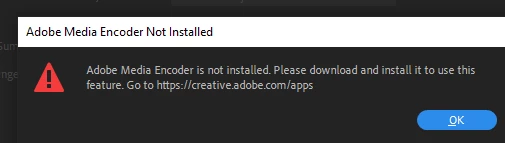
but it is installed, and updated. 

version 15. I tested it prior to deleting two older versions, of media encoder. But now I cannot open it.

Please note I have adobe 13.1.5 because any version higher than this requires DCH drivers which I cannot put on my PC because its a flatscreen sealed at the back and I cannot afford new hardware at this time.

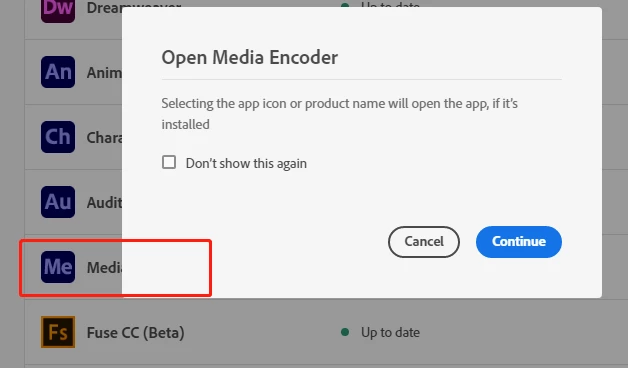
when I try and open media encoder, even with right click run as administrator, the blue circle starts spinning, but nothing happens. 
This topic has been closed for replies.
Correct answer Ann Bens

can anyone at adobe help on this?? 

I need to edit my footage.

Media encoder 15 and 14.9 are not working with premiere 19 (13.1.5) and I cannot install version 20 or 21.

It`s not compatable with my graphics card.


Unfortunately AME 3.1.5 is no longer available.

Might want to try Support.

1 reply

@mj
Community Expert
Community Expert
March 17, 2021

Hi @bluefire777 ,


You might have an incomplete or damaged installation.


Uninstall Media Encoder from the CC App, and reinstall it. That should hopefully repair any install issues.


Good luck

mj


Mohammed Jogie | MSD |
Adobe ACA | ACE | ACI | ACP | CA | UGM |
MISTD | Ico-D | IxDA | PADI | C&G |
Inspiring
March 17, 2021

Actually I spoke too soon, I was able to create a proxy preset in media encoder 15 (build 37). 

And create an INGEST preset from that.

However when I select my files in premiere and right click make proxies, the same error message appears..

"adobe media encoder is not installed". 

Guess i`ll be uninstalling after all..


Inspiring
March 22, 2021

Unfortunately AME 3.1.5 is no longer available.

Might want to try Support.


I should never have uninstalled it when I had it...


Honestly Adobe should have a pop up warning CC clients prior to uninstalling media encoder.

"This version is required for Premiere 19, if you are using Prem19(version 13.1.5)you will need this version of media encoder"...

(or dependencies amongst any software).


I contacted Support via chat, the adobe agent was able to remote access my computer and help me install version 14.0 (legacy version) of both media encoder and adobe premiere. 

I still get the graphics card warning thats ok because media encoder now works with premiere and proxies are working.


Thanks Ann for the suggestion.
