
qosmith
Participant
February 7, 2023
Answered

Captions Always Burned-In, Exporting .MXF

  • February 7, 2023
  • 5 replies
  • 458 views

Computer Specs: 

Mac OS 13.0 Ventura

Apple M1 Max

64gb Ram

2TB SSD


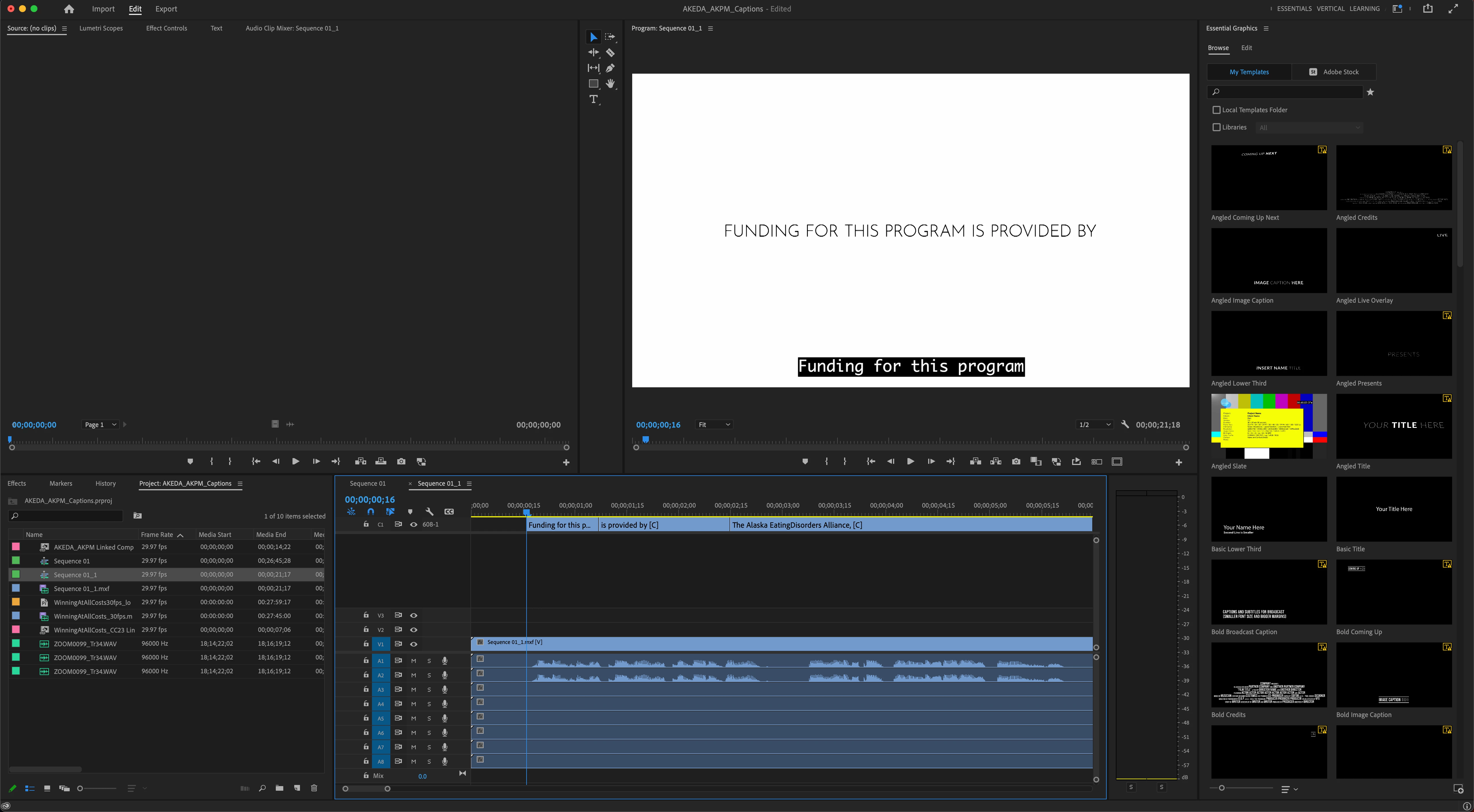
Trying to export 608 captions for a .MXF broadcast delivery but the text keeps getting burned onto the video.


Upon export, if I bring the file back into Premiere it shows that the file has embedded captions but is also baked in.


Export Settings:

MXF OP1a

29.97fps

Progressive

AVC-Intra Class 100 1080

Captions

Embed in Output File
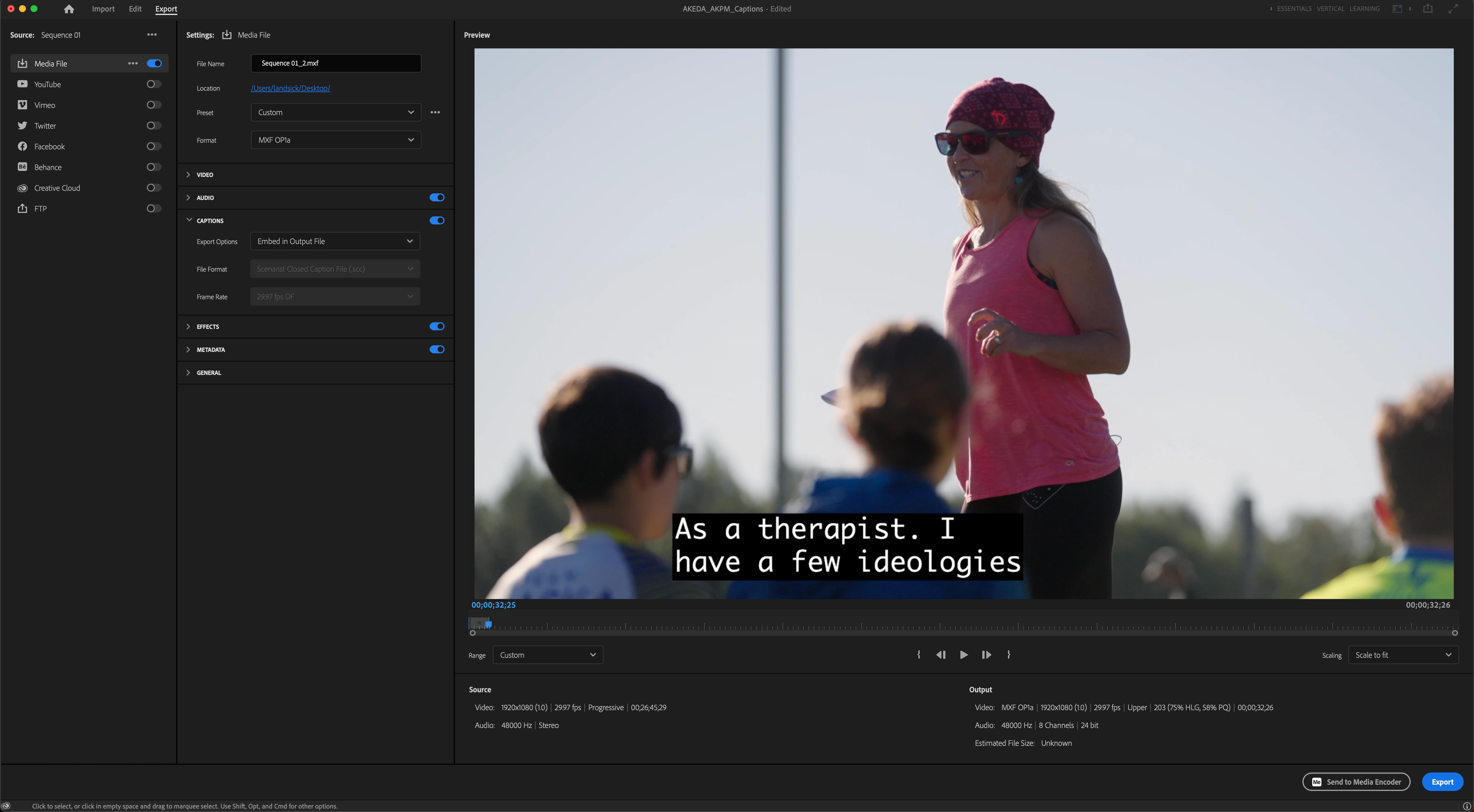
 

Adobe support struggled through troubleshooting before disconnecting. Any ideas of what's going on? The cache has been cleared, tried creating new projects, wiped premiere pro and reinstalled, etc.

This topic has been closed for replies.
Correct answer qosmith

Stan, first of all, just wanna say thank you for your help. I noticed you a million times last night while troubleshooting on this blog so seriously you're the best. Thanks for your dedication to fixing everyone's most frustrating PP problems!


Yes, this is an issue with the current 23.1 version of Premiere. Maybe relevant for future bug-finders...this was originally a CC22 file upgraded to CC23 that was giving me all of the trouble. So I made a new project and imported the old sequence. For the life of me, the captions kept burning in no matter what.


I listened to your advice, Stan, closed that project and REBUILT the sequence in a new project (don't just import the old sequence) and the captions FINALLY stopped burning in. So essentially, export high-res/lossless of your timeline and then bring that finalized export into the fresh project, add the captions and it works now! Embedded not burned.


Word of advice for anyone finding this thread, don't even bother exporting if you see the captions inside the export preview because they will bake in. 

5 replies

Inspiring
December 9, 2024

I got the same bug today with v2024 AND v2025 of Premiere and got to this post by googling. I found a solution by clicking the eye off so I don't see the subtitles while editing aned still use embeded subtitles in the output and IT WORKED!

JP

Stan Jones
Community Expert
Community Expert
February 8, 2023

qosmith,


Thanks for reporting back and describing your solution.


I would actually flag your response as the correct answer!


Yes, the quick way to know you have a problem is captions visible in the export preview window when they are not being burned in (embed or sidecar).


Stan


qosmith
qosmithAuthorCorrect answer
Participant
February 7, 2023

Stan, first of all, just wanna say thank you for your help. I noticed you a million times last night while troubleshooting on this blog so seriously you're the best. Thanks for your dedication to fixing everyone's most frustrating PP problems!


Yes, this is an issue with the current 23.1 version of Premiere. Maybe relevant for future bug-finders...this was originally a CC22 file upgraded to CC23 that was giving me all of the trouble. So I made a new project and imported the old sequence. For the life of me, the captions kept burning in no matter what.


I listened to your advice, Stan, closed that project and REBUILT the sequence in a new project (don't just import the old sequence) and the captions FINALLY stopped burning in. So essentially, export high-res/lossless of your timeline and then bring that finalized export into the fresh project, add the captions and it works now! Embedded not burned.


Word of advice for anyone finding this thread, don't even bother exporting if you see the captions inside the export preview because they will bake in. 

Stan Jones
Community Expert
Community Expert
February 7, 2023

qosmith,


What version of PR are you on?


This has been an issue in some previous versions. I don't recall it being reported in the latest version (23.1.0). But I am on Win10, and have generally been uable to replicate it.


Once, I incorrectly concluded I had replicated it because I thought that the captions were burned in when testing in VLC player - because I already had a sidecar file that VLC was using.


But your test - importing the file to PR - is a good test.


I would test further by closing the current project, create a new test project with a single asset, create the 608 captions etc.


Stan


qosmith
qosmithAuthor
Participant
February 7, 2023

The captions will even burn onto the video when "none" is selected in the Captions export dialog.