
Participating Frequently
February 5, 2018
Question

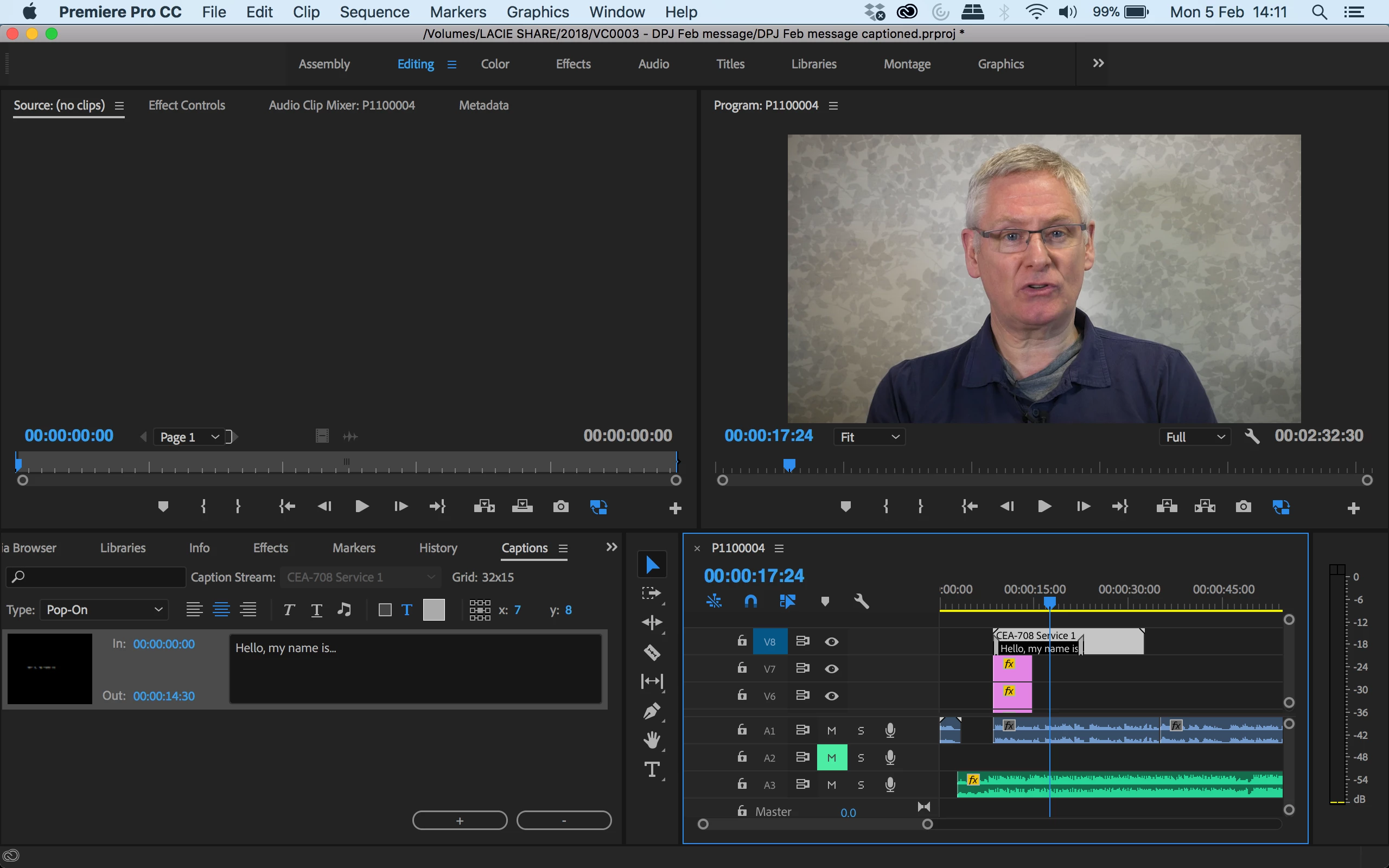
Captions are not showing on my playback screen.

  • February 5, 2018
  • 2 replies
  • 2103 views

Hi community,

So I have tried to add some closed captions (CEA-708) to a film I am working on. I have successfully used captions before in this format and have not had this experience before. All my channels are visible and the captions are enabled.

When I go into the button editor I can find the Closed Captions Display button however this says 'not enabled' next to it and nothing happens when I click it. Can anyone advise?

Thanks

S
This topic has been closed for replies.

2 replies

Participating Frequently
February 7, 2018

Hi Vidya,

I have tried in a new project and its still not working? Can you advise?

Participating Frequently
February 12, 2018

Hi, any idea as to why captions are still not working?

Vidya Sagar
Adobe Employee
Adobe Employee
February 12, 2018

Hi JamMasterSam,

Please check if you have set the correct closed caption standard in Closed captions display settings.

You can check in Program monitor Settings button > Closed captions display > Settings > Standard.

Also, please share a screenshot of the same with us

Thanks,

Vidya

Vidya Sagar
Adobe Employee
Adobe Employee
February 5, 2018

Hi JamMasterSam,

Sorry for the issue. Please create a new project & test closed captions in it.

Thanks,

Vidya.

Participating Frequently
February 7, 2018

Hi Vidya,

See my comment and picture below.

Ta