

Changed the color of a matte and it's broken what was already working. Help understanding why please
I have two overlapping color mattes on my timeline. A red matte is displayed first, then slides off screen (using Transform and position) to reveal the other color matte (originally yellow but not changed to green) is then revealed underneath. At least, that's what used to happen. I decided to change the color of the matte and since then, I only get black displayed while the two colors overlap on the timeline. I don't understand why and can't figure out how to fix it. Please help!
I have included a picture for clarity. For even more clarity, the "yellow" and "green" color matte are the same colour in practice. The problem started when I changed the "yellow" color matte to green. The matte you see named "green" is one I used to replace the old one when it stopped working in the hope that it would fix the problem. It didn't. 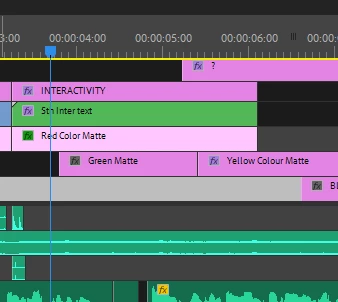
 AdChoices