Participant
July 13, 2017
Question

Changing the colour of a video transition

  • July 13, 2017
  • 1 reply
  • 2081 views

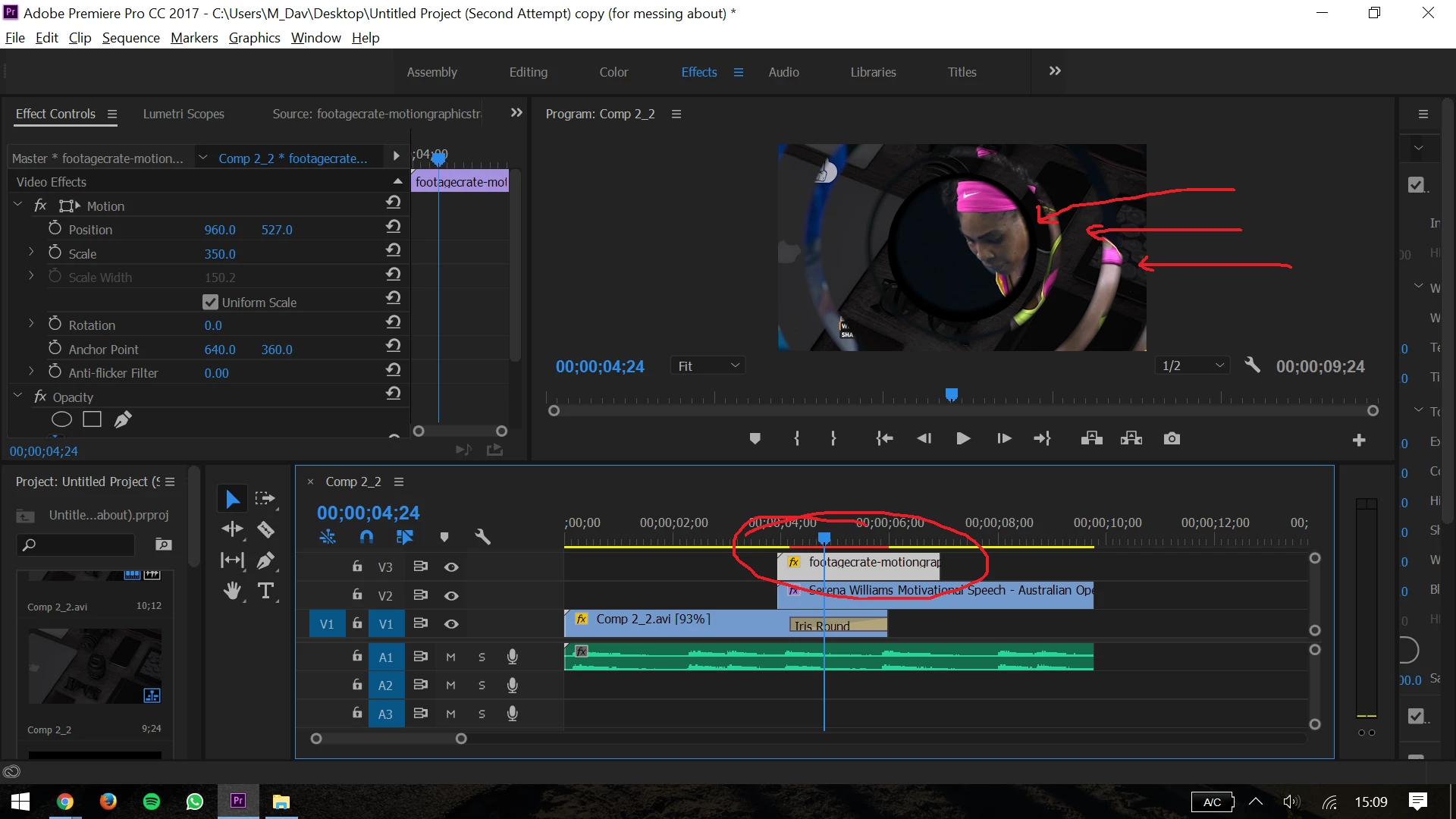
This is the first time I have used a video transition. How do I change the colour of the transition so that, instead of a black transition, it's white, or a different colour?

Thanks!
    This topic has been closed for replies.

    1 reply

    Inspiring
    July 13, 2017

    If you're talking about Iris Round transition you have on Comp 2_2.avi then you need to put something under that clip. The transition doesn't have a color, it's simply transitioning to what's beneath the footage, which is nothing. If you want to transition to the other clips then try putting the transition on top of what you want to reveal.

    You can create a border and change the color of it for the Iris Round transition, and you do this by clicking on it and going into the Effects Controls panel, which you already have open at the top-left of your screen. There you can change the color of the border (as well as the location of the transition by dragging the circle icon over the big "A" on the blue square. In order to change the color though, you must increase the size of the border.

    I'm not sure what you want to do, so hopefully one of the above suggestions works.
