
Changing the direction of a video transition
For love of all things, PLEASE someone help me because I can't find it on any forum or any Youtube video anywhere. Let me just preface by saying that I'm not a full time videographer. I'm a Marketing Coordinator so I have an abundance of various hats that I need to wear and one of them is video editing. I'm usually pretty good at problem solving things but I'm just stumped right now.
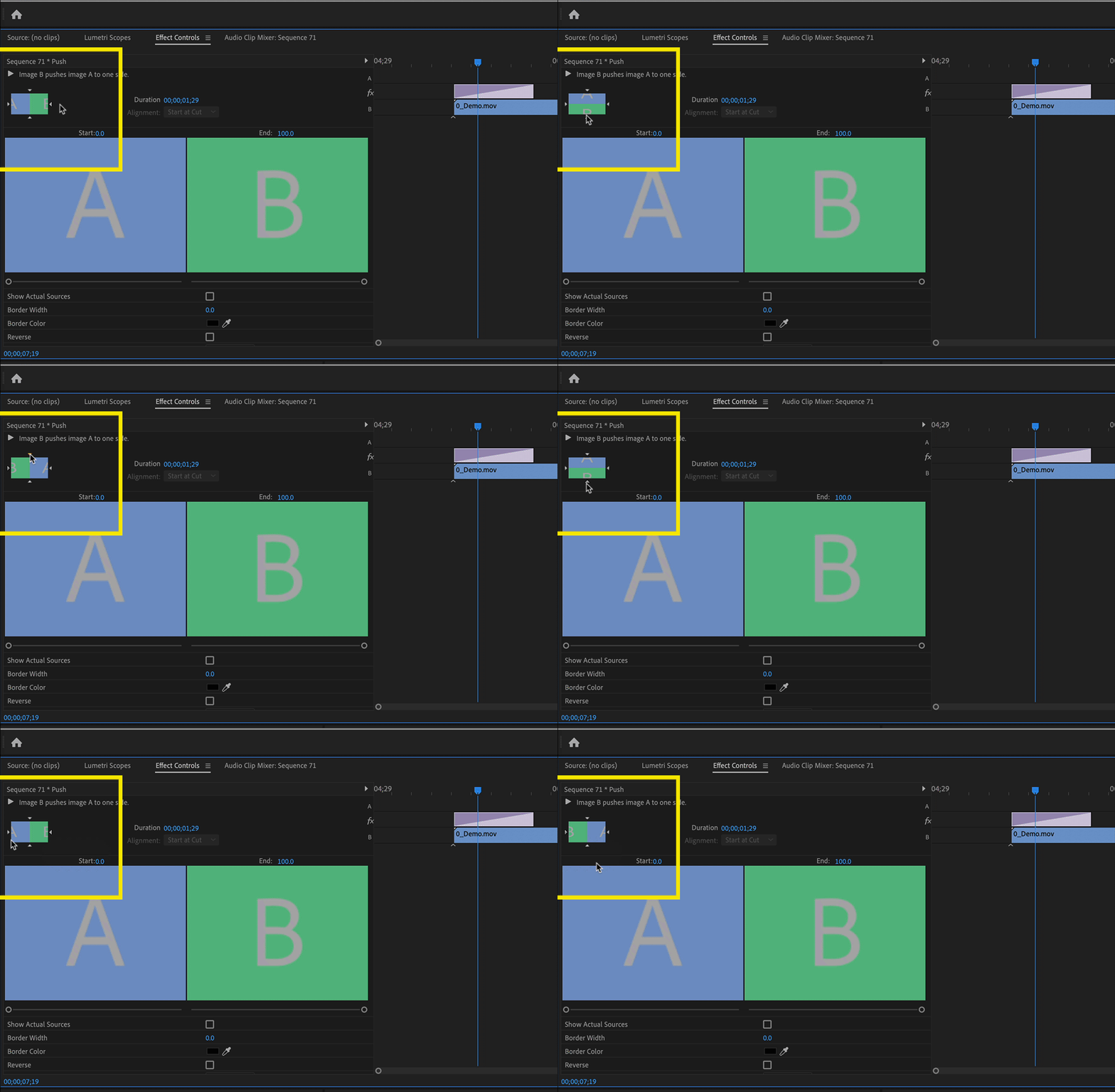
I have a video I'm working on for work. It's a panel of people talking. When the person on the left talks, I have his name "push" in from the side of the screen. When the person alllll the way on the right talks, the only "push" transition is to come all the way from the left. It's unnecessary to have it move all the way across the screen until it lands on the right, so I was trying to change the direction of it to come in from the right, and I literally can't find it anywhere. I've been at this for an hour and apparently there's supposed to be a "reverse" button somewhere when you click on the transition, but all I can do when I double click, right click, furiously click- is change the duration of the transition. Can anyone help with this?? TIA.
 AdChoices