


Question
Changing the size of motion graphic text in Adobe Premiere Pro?
I recently downloaded a Premiere Pro project that someone uploaded on to the internet.
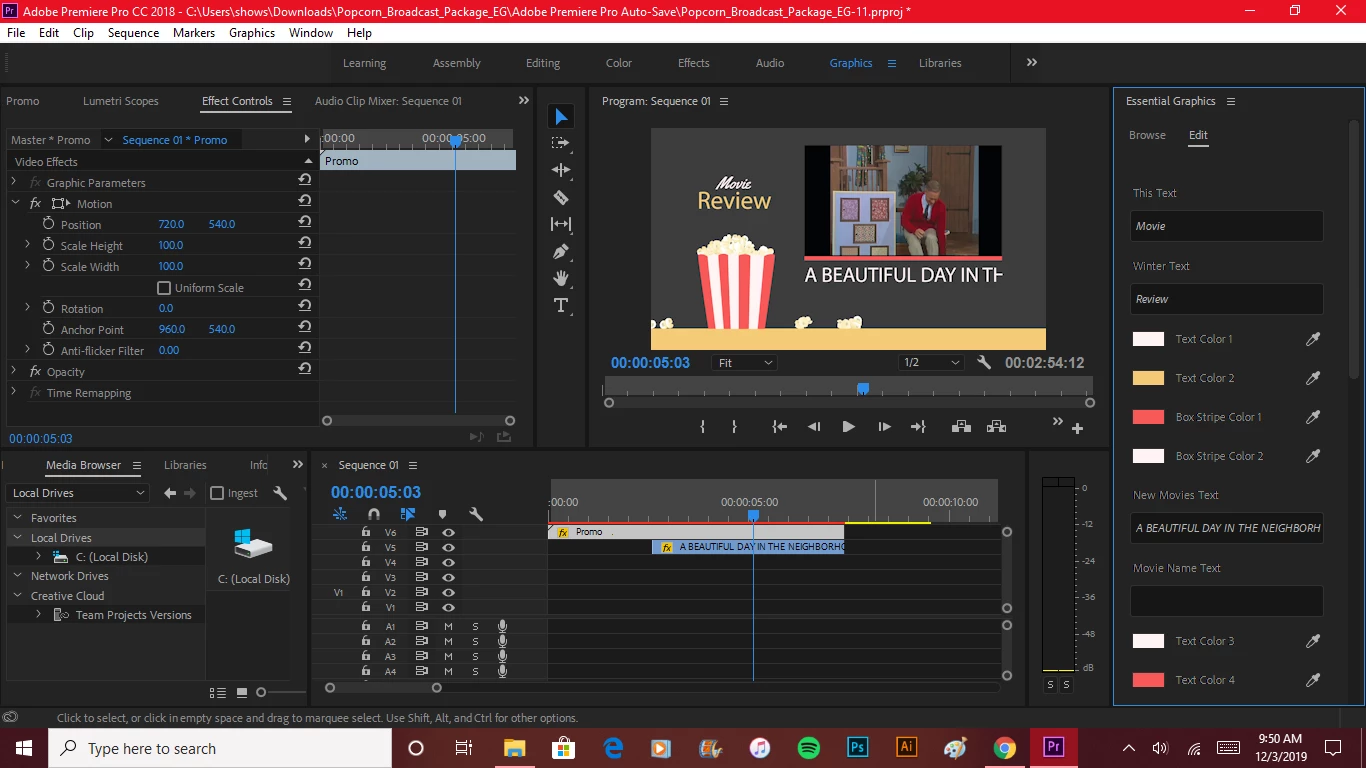
Upon opening the project, I noticed that there is no text on the timeline, and no keyframes for text anywhere in the project, but there are boxes under Essential Graphics -> Edit where you can input text for the project and options to change text color under each text box.
There are .mogrt files in one of the folders that was in the zip file I downloaded so I am assuming that all the project text was added as motion graphics.
My problem is that I cannot find any way to change the size of some of the text in the project (if you look at the attached print screen, you'll see some text which is supposed to say A BEAUTIFUL DAY IN THE NEIGHBORHOOD but is cut off at the TH in THE).
How do you change text size for motion graphic text or whatever this is that was added to the project?
 AdChoices