
Participant
December 16, 2016
Answered

Checkered image cutting into footage?

  • December 16, 2016
  • 2 replies
  • 1310 views

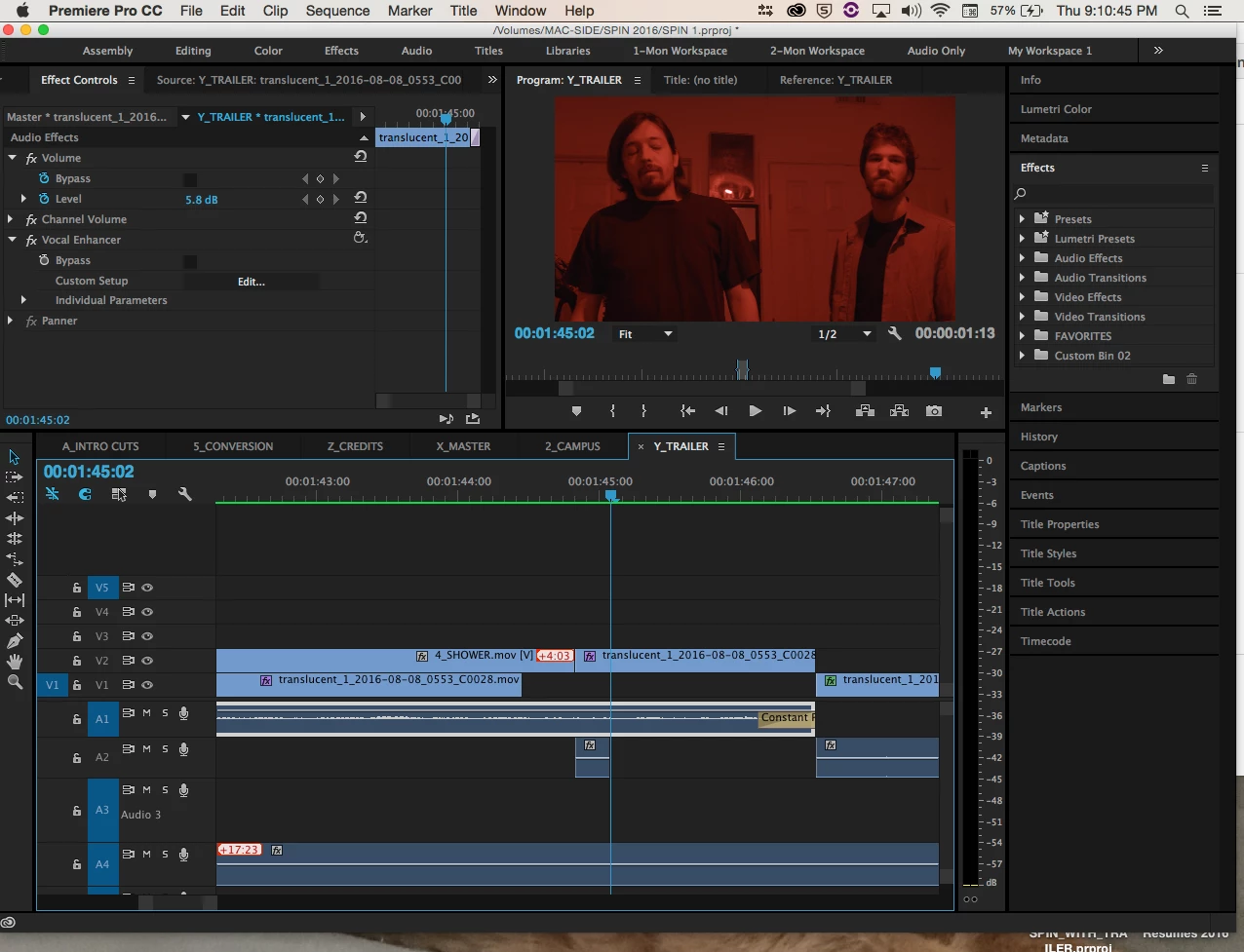
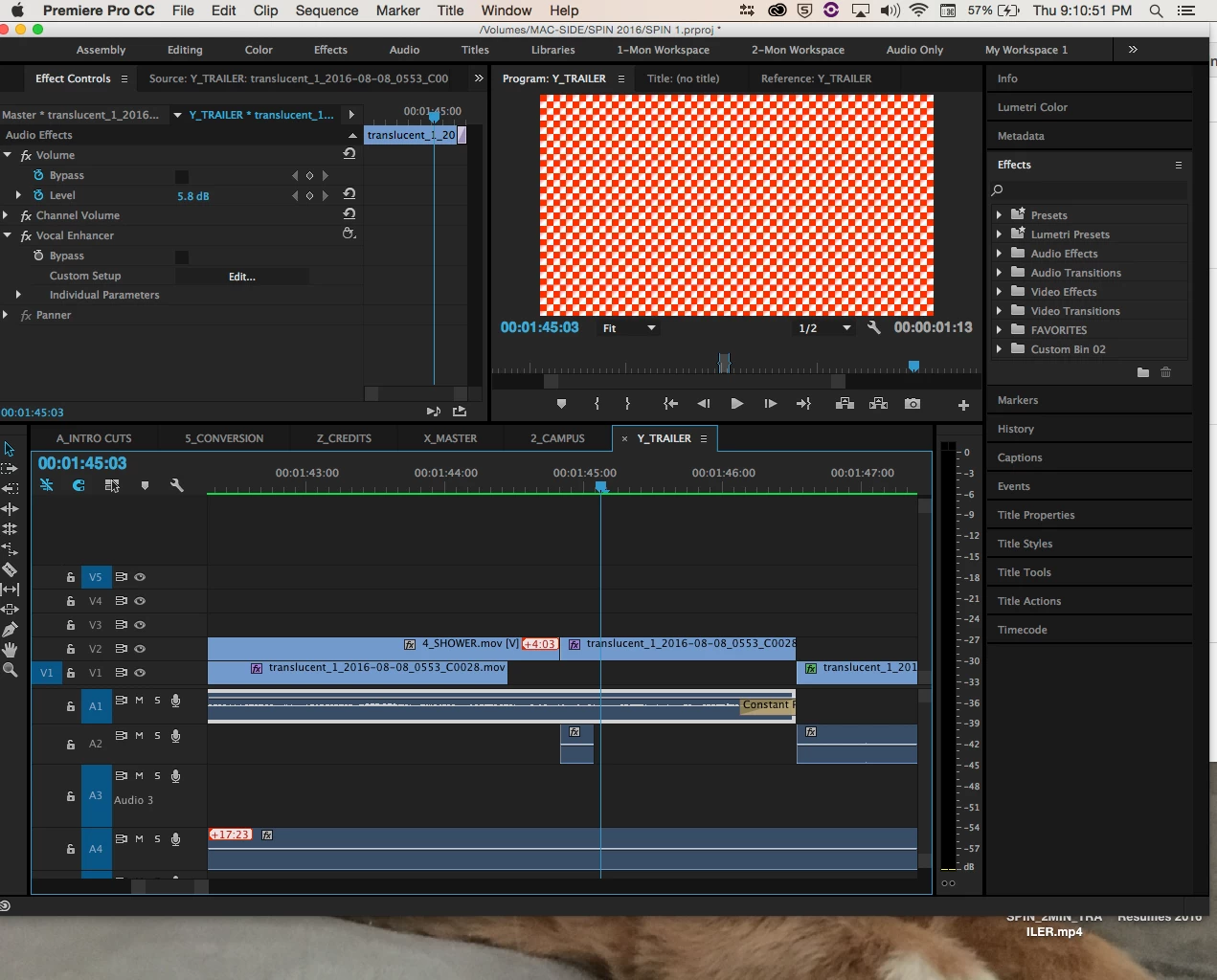
Hi everyone, my apologies if this concern has been addressed, but I have a deadline and I just noticed that a horrid red-and-white checkered pattern has replaced my footage, even after rendering, and it shows up in my exported file. The pattern shows up a few frames into a clip with a LUT and some color correction. The beginning of the clip plays fine, and other clips from the same file are unaffected, too. Is there any way to get rid of this? Any help is much appreciated!!
This topic has been closed for replies.
Correct answer Jeba Joseph

Hi Stephanie,

Did you try the steps listed in this document?

Troubleshooting errors related to clips displayed as red and white checkerboard with old projects that use Lumetri effec…

Jeba Joseph

2 replies

Jeba Joseph
Jeba JosephCorrect answer
Participating Frequently
December 16, 2016
R Neil Haugen
Legend
December 16, 2016

By any chance is this a LUT from say 2015 brought into 2017?

There are some of the specific-camera "SpeedLooks" ... such as say something named like "SL Highpunch (Canon)" ... those ones named with a camera included aren't usable in 2017, at least.

Sound likely?

If so, continuing that project through to completion in the version it was created in is perhaps a better choice if you've got a lot of these. If only a few, you'll want to look at removing that LUT and modifying or creating a Look to replace it.

Neil

Everyone's mileage always varies ...
Participant
December 16, 2016

It must have been a translation glitch, because I was originally cutting this project on another system. This system and my laptop are running the same version of CC, so I think it was that Premiere couldn't reconnect the LUT file. I deleted the LUT on each clip and put them back on and that seemed to fix it.

The funny thing is that it was only that LUT, but not the others.

R Neil Haugen
Legend
December 16, 2016

PrPro can be rather ... quirky? ... on such things. Sigh.

Neil

Everyone's mileage always varies ...