
Inspiring
February 20, 2021
Question

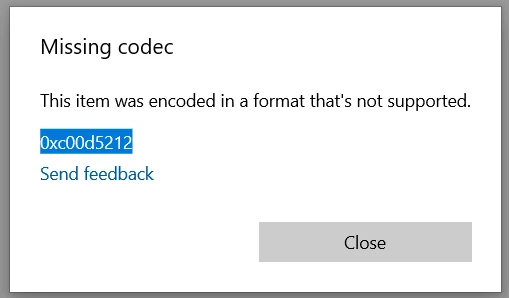
Cineform Codec missing 0xc00d5212 windows 10

  • February 20, 2021
  • 2 replies
  • 1028 views

Ive just created a proxy file for my project using QuickTime GoPro Cineform  Codec. When i try play the video i get an error "0xc00d5212", and only audio plays. Proxy file does play in Premiere Pro but also jerky playback (same with VLC).


I have Googled the error bit cant find a solution.

Video card is a GTX 1080 ti (driver 461.40)


This topic has been closed for replies.

2 replies

R Neil Haugen
Legend
March 17, 2021

Cineform plays fine in both VLC and PotPlayer on my Win10 PC. Differences between computers can be amazing.


Neil

Everyone's mileage always varies ...
Inspiring
February 20, 2021

I chose the GoPro Cineform Codec because i was following a tutorial, but he must be a Mac user. I believe he said its a good choice because adobe media encoder converts it very fast.


Im open to suggestions for a better codec for proxy file more suited for windows 10?


Inspiring
March 17, 2021

You can playback Gopro cineform files using the Gopro VR player.

I use to be able to play them with quicktime 7, but for some unknown reason can't anymore, there is also a VLC plugin for the codec, but the page is missing. :'(

it's getting harder and harder to find playback support for this amazing codec 😞