
Cinema DNG sequence from DJI Zenmuse X5R: white/blue colors are off
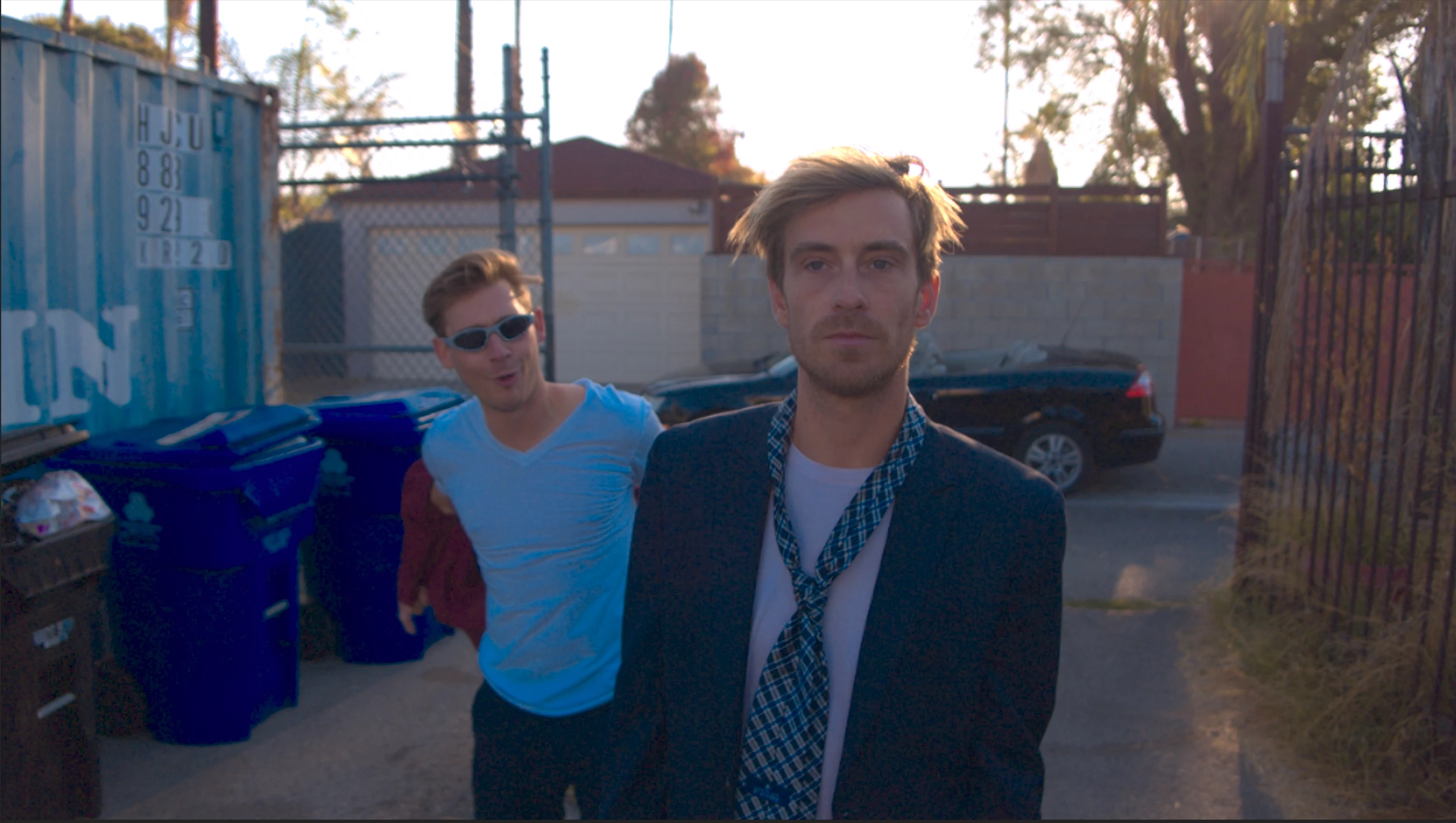
When I import a Cinema DNG sequence into premiere (Media Browser, double-click or drag-n-drop), captured on the DJI Zenmuse X5R camera on an Osmo, something happens to the whites and blues.
I've tried searching for an answer but I haven't seen anyone with this specific problem - only issues with a flat pink/magenta look when importing.
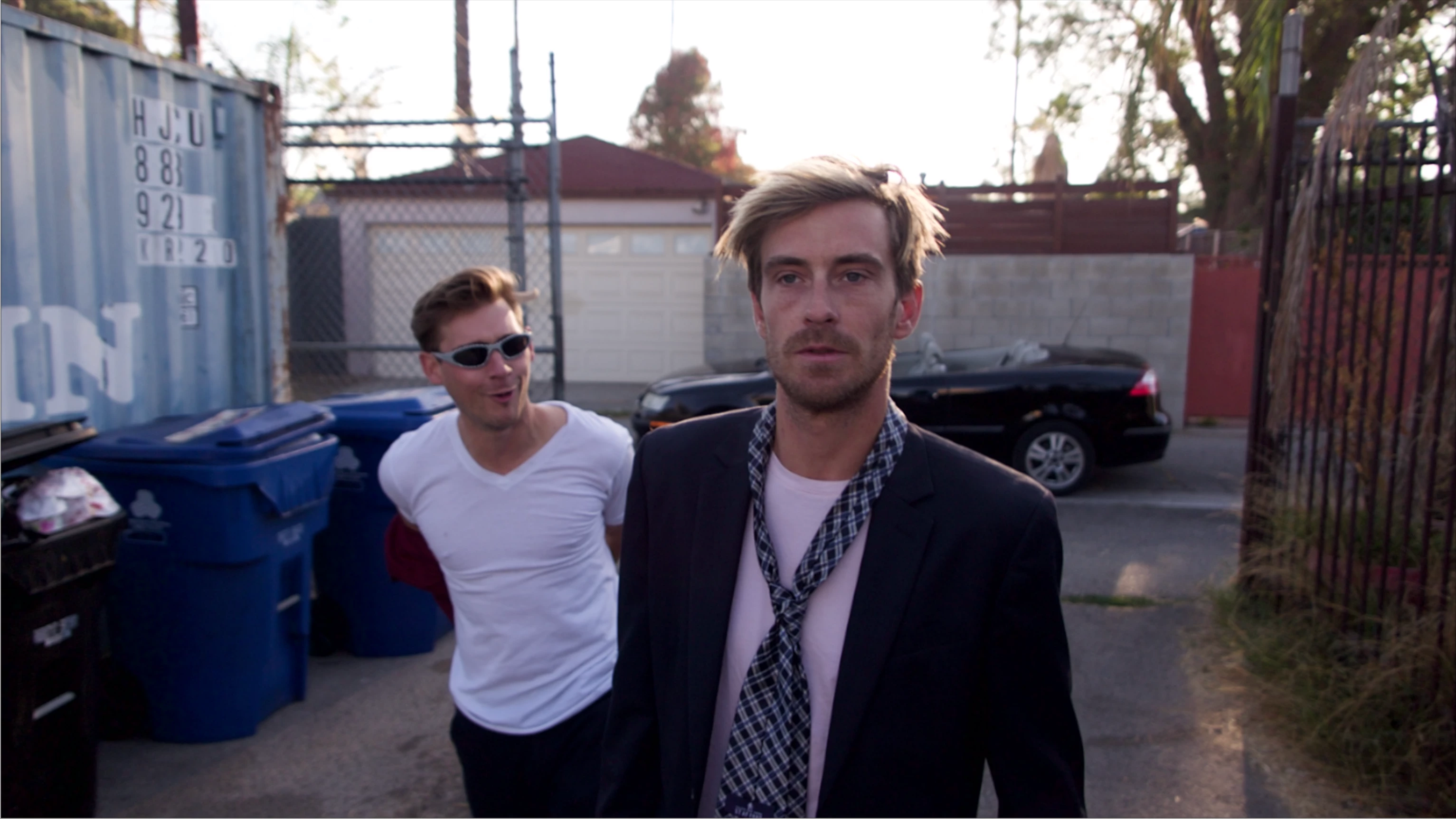
This is how it looks when previewing a DNG frame in Mac Finder (using spacebar):
And this is how it looks in Premiere Pro CC2018 v. 12.12 - notice the t-shirt on the guy to the left is now blue and the trashcans in the background has a wierd deep blue tint:
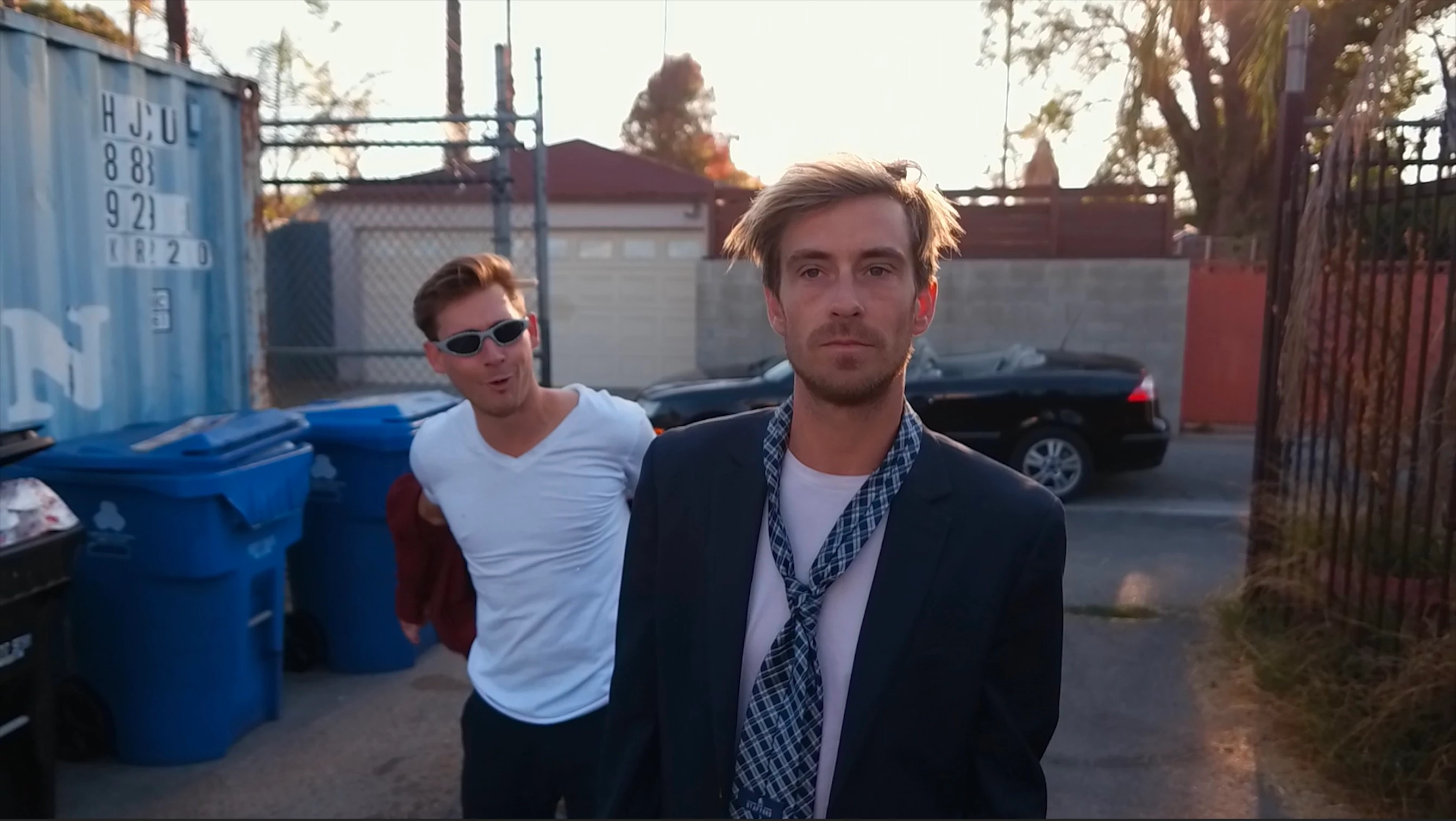
This is what the h.264 proxy files directly from the Micro SD card in the X5R looks like:
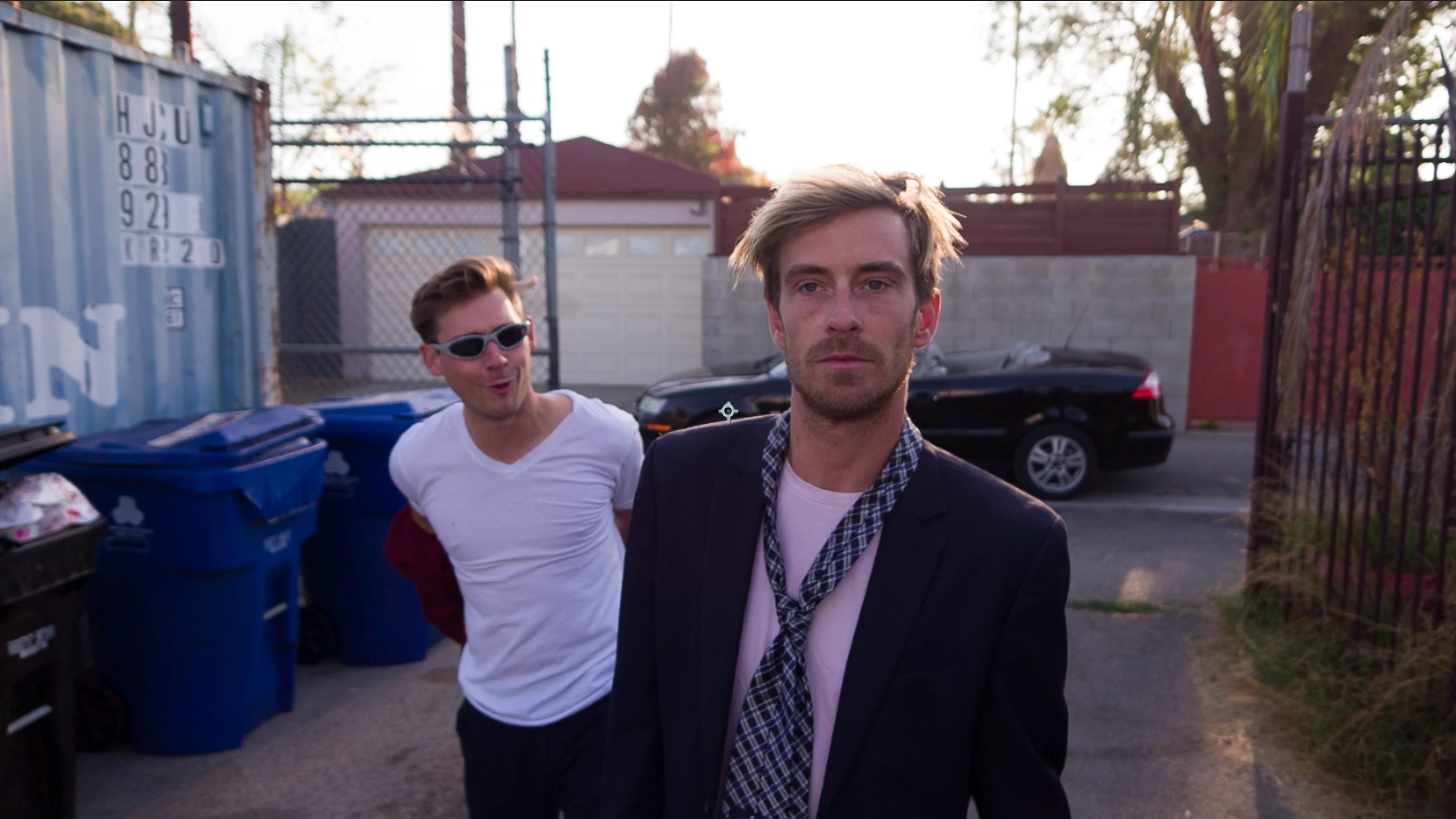
And here's what the imported DNG sequence looks like in After Effects CC2018 v. 15.1.2 - slight magenta tint in the whites but that's okay:
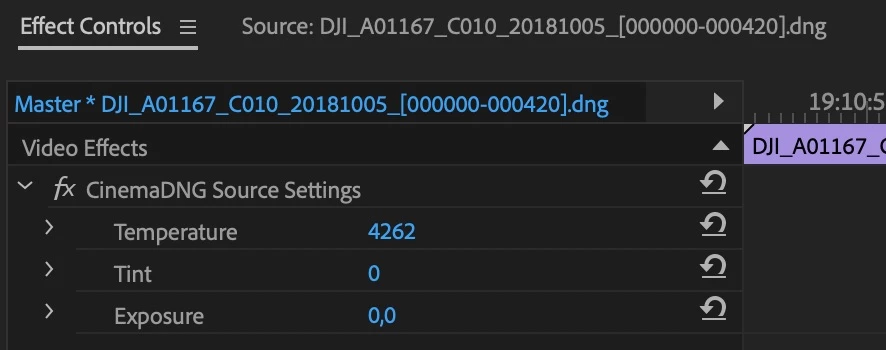
I've also tried disabling the CinemaDNG source settings effects that is automatically applied to the sequence at import - still didn't fix it.
I thought a workaround could be to edit in Premiere and then either use Replace With After Effects Composition or copy/paste the edits into AE and colorgrade it there, but when I do that, it only brings in the first DNG frame of the sequence. Same thing when using Import Adobe Premiere Pro Project in AE.
Anyone had this problem?
Any solutions?
 AdChoices