
Answered
clicking linked clips
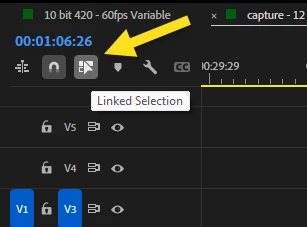
I've been using Premiere Pro professionally for nearly 10 years and this is a change implemented only within the last few months. It used to be that if there was a clip in a timeline of linked video and audio, clicking on either the video or the audio clip would select both assets. In order to select just one in isolation you could hold down the option key. Now, you have to hold the command key in order to have the linked clip select all its corresponding assets. Please bring the old ways back, or allow for users to change in preferences. Not everything has to be like Davinci Resolve.
 AdChoices