
Participant
October 13, 2023
Question

Clip becomes low quality when put into 1080x1920 vertical format

  • October 13, 2023
  • 2 replies
  • 550 views

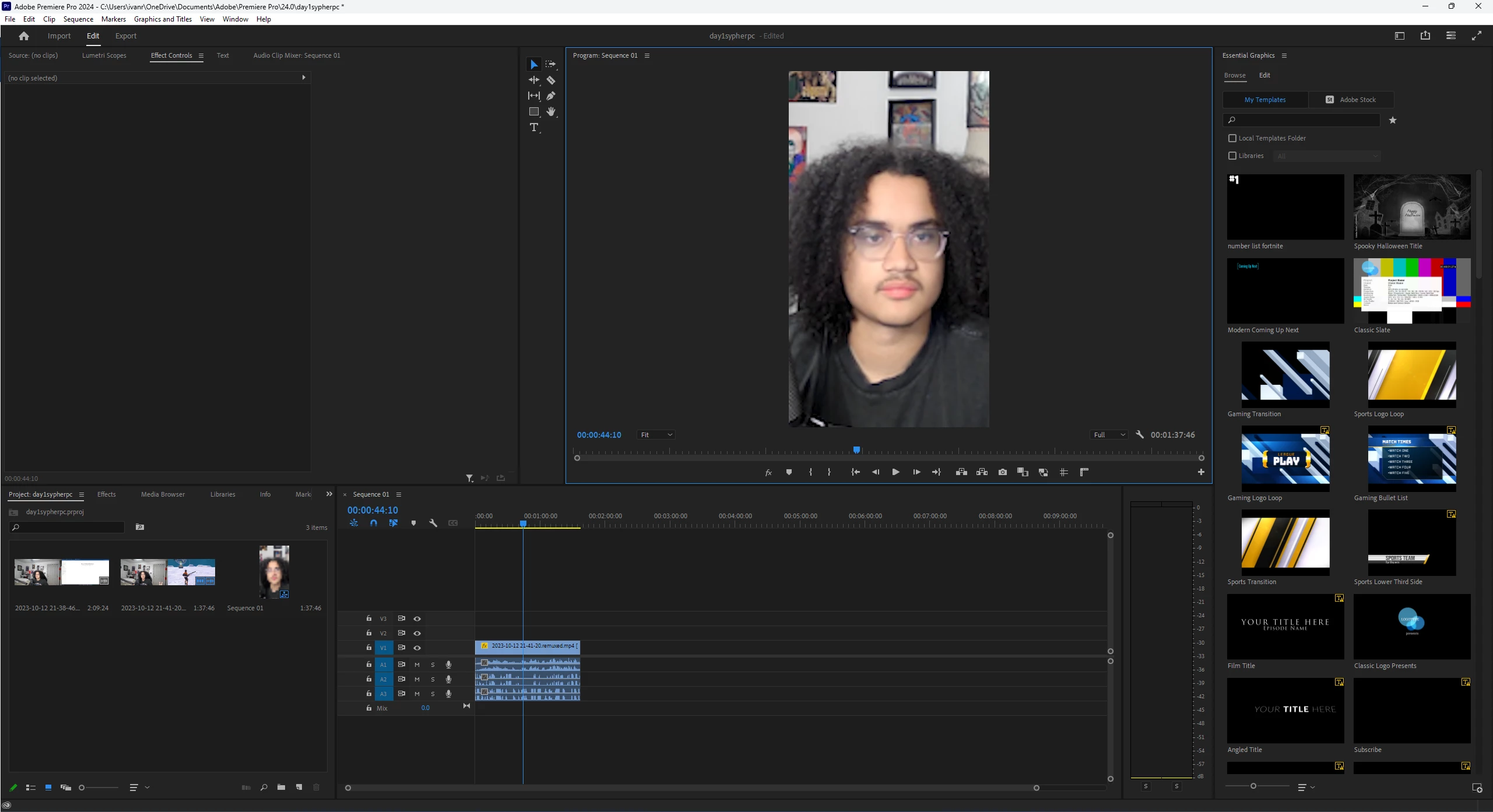
Hey can somebody help me, when I change my sequence size to 1080x1920 in premiere pro it lowers my clip quality (im not using proxies and when i export it's still much lower quality than the original clip) does anybody know how to fix this? It makes no sense to me, I never had this issue in Davinci Resolve.
This topic has been closed for replies.

2 replies

MyerPj
Community Expert
Community Expert
October 13, 2023

Ann's looking at your clips in the project panel. What is that extra bit on the right side of both clips, it looks like another full horizontal clip. They look like to 1080 clips side by side. So, then if you put it into a vertical (ugh) timeline, then you zoom into that little guy (in the clip), it's going to be zoomed way past 100%, and when you go past 100 the quality starts to degrade.

Participant
October 14, 2023

Thanks for the response! Is there no workaround? The clip I use is 3840x1080, but even with 1920x1080 I see a big quality drop off when I zoom in. I do the same exact process in resolve, and it retains flawless quality, so there has to be a solution in premiere.

MyerPj
Community Expert
Community Expert
October 14, 2023

While in the timeline, click on (the menu) SEQUENCE/Sequence Settings, take a screen shot of that. What size export/final video are you looking to save. (or have you saved in Resolve)

Ann Bens
Community Expert
Community Expert
October 13, 2023

Your clip is zoomed in enormously, hence the blurriness.

The clip used is kind of odd in resolution. Looks twice as wide as a regular clip should look like,