
n0n0
Known Participant
October 19, 2022
Question

Clip colors changing automatically in Premiere Pro (2022)

  • October 19, 2022
  • 2 replies
  • 329 views

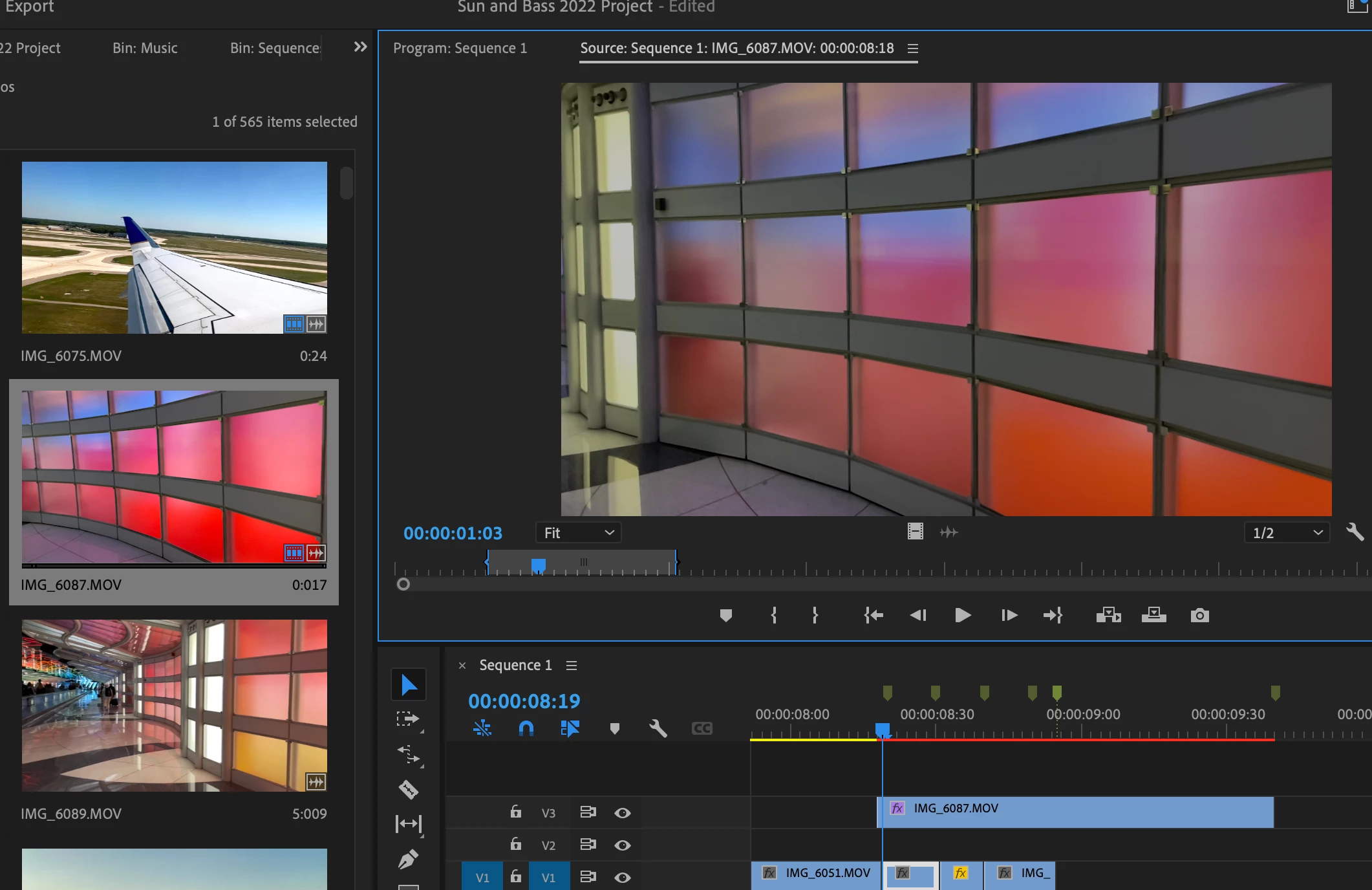
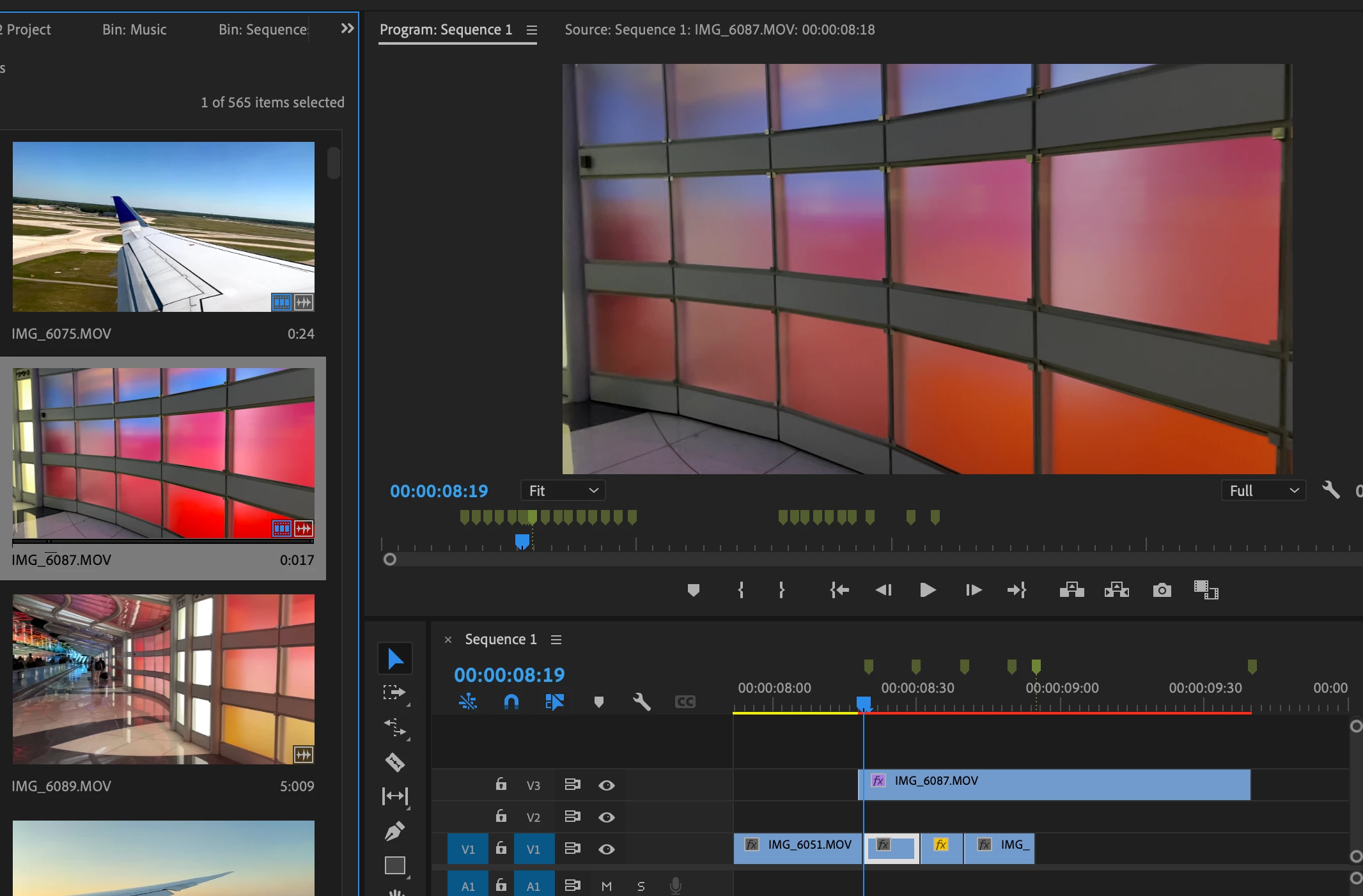
Any idea why the color of the clip (shown below) automatically changes to a duller color?


Below are screenshots comparing the clip (IMG_6087) from the Project panel to both the Source and Program panels (where the clips shows a duller color).


Same thing has happened with some other clips as well.


Compared to Source Panel:
Compared to Program Panel:
 

This topic has been closed for replies.

2 replies

R Neil Haugen
Legend
October 20, 2022

Ok, on a Mac, make sure that you have the Preferences option for Display Color Management enabled.


Did you shoot those, or have you downloaded them? If you shot them, on what camera? The frame rate is very high, which is puzzling me as to what these are from.


Neil

Everyone's mileage always varies ...
n0n0
n0n0Author
Known Participant
October 20, 2022

Where can I find the Display Color Management?

 
I shot them on my iPhone.  That one in particular was shot in slow motion, but similar things have happened with other clips too, like the one screenshotted below (IMG_6045).  
 
In this example, the clip on the right is the original that I imported into Premiere.  But for some reason, that same clip's colors are showing up differently in the Source panel (as well as the Project panel).
 
I've included the image of the clip properties on the left in case it's helpful.
 
Thank you!


R Neil Haugen
Legend
October 20, 2022

In the very first tab of the Preferences ... which is why I suggested checking the Preferences dialog. Users really need to learn to set things up within those tabs for their own workflows. Yea, it's a complex, complicated app, with a steep learning curve that only gets steeper as you go along.


That clip is HDR ... in the HLG form, and if you're using it on a Rec.709 timeline without properly setting the color management option in Premiere, it won't get displayed correctly AND will export horribly.


Using on a Rec.709/SDR timeline, go to the Project panel, select one or more such clips, right-click/Modify/Interpret Footage ... and at the bottom, set the Override-to option to Rec.709.


Working in HDR is actually more complicated, and I'll skip that discussion for the moment.


Neil

Everyone's mileage always varies ...
R Neil Haugen
Legend
October 19, 2022

What's your OS? What are the clips ... Rec.709/SDR, or some form of HDR, perhaps HLG?


Neil

Everyone's mileage always varies ...
n0n0
n0n0Author
Known Participant
October 20, 2022

Mac OS.  


I'm not sure I understand the second part of your question.  Does the below help?


Type: MPEG

Movie File Size: 60.42 MB

Image Size: 1920 x 1080

Frame Rate: 239.74

Source Audio Format: 44100 Hz - Compressed - Stereo

Project Audio Format: 44100 Hz - 32 bit floating point - Stereo

Total Duration: 00:00:07:235

Pixel Aspect Ratio: 1.0

Alpha: None

Color Space: Rec. 709 Color Space

Override: Off

Input LUT: None

Video Codec

Type: HEVC 4:2:0

Variable Frame Rate Detected