Participant
August 28, 2023
Question

Clip duration issue

  • August 28, 2023
  • 4 replies
  • 257 views

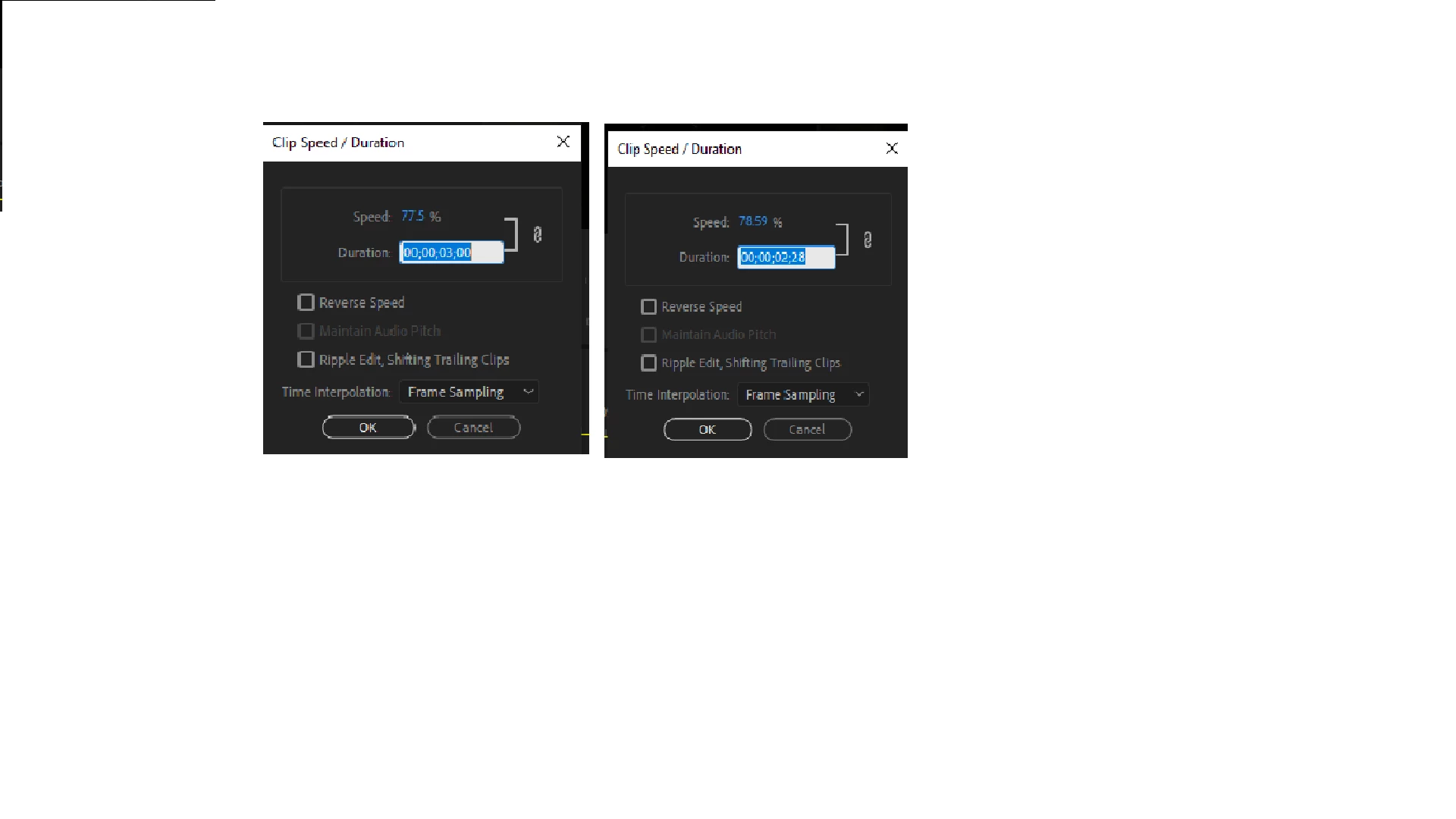
As the image below shows, the left is 3 seconds, and when I try to lower it by 1 milisecond, it jumps by 32 miliseconds instead. How do I fix this?
[Moderator moved the thread to the correct forum]

This topic has been closed for replies.

4 replies

Peru Bob
Community Expert
Community Expert
August 28, 2023

Those aren't milliseconds.

Hours:Minutes:Seconds:Frames

Participant
August 28, 2023

How I change it back to milliseconds rather than frames?

R Neil Haugen
Legend
August 28, 2023

That's a frame count ... hours/minutes/seconds/frames ... so it's showing this as a couple frames different in time ...


Video is always hours/minutes/seconds/frames, unless you go to Audio units for timeline time display.


Neil

Everyone's mileage always varies ...
Abambo
Community Expert
Community Expert
August 28, 2023

As @Jill_C  said, what application and how is this related to stock?


It looks like Premiere Pro, so I will move this from Stock to Premiere for now.

ABAMBO | Hard- and Software Engineer | Photographer
Participant
August 28, 2023

oh right, I didn't realise it was in stock, thought i selected premiere

Abambo
Community Expert
Community Expert
August 28, 2023

That's great, I will move your thread to Premiere Pro.

ABAMBO | Hard- and Software Engineer | Photographer
Jill_C
Community Expert
Community Expert
August 28, 2023

What application are you using? 

Jill C., Forum Volunteer
Participant
August 28, 2023

premiere pro 2020