September 2, 2022
Question

Color drastically different after export

  • September 2, 2022
  • 3 replies
  • 1224 views

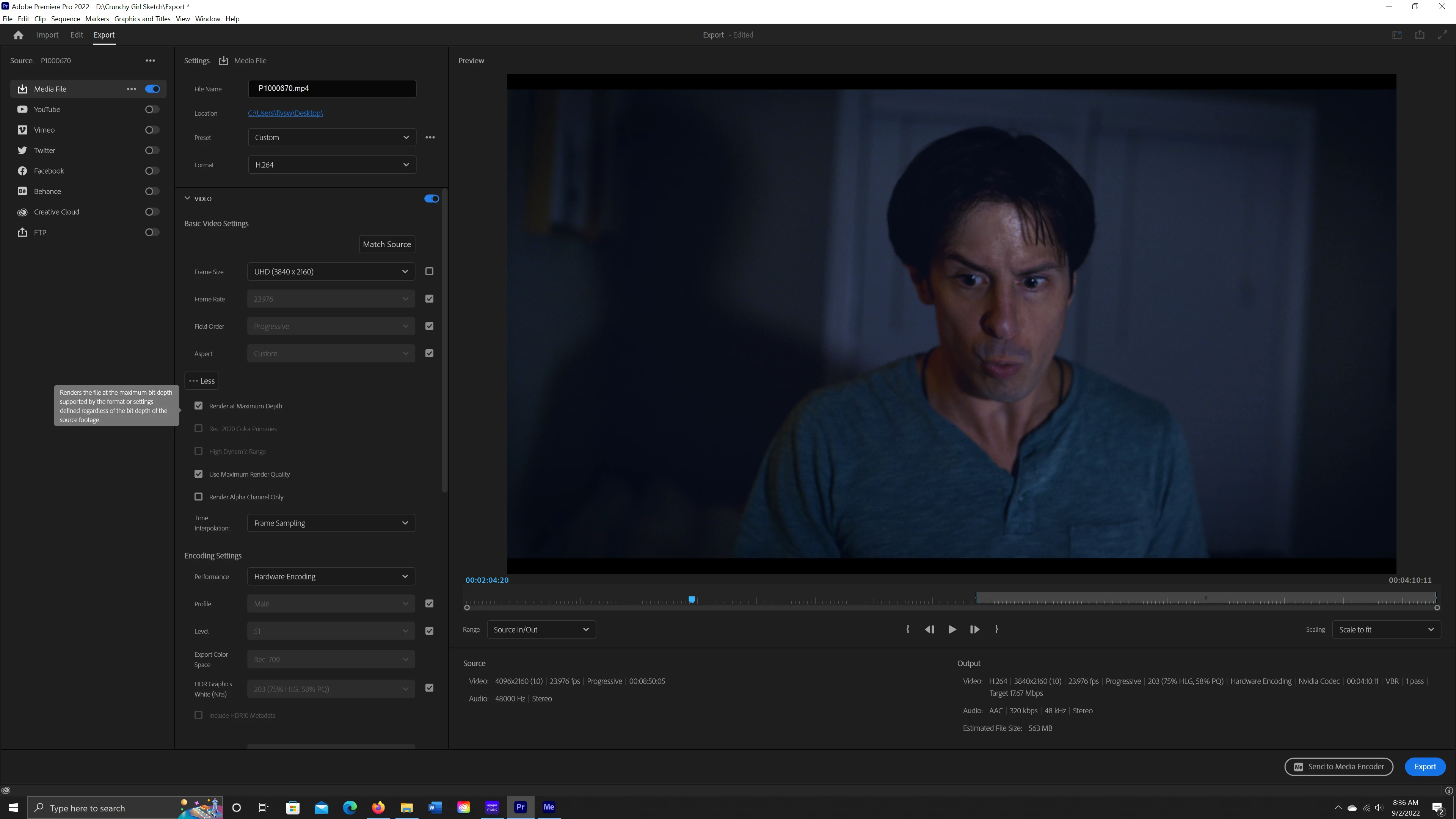
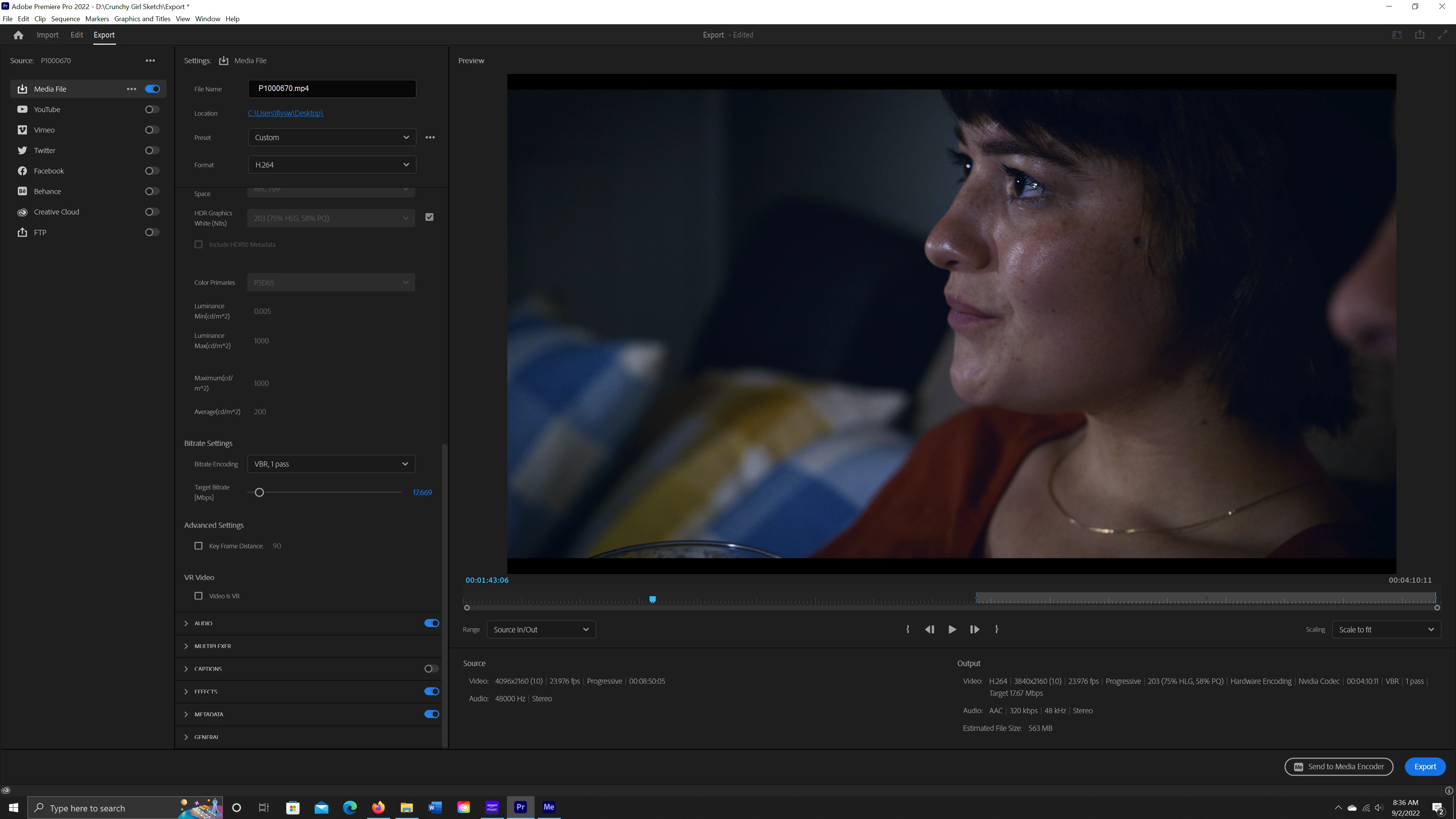
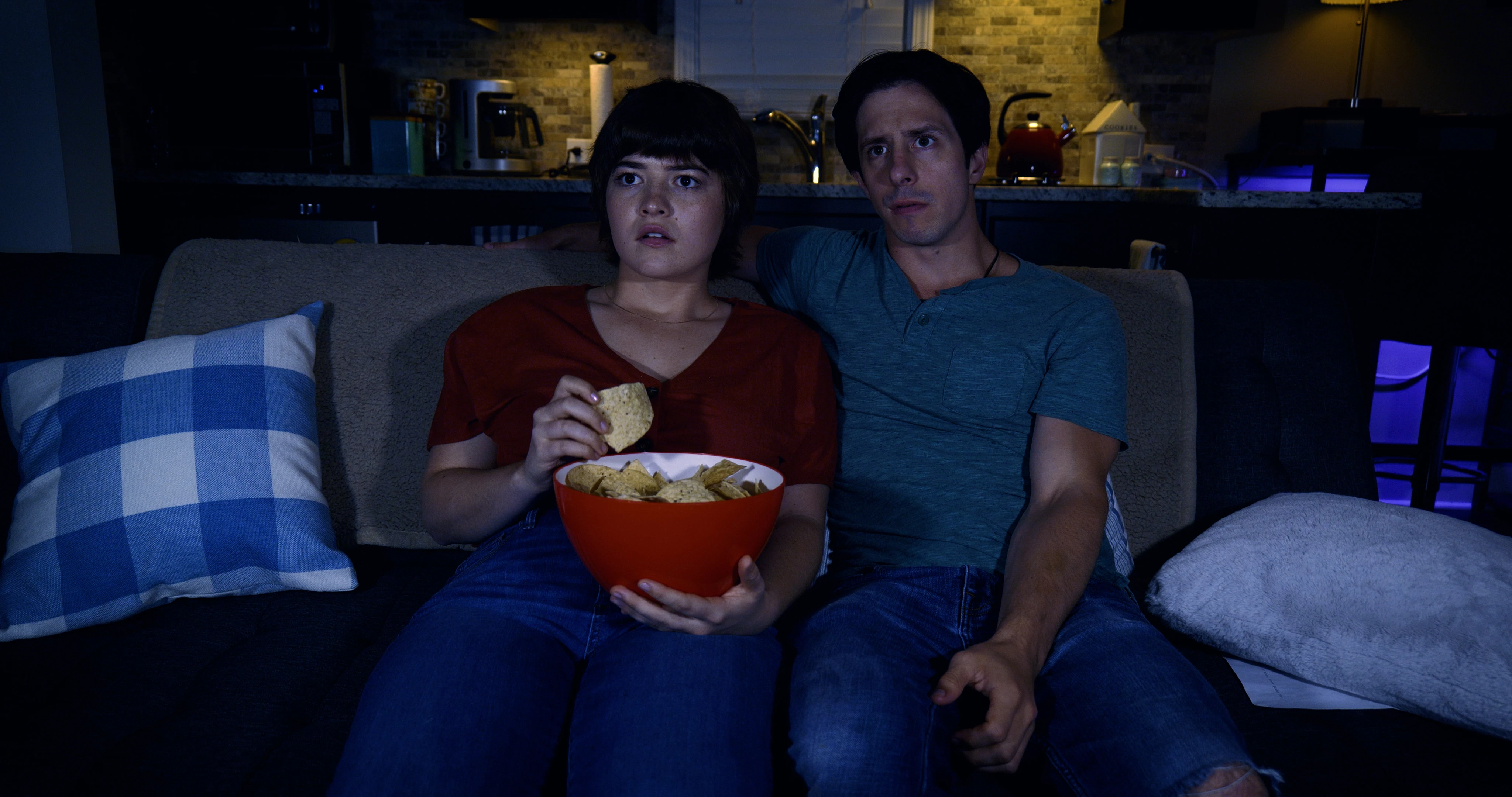
I am trying to export a project to an h.264 file and everytime I export the color comes out drastically different. I have exported this way for years and never had any issues. See below for color examples and export settings.



This topic has been closed for replies.

3 replies

R Neil Haugen
Legend
September 6, 2022

If you export directly from Premiere, does it do the same thing? Brighter after export?


And especially, if that file is re-imported into Premiere, is it brighter?


Neil

Everyone's mileage always varies ...
September 11, 2022

Yes if I export directly from premiere it is also still brighter after export.


Yes, If I re-import the brighter file into premiere-it is still brighter.

R Neil Haugen
Legend
September 11, 2022

The puzzling bit is looking different on re-import. What's the color space of the original clips?


Neil

Everyone's mileage always varies ...
R Neil Haugen
Legend
September 2, 2022

Other than the first pair of clips, where the one is radically brighter than the others, I can't tell from your screengrabs what you expect me to see.


Neil

Everyone's mileage always varies ...
September 6, 2022

I'm showing you that Im making the changes you suggested and when I export it-the colors are still way brighter and not the same as my grade in the timeline. Screenshot (14) is how it looks when exported. Thanks

R Neil Haugen
Legend
September 2, 2022

The clip is undoubtedly an HLG clip, maybe from an iPhone. And you worked with it on an SDR/Rec.709 timeline, and exported with a standard SDR/Rec.709 preset. That will still treat an HDR clip as if it is 'meant' to be HDR.


So ... right-click on the clip in the Project panel/bin. Modify/Intepret Footage, select Override and set to Rec.709.


Now export and you should be ok.


Neil

Everyone's mileage always varies ...
September 2, 2022

Thank you for responding.


I beileve I did what you said but I am still having the same issue....

September 2, 2022

Also, it was shot on an Panosonic Lumix S5 if that helps...