
Color: grading, (basic correction), and matching - best practice
Dearest community,
I have worked through a majority of relevant topics by Adobe Support, watched quite some many tutorials and read up on aspects such as
(1) color management / calibration
(2) grading, (basic correction), and matching etc.
My (hopefully) simple question: How do you approach (2) above
(2a) At which point in the overall composition workflows does it take place?
I would first take care of the whole trimming, cutting, arranging etc. and then color.
(2b) What is the best practice when it comes to the chronological order of grading + basic correcting one clip and then matching all (!) the clips in the sequence / on the timeline?
I would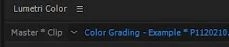
- first use the "MASTER CLIP" (source) rider/tab of every single clip in Lumetri Color for the basic correction (brightness + contrast)
reference mon (RGB parade)
>> brightness: upper limit around 10 / contrast 90 -->> centering parade (= no darker spots crushed and no whites blown-out)
- anything else? ... exposure?
... and then work in the righthand "sequence" rider/tab of Lumetri to do eveything else.
Many, many (still newb-b00b) thanks in advance,
Sandro
 AdChoices