
COLOR Problem: Graphic from Illustrator to After Effects to Premiere
Hello.
I search help from the community for this big problem i noticed working on my last advertising campaign.
I received an Illustrator Logo RGB and imported it on After Effects to animate it. I imported it on a Rec 709 color space at first and noticed a change on the color.
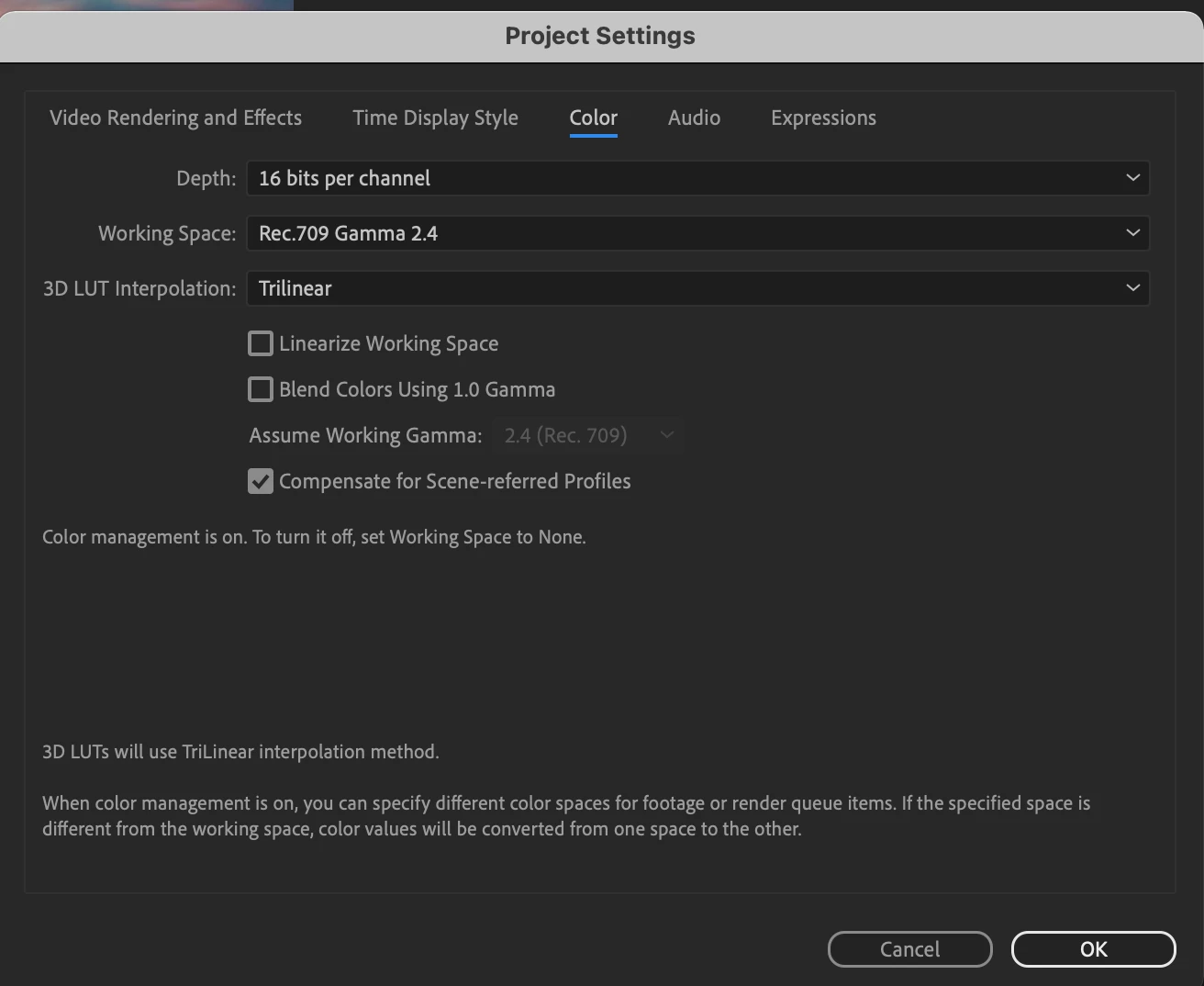
Than i decided to try with a neutral color space:
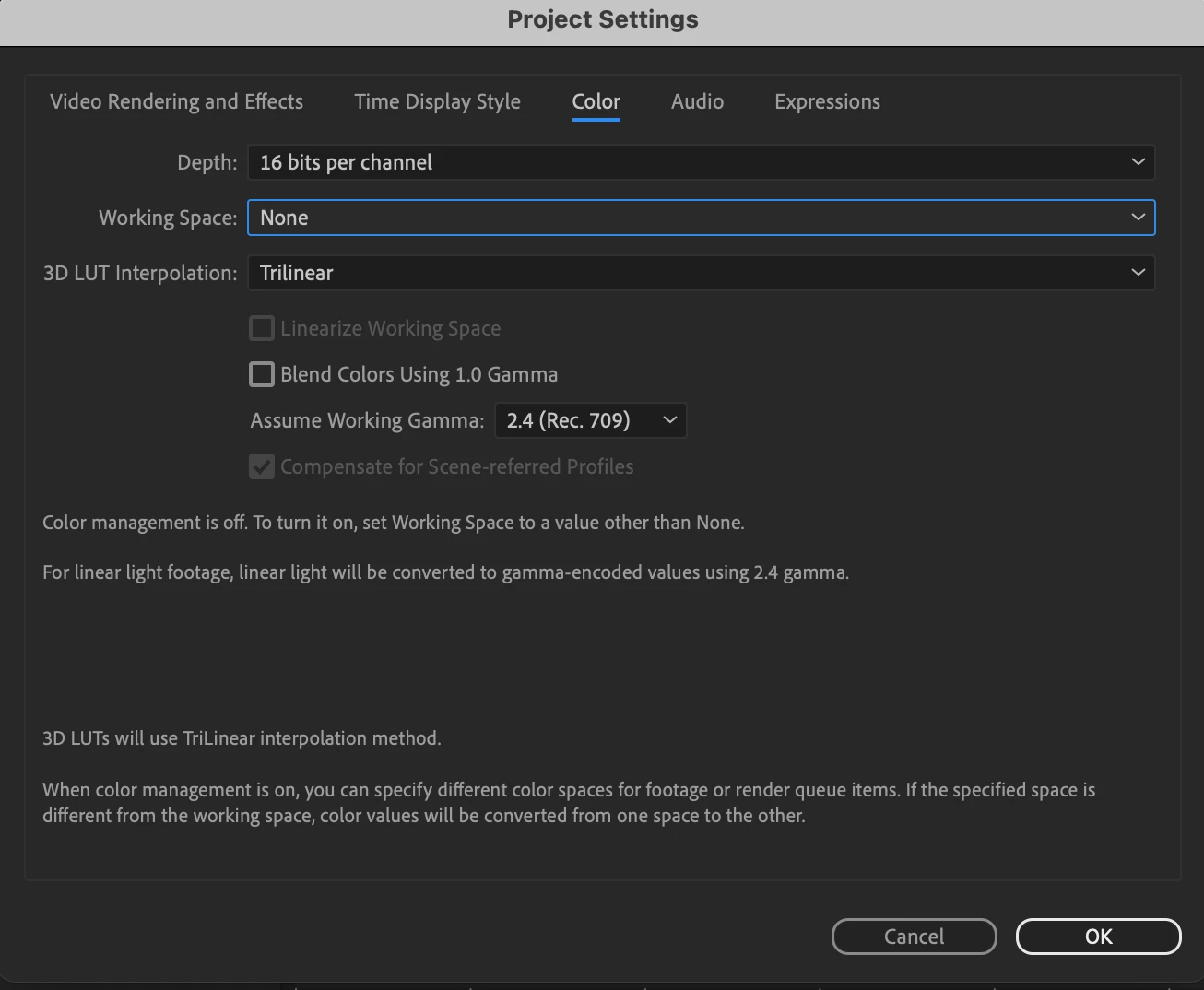
Importing the first in Premiere (Rec.709) animated logo, exported as Quicktime animation RGB + Alpha, I immediatly saw the color shift on Premiere.
Importing the second Logo in Premiere (None Working Space), the Logo looked good and seemed to resolve the problem.
But the real problem came after exporting the final Result. Both logos seem to have lost saturation on the export and the final result doesn't preserve the original color of the illustrator logo.
This is a big issue for a corporate work and I' searching for a solution since then.
Can someone help me with the problem?
Thank you very much.
 AdChoices