Participant
November 10, 2022
Answered

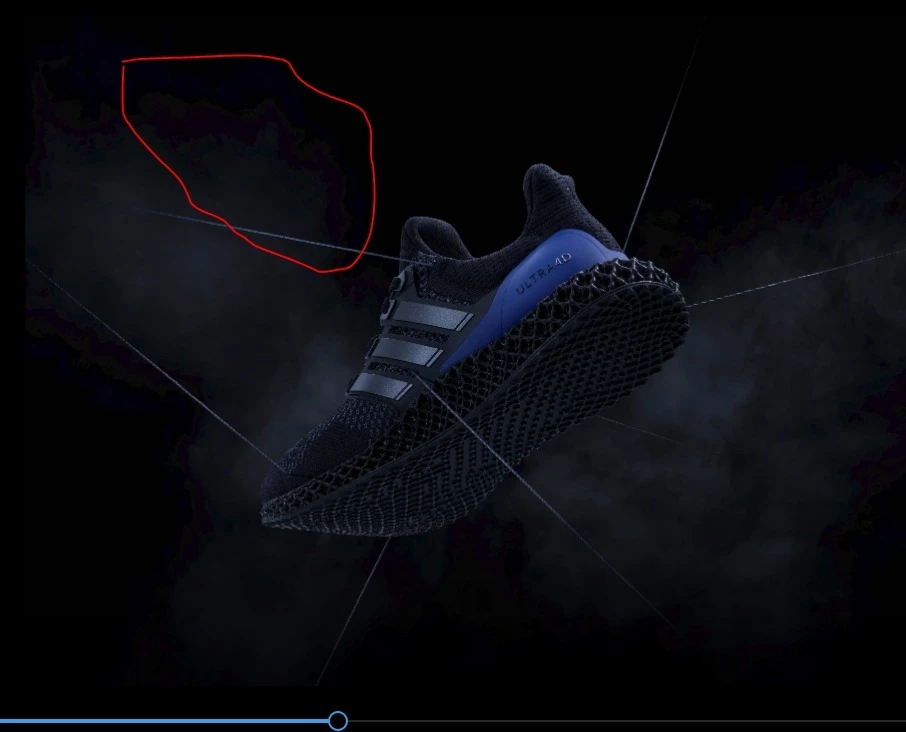
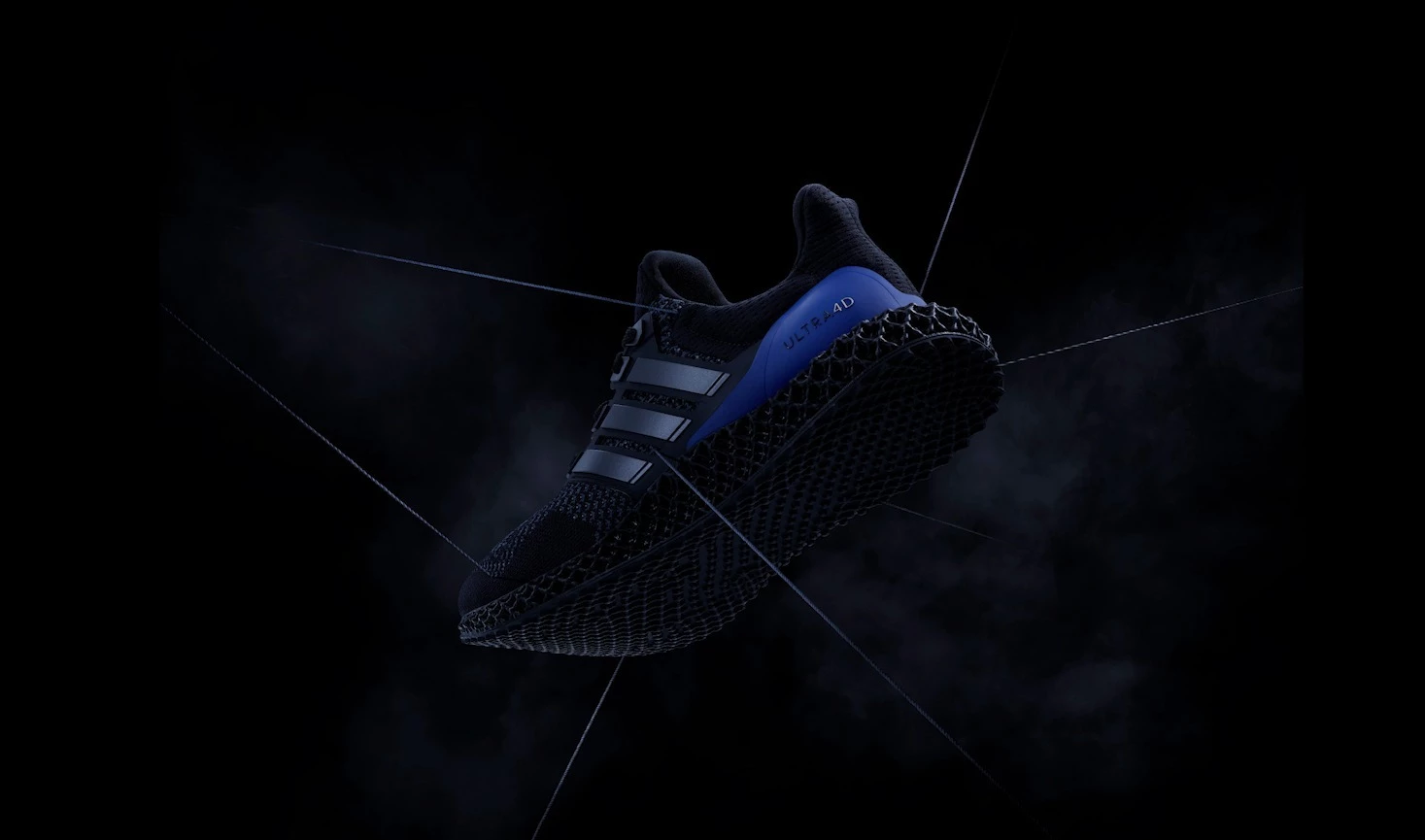
Colour mangment issue on export. looks fine in PP preview

  • November 10, 2022
  • 1 reply
  • 568 views

Hi,

I beleive this to be a colour mangemnt issue rather than H264 banding (ive tried adding noise.

in the permeiere viewer it looks fine

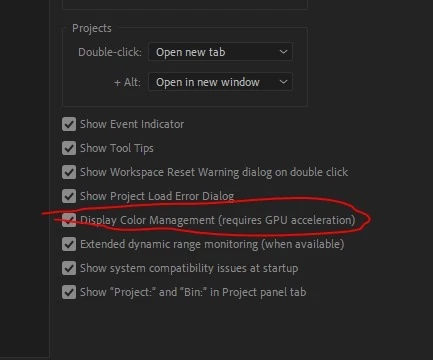
Interiestinlg. the same probably did appear in the Prem viewer. But i resolved this by ticking the colour mangemnt box in pref

nothing special in the export. just a  high bitrate H264


This topic has been closed for replies.
Correct answer default9c4dp9zxi6l3

The color stuff is more complex now, with more options, rather than total Rec.709 like it used to be. Which also means there's more ways for things to go south.


They've completely changed the color system in PrPro in 2022, and it's further modded a bit now. The underlying system was totally Rec.709 math in 2021 and earlier, now ... I call it 'color space agnostic', as it works with either Rec.709 type math or HLG type math, depending on how you set things up.


And there's been changes in Ae also, including the ACIO/ACES type stuff ... so there's more options, and ... more potential for screwups also. We all have to be a lot more intentional about color space now, because the apps have more options and don't default to the same stuff they used to.


As to this image, yea, I got some banding there where you pointed out with H.264, but not with ProRes422. And I am so not shocked that H.264 gets banding in that dark area. H.264 compression is built on changing pixel values to make fewer pixels it needs to record.


So ... you have a four pixel block, say 18/24/25, 19/23/25, 19/25/26, and 20/22/24.


The way H.264 compression works, it will probably store all those as 19/24/25. That way it only needs to record one set of values for the four pixels. Saves both in data written to file and time, and you probably won't be able to see it ...


I also took the ProRes, and did an export in ShutterEncoder at "max quality", and that was a bit less obvious banding than in Pr, but still it was there.


Neil


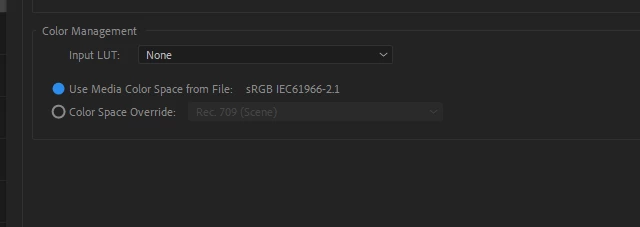
I found out what the issue was.

On just a select few images there was some meta data included (must have been created by the original artist)

In interpret footage I needed to overide this colour space
 

1 reply

Ann Bens
Community Expert
Community Expert
November 10, 2022

Banding can occur on 8 bit footage.

Add a slight blur (edit: see that you have already tried that).

Participant
November 10, 2022

Hi Ann,

Thanks for the reply.. unfortunatly its not banding. tried a blur and adding Noise. 

if i export a prores 442 it seems fine. Looks like I cant just export a h264.

what I find intersting is If I tick the Colour mangment of in the the prefrence.. it then displays the exact issue as im seeing on the h264 encode.

It bonkas that it wont just rende the same as when as what i see in the preivew window when colour mangment is ticked on.

I guess Ill have to export a Quicktime. first and then take that into encoder to do the h264. Guessing that will sort out the stand usual standed inconsistency we see with Adobe 

R Neil Haugen
Legend
November 11, 2022

Hi Neil thanks for the reply.

I delt with a lot of comprission isues with H264 ove rthe years. always mangaed to fix with a little noise and grain.

This is something toltaly differnet as i cant be fixed like this.

Would you be able to do me a massive favour and see if you can export this out of standard premiere settings with H264 and see if you have any issues.

file attatched.

Why After effects can do it and premiere cant is beyond me. If you just add a little noise for augements sake to eliminate the usual banding issues.

That would be really appreciated. Ive tried everything ive never had to change the colour space in AE.. it was always on the defefult unless in need to work with linear float or an Acers work flow.
Is this a new thing with the 23 update. 


The color stuff is more complex now, with more options, rather than total Rec.709 like it used to be. Which also means there's more ways for things to go south.


They've completely changed the color system in PrPro in 2022, and it's further modded a bit now. The underlying system was totally Rec.709 math in 2021 and earlier, now ... I call it 'color space agnostic', as it works with either Rec.709 type math or HLG type math, depending on how you set things up.


And there's been changes in Ae also, including the ACIO/ACES type stuff ... so there's more options, and ... more potential for screwups also. We all have to be a lot more intentional about color space now, because the apps have more options and don't default to the same stuff they used to.


As to this image, yea, I got some banding there where you pointed out with H.264, but not with ProRes422. And I am so not shocked that H.264 gets banding in that dark area. H.264 compression is built on changing pixel values to make fewer pixels it needs to record.


So ... you have a four pixel block, say 18/24/25, 19/23/25, 19/25/26, and 20/22/24.


The way H.264 compression works, it will probably store all those as 19/24/25. That way it only needs to record one set of values for the four pixels. Saves both in data written to file and time, and you probably won't be able to see it ...


I also took the ProRes, and did an export in ShutterEncoder at "max quality", and that was a bit less obvious banding than in Pr, but still it was there.


Neil

Everyone's mileage always varies ...