
Colour Shift when exporting VOB files to MP4
Hi there,
I'm currently converting a bunch of old DVD recordings made using a PVR into MP4 files. I have had success importing the VOB files into Premiere Elements 14 (I'm aware of the cropping/stretching issue with VOB files but these are 4:3 so import perfectly), but when I export them as H264 MP4 files, there is a slight colour shift where the converted image appears to be more saturated.
Here are two examples: the image on the left is the VOB file, the right is the export.
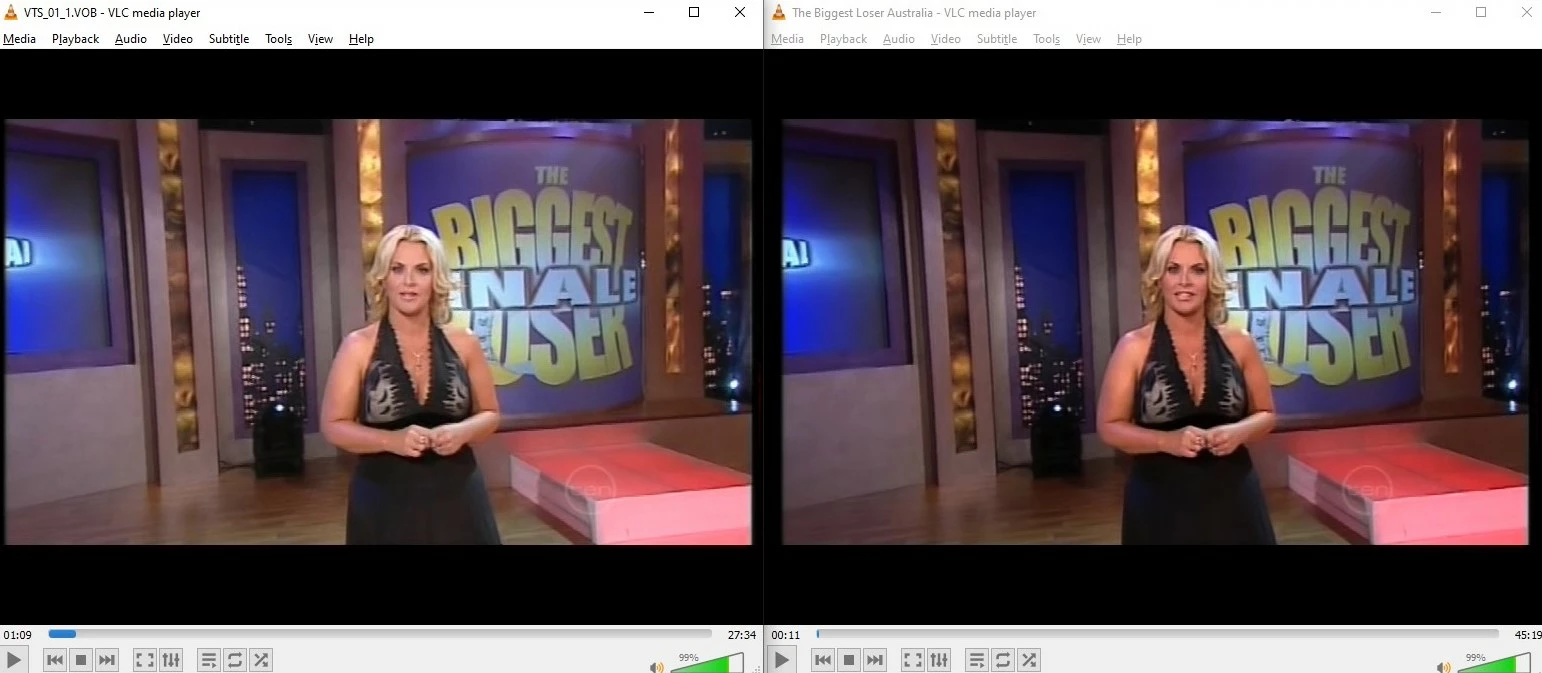
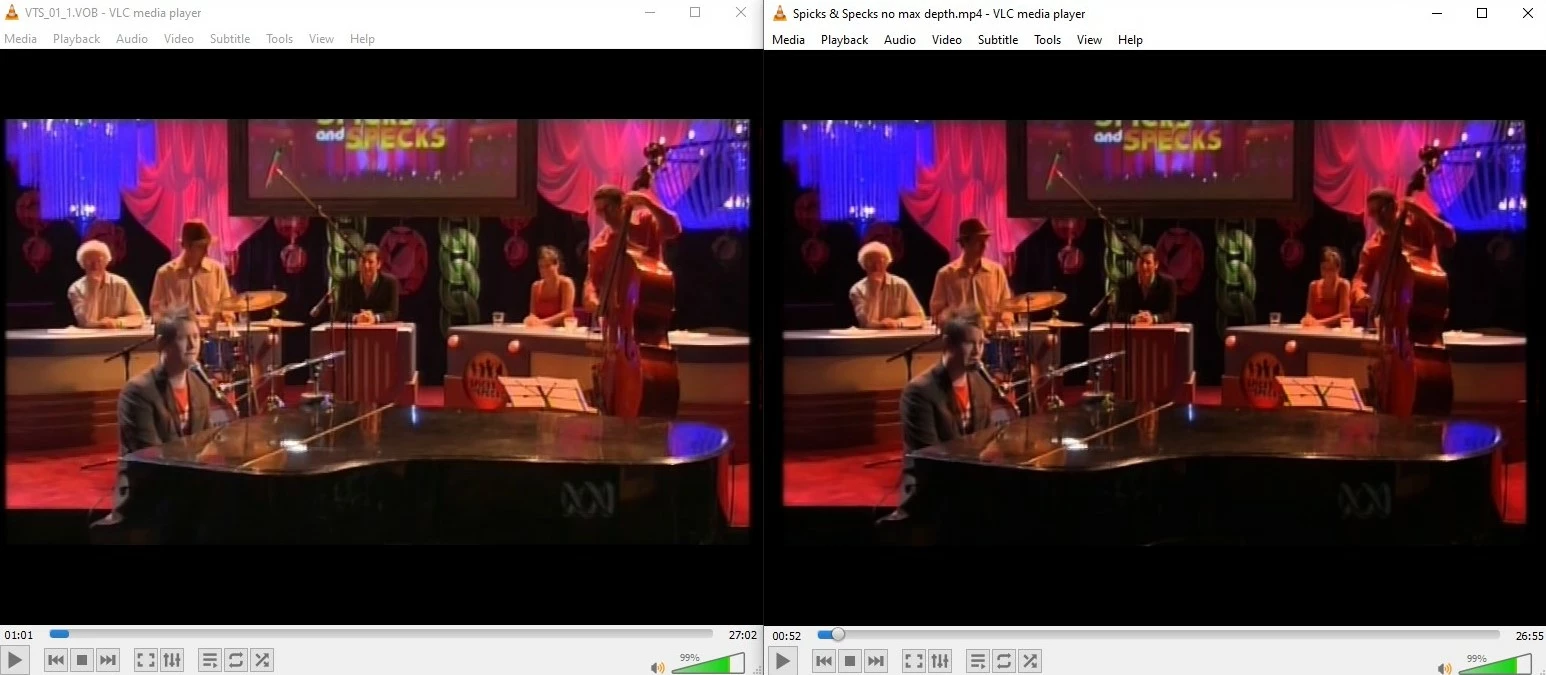
It's very slight, and to my eyes the VOB files sometimes look a little washed out and the exports have nicer blacks, but I wanted to make sure there wasn't a colour setting somewhere I wasn't changing? Or something to do with the VOB format or my export settings in Premiere? I'm careful to keep bitrate, audio, resolution, etc. all as close to the original as possible, so I'm curious why the colours change slightly and whether I can have any control over it.
This problem doesn't happen when different source material (MPEG-TS or MKV files) is exported using much the same export profile. Any suggestions? Thanks!
 AdChoices