
Known Participant
January 19, 2022
Question

copy keyframes to different motion property

  • January 19, 2022
  • 3 replies
  • 597 views

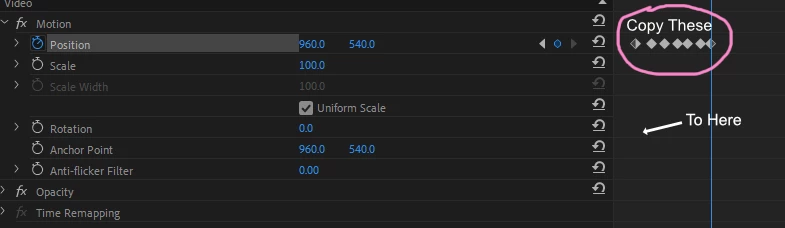
I know you can copy a clip's attributes so you can copy the keyframes from its scale or position ok, but what if you have a pile of keyframes that you did for the Position in the effects panel, and wanted to copy the same amount to a different property such as the Rotation one?

It seems strange that you can't do this, I know the result will be a different effect but I would like the same amount of keyframes I've used in one area to simply be copied to another. There must be a way.

Thanks
This topic has been closed for replies.

3 replies

Known Participant
January 22, 2022

Yeah thought it wasn't going to be doable.

Thanks for all replies.

Cheers


Community Expert
January 19, 2022

You could jump down the Position keyframes using the arrows and just add the rotation keyframes as you go. I found I could do one keyframe every 2 seconds so it wouldn't take long.

Ann Bens
Community Expert
Community Expert
January 19, 2022

Nope. You cannot copy the parameters separate.

Also, position keyframes are not the same as anchor keyframes. They behave differently.

Alternative, you can use the Transform effect.